a. Pressing this button will turn the Aircraft’s flashlight On and Off.
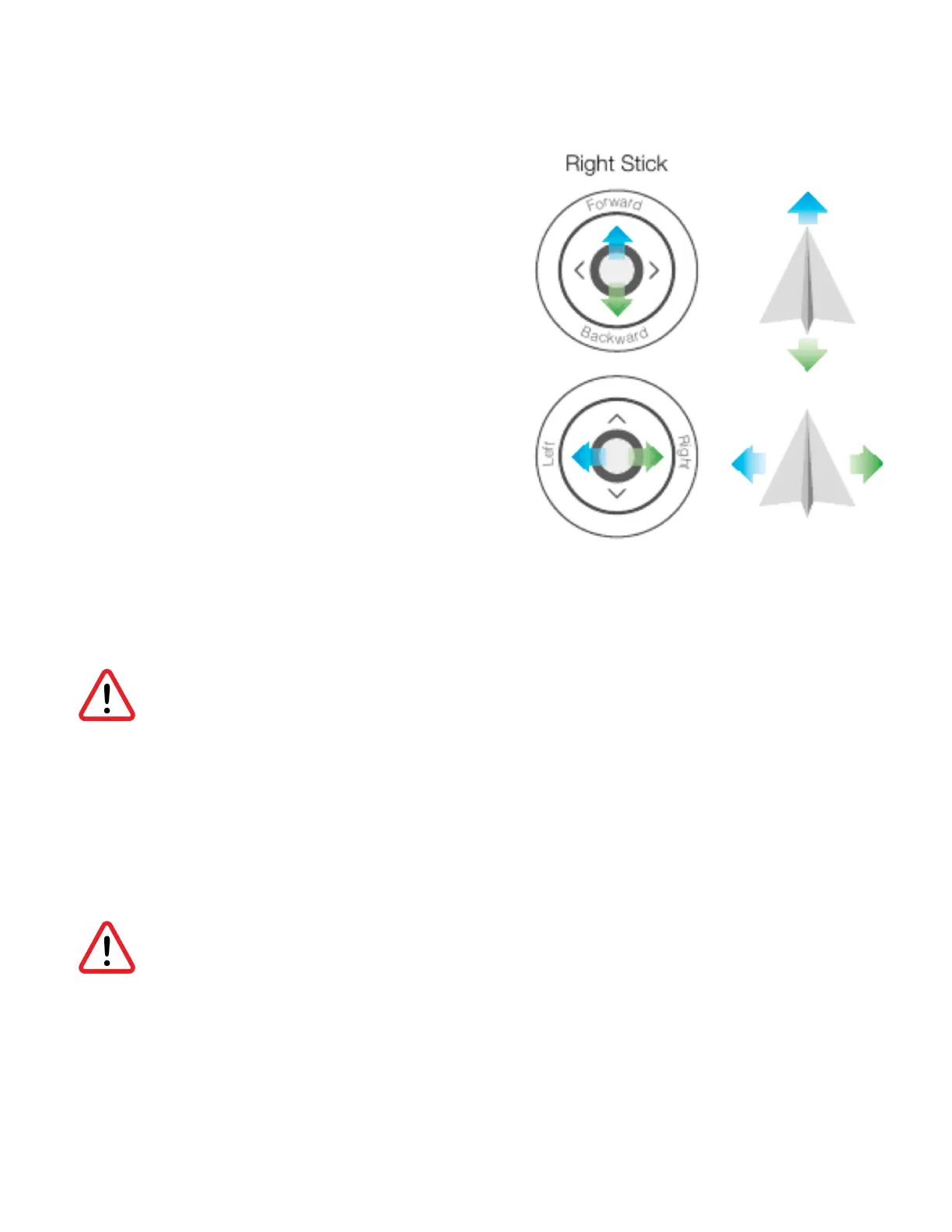
9. Right Joystick (Controls Pitch & Roll)
a. Right joystick will control all lateral
motions with the aircraft.
b. Pitching forward will cause forward
motion with the drone.
c. Pitching Backward will cause a reverse
motion with the drone.
d. Rolling the aircraft to the left will cause
a lateral motion to the left.
e. Rolling the aircraft to the right will
cause a lateral motion to the right.
10. Obstacle Avoidance Switch
a. This toggle is used to control the
obstacle avoidance system which limits the drones motion if an object is detected. When the
obstacle avoidance is turned on, the drone will prevent the pilot from flying the aircraft into an
object that is in front of the drone.
Obstacle avoidance only works in front of the aircraft. Objects to the side or behind cannot
be detected. Obstacle avoidance should also be a last resource for the pilot. While it is a
great aid, it should not be relied upon. Objects that reflect light may cause the obstacle
avoidance to fail.
11. Arm / Disarm the Aircraft (Starts and stops motors)
a. This toggle is used to start the motors upon takeoff, and turn off the motors upon landing. The
arming switch has an attached covered to prevent accident toggle switching. Toggling the
switch off during flight will cause all motors to seize and immediately inhibit flight.
Never toggle the arming switch in flight, this will cause an instant crash.
12. Aux (not in use)
13. Aux (not in use)



 To Next Page