Battery Charger
Each Lucid C1 drone comes with a dual battery charger, housed in a case. The charging case will contain a
dual battery charger, two battery charging cables, and two balance cables. The battery charger will allow users
to charger two batteries at once when plugged into a standard 110 outlet. Typically users will have to plug the
provided cables into the charger prior to use.
How to Charge Batteries.
Your Lucid charging cases will come pre-programmed and the user will not need to alter settings for initial
charging. To charge the batteries, follow these steps:
1. Plug in power connectors from charger to batteries
2. Plug in the balance cable from the charger to the batteries (use
notches to align the plug)
3. Once you plug in the batteries to the charger, the charger should
display a 6 cell battery with operating voltages from 2.5v to 4.2v
(per cell)
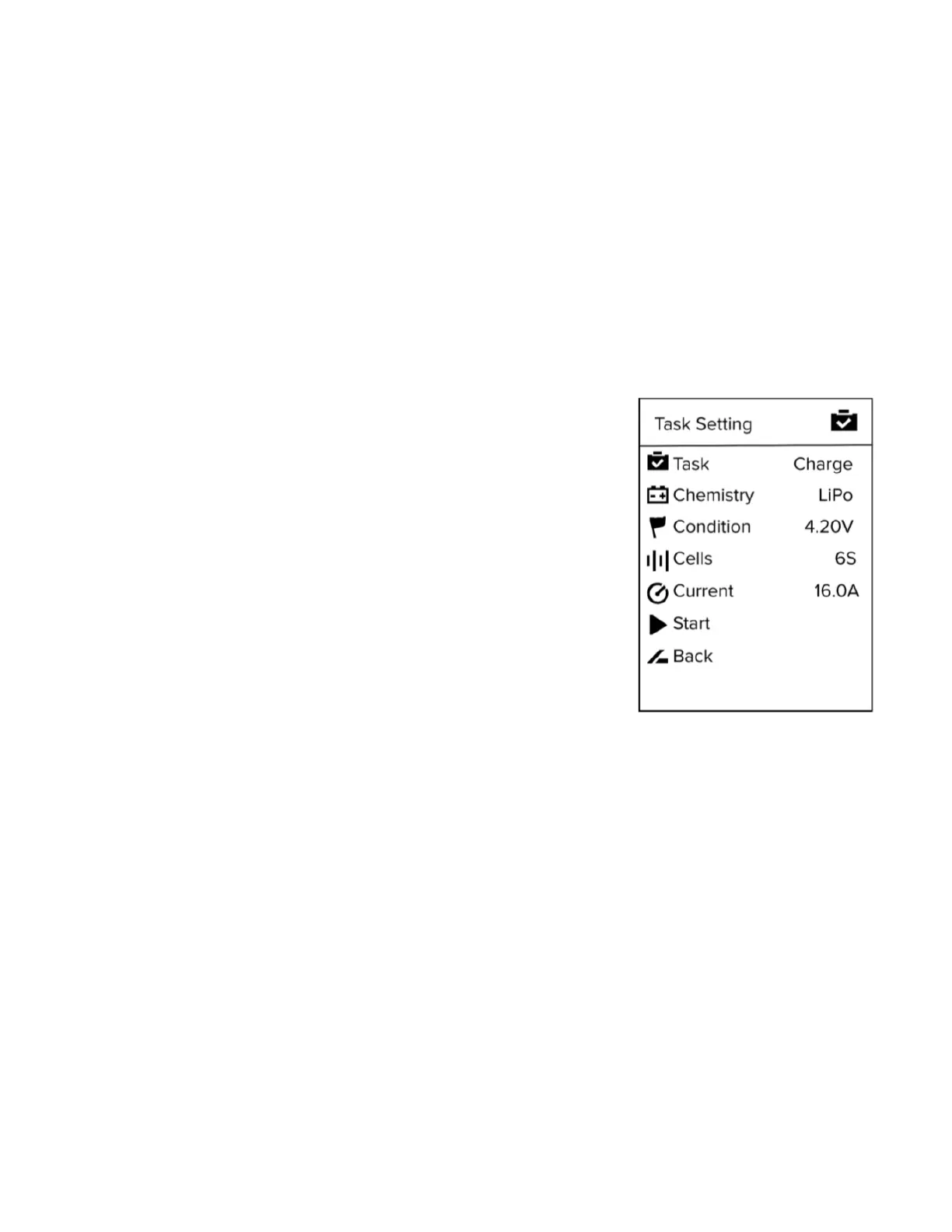
4. Press the circle button once to bring up the charging menu
5. Ensure the charging screen matches the image to the right.
6. Press the circle button again to “Start” charging
7. The screen will turn red and the batteries will begin charging
a. Typical full charge time will vary, but expect 40-60minutes
8. Once the battery is almost finished charging, the screen will
illuminate green. This means the charger has entered the
balancing phase to ensure the battery is fully charged.
9. Once the balance phase has completed, the charger will beep
twice and the screen will turn blue.
10. To finish charging, press the circle button to end the balance
cycle and unplug the batteries.
How to Discharge Batteries.
Batteries will need to be discharger in order to be stored properly. Typically battery discharging would be used
when batteries need to be stored longer than 10 days, batteries need to be deep cycled, or the battery cells
have become unbalanced. (ie. cell deviation of .5v or greater)
To discharge the batteries, follow the following steps:
1. Follow steps 1-3 as stated above
2. Press the circle button to navigate to the option screen.
3. Press the upper triangle button to navigate to the task menu (at the top)
4. Select discharge to deep-cycle the batteries or balance them.
5. Select “Storage option” for storing the batteries longer than 10 days
6. Once you have selected the correction option, use the lower triangle button to navigate back to the start
icon.
7. Select start with the circle button to begin the discharge or storage cycle.
8. Discharging the battery will take several hours to complete.


 To Next Page
 Loading...