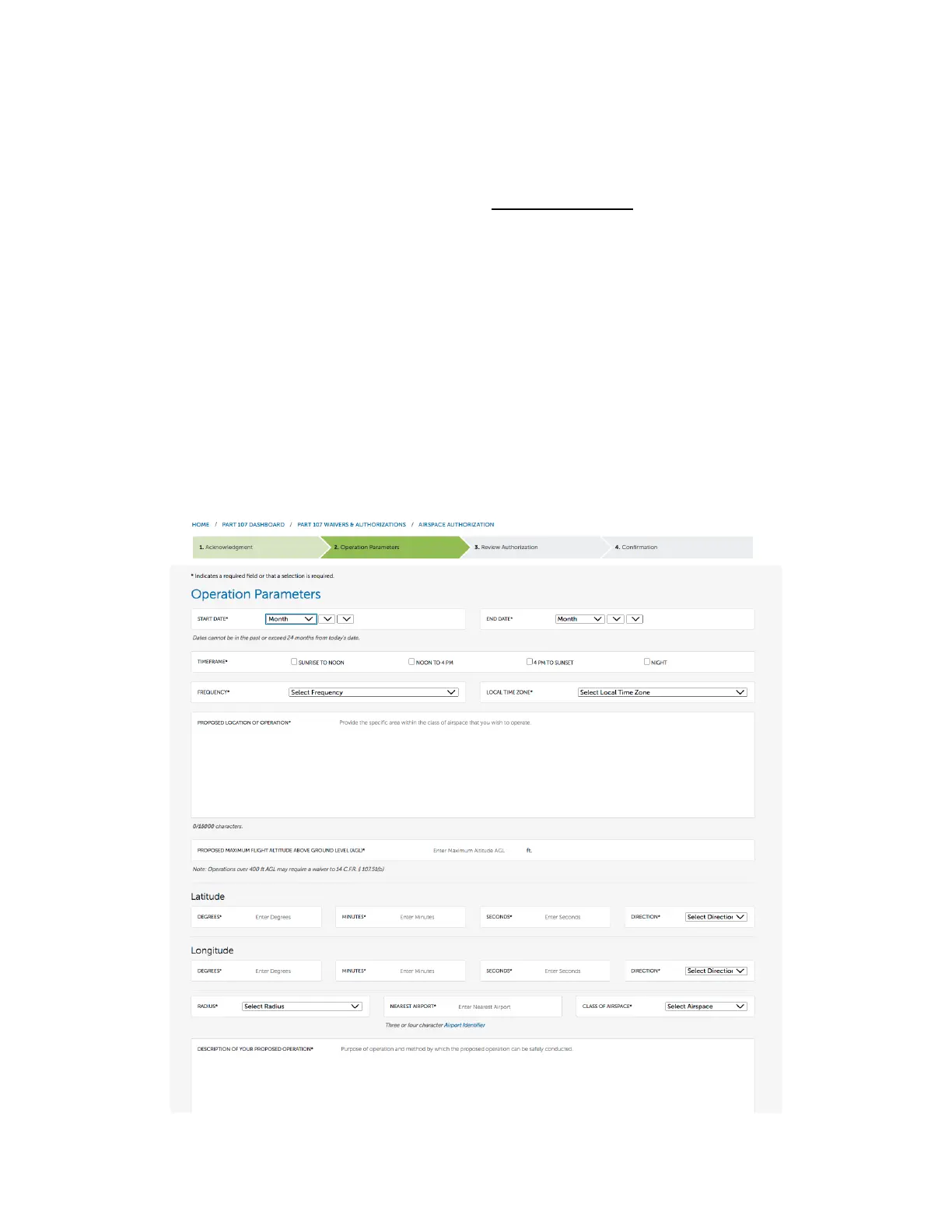
4. For the next step, you will enter the operational parameters of the application itself. There are a few
hacks here to make this process much easier.
a. For example, if you’re applying for an airspace waiver in controlled airspace that has a LAANC
active, you will need to apply for one specific date. The system will not allow you to set a date
range if LAANC is active at the airport.
i. If you’re planning on flying multiple days, you will simply input the date range or
proposed days of operations in the comments section.
b. Another workflow hack to make this process easier. Pull up the location for the proposed
operation in google maps. Double click on an area nearby, the pin will showcase GPS
coordinates. Click the coordinates, as the coordinates will display in your browser tab… and
make it easier to enter the coordinates into the FAA website. (See training video)
c. Give yourself flexibility due to weather. The FAA understands you want to operate safely, and
asking for a window of flight time due to potential weather issues is totally acceptable.
Contingencies allow for everyone to operate safely. Do not confine yourself to a specific flight
time.
d. When applying for altitude, make sure to note in the comments the nearest MOCA altitude to
the operation. (Minimum obstacle clearance altitude) If the FAA knows there is a building or
radio tower at a much higher altitude than your proposed operation, they are more likely to
approve the request.



 To Next Page