Model 19 MICRO R METER Technical Manual Section 2
Ludlum Measurements, Inc. Page 2-1 February 2012
Getting Started
Unpacking and Repacking
Remove the calibration certificate and place it in a secure location. Remove
the instrument and accessories (batteries, cable, etc.) and ensure that all of
the items listed on the packing list are in the carton. Check individual item
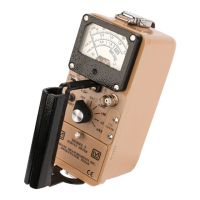
serial numbers and ensure calibration certificates match. The Model 19 serial
number is located on the front panel below the battery compartment. Most
Ludlum Measurements, Inc. detectors have a label on the base or body of
the detector for model and serial number identification.
Important!
If multiple shipments are received, ensure that the detectors
and instruments are not interchanged. Each instrument is
calibrated to specific detectors, and therefore, not
interchangeable.
To return an instrument for repair or calibration, provide sufficient packing
material to prevent damage during shipment. Also provide appropriate
warning labels to ensure careful handling. Include detector(s) and related
cable(s) for calibration. Include brief information as to the reason for return,
as well as return shipping instructions:
- Return shipping address
- Customer name or contact
- Telephone number
- Description of service requested and all other necessary
information
Battery Installation
Ensure the Model 19 power switch is in the “OFF” position. Open the
battery lid by pushing down and turning the quarter-turn thumbscrew
counterclockwise a quarter of a turn. Install two "D" size batteries in the
compartment.



 To Next Page