7
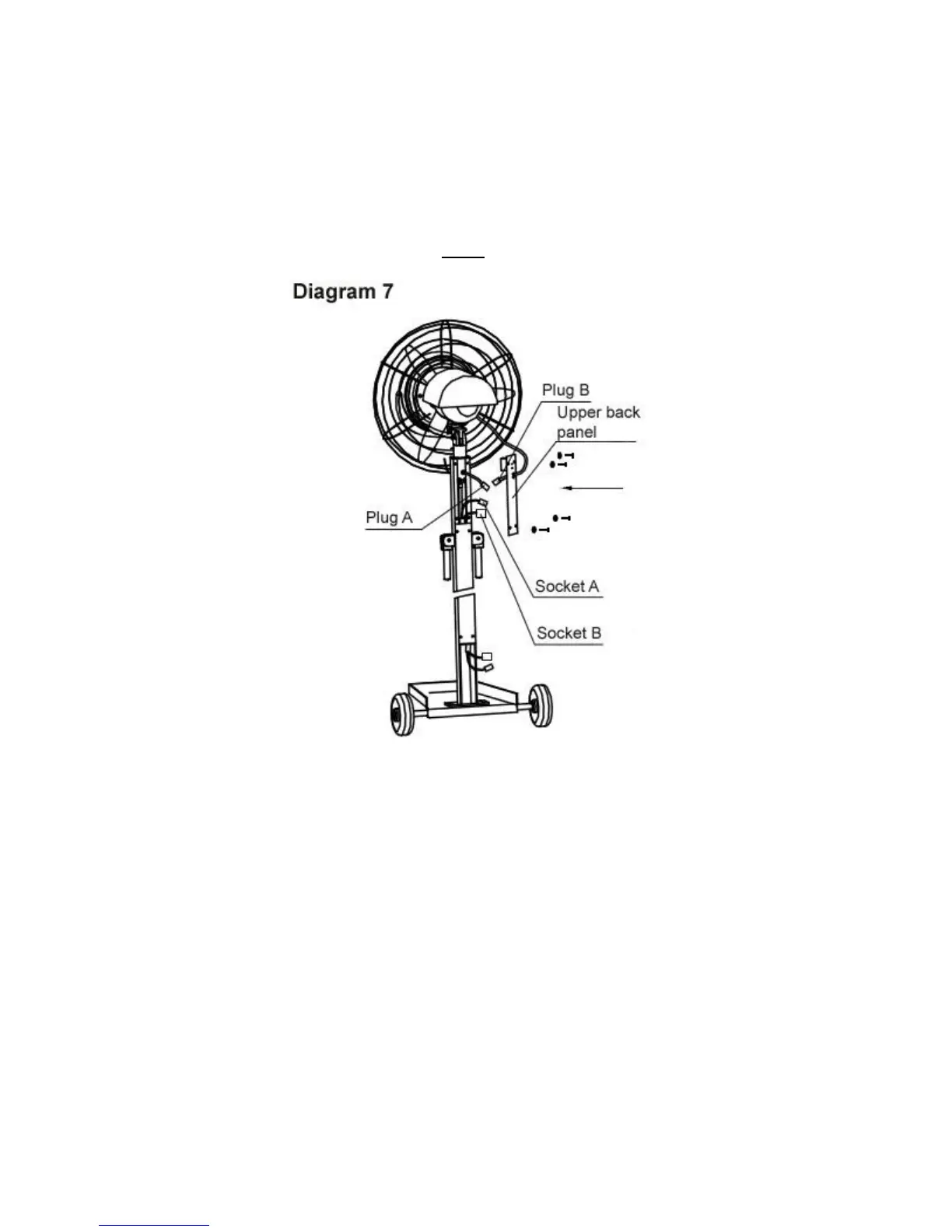
Step 6: Connecting the Power Supply (Upper Back Panel)
a. Refer to diagram 7. Remove the upper back panel from the top of the stand pole by unscrewing
the 4 M5 screws holding it in place.
b. Insert plug A into socket A and make sure the connection is secure.
c. Insert plug B into socket B and make sure the connection is secure.
d. Push all of the wires back into the stand pole and reattach the upper back panel onto the stand
pole using the 4 M5 screws removed in step a.



 To Next Page