EasyManua.ls Logo

Lumag MD500E - User Manual

Lumag MD500E
24 pages
Print Icon
To Next Page IconTo Next Page
Loading...
Distribution Limited
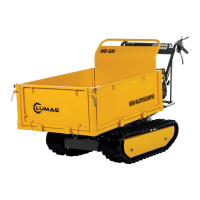
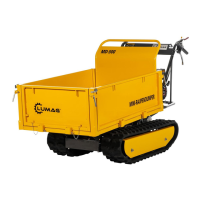
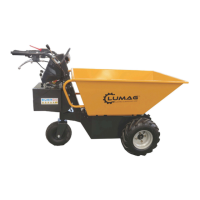
Mini Dumper
Operator’s Manual
MD500E
FOR YOUR SAFETY
READ AND UNDERSTAND THE ENTIRE MANUAL
BEFORE OPERATING THIS MACHINE

Questions and Answers

  • I
    Ivan JohnstonAug 4, 2025
    How to fix a Lumag Construction Equipment that feels loose?
    • A
      Ashley JacksonAug 5, 2025
      If your Lumag Construction Equipment feels loose or less solid than when first assembled, it's likely that the hardware has become loose. Retighten all hardware using the appropriate tools to resolve this issue.
  • K
    Kyle WashingtonAug 16, 2025
    What to do if one or more tires are flat on my Lumag Construction Equipment?
    • J
      Jessica WilliamsAug 16, 2025
      If one or more tires on your Lumag Construction Equipment are flat, it could be due to several reasons. You should: 1. Inflate the tire to the correct pressure. 2. If there is a puncture, patch or replace the damaged inner tube. 3. Check the tire air valve; if it's leaky, replace or tighten it.
  • P
    peter74Aug 22, 2025
    Why does my Lumag Construction Equipment sometimes not run?
    • I
      ievansAug 23, 2025
      If your Lumag Construction Equipment runs intermittently, the issue might stem from loose wire connections. Check all wire connections to ensure they are secure. If the problem persists, it could indicate motor or electrical damage, in which case you should contact customer service for assistance.
  • C
    cantupeterAug 28, 2025
    What to do if the Lumag Construction Equipment battery makes noise when charging?
    • V
      Victoria HarrisAug 28, 2025
      It is normal for Lumag Construction Equipment batteries to make noise or swell slightly while charging and is not reason for concern. No action is required.
  • C
    cynthiaaguirreNov 9, 2025
    Why is my Lumag MD500E Construction Equipment not running or has a short run time?
    • J
      Jennifer JacksonNov 9, 2025
      If your Lumag Construction Equipment is not running, has stopped suddenly, has a short run time, or runs sluggishly, several factors could be at play. First, ensure the battery is adequately charged; a new battery requires at least 12 hours of initial charging. After the initial charge, recharge until the green light illuminates. Check all connectors to ensure they are correctly plugged into the battery box and that the charger is properly connected to the outlet and the outlet has power. Inspect all wires and connectors for looseness, paying special attention to the motor harness connector. The maximum capacity of the machine is 500 kgs, so avoid overloading it or using it in overly stressful conditions. If you suspect the charger isn't working, or the motor is damaged, contact customer s...

Summary

LUMAG Mini Dumper MD500 E Operators Manual

Welcome and Important Safety Information

Mandatory Safety Reading

Stresses the importance of reading all safety cautions and warnings for optimal operation and machine longevity.

Safety Guidelines and Hazard Definitions

Understanding Safety Symbols

Explains DANGER, WARNING, CAUTION, and NOTICE symbols and their associated hazard levels.

Operational Safety: Prohibitions and Battery Precautions

Critical Safety Warnings for Operation

Outlines key safety rules including no unauthorized riding, no modifications, water immersion, and battery handling.

Operational Safety: Handling and Environmental Considerations

Safe Operation and Storage Practices

Covers warnings on hot parts, operating under influence, towing, indoor use, slope operation, and storage during adverse weather.

Contents Supplied with the Mini Dumper

Mini Dumper Assembly Steps

Know Your Mini Dumper: Component Identification

Parking Handle Operation

Details how to use the parking handle to secure the machine and prevent accidental movement.

Safety Handle Functionality

Explains the safety handle's role in starting, stopping, and ensuring machine safety during operation.

Mini Dumper Controls and Functions

Direction and Speed Control Operations

Describes using the F&R button for movement and the Power Control Handle for speed adjustment.

Braking and Tipping Mechanism Usage

Explains how to operate the brake handle for stopping and the tipping handle for emptying the dumper.

Ignition Switch and Charging Port

Details the ON&OFF switch for power and the charging outlet for recharging batteries.

Universal Wheel Steering Control

How to steer the machine by controlling the universal wheels via the handle bar.

Operations: Charging and Starting Procedures

Battery Charging Guide

Step-by-step instructions for charging the machine's batteries correctly.

Starting the Mini Dumper

Instructions for inserting the key and turning it to the "ON" position to power up the machine.

Advanced Operations and Controls

Speed, Braking, and Stopping Procedures

Covers adjusting speed, using the brake, and safely stopping and restarting the machine.

Forward, Backward, and Tipping Operations

Details controlling direction (forward/backward) and the process for tipping and returning the dumper box.

Maintenance and Battery Safety

Charger and Battery Care

Guidance on inspecting the charger and batteries for damage and ensuring proper care.

Battery Acid Handling and First Aid

Critical safety information regarding battery acid exposure, ingestion, and necessary immediate actions.

Battery Disposal and Component Checks

Battery Disposal and Maintenance Checks

Guidelines for safe battery disposal and routine checks of tires, hardware, oil, and wires.

Storage Guidelines for the Mini Dumper

Long-Term Storage Preparation

Procedures for preparing the machine and batteries for storage longer than 30 days.

Troubleshooting Common Issues

Parts Schedule and Diagram

Lumag MD500E Specifications

General IconGeneral
BrandLumag
ModelMD500E
CategoryConstruction Equipment
LanguageEnglish

Related product manuals