Need help?
Do you have a question about the Lumenier DLUX OSD and is the answer not in the manual?
Configure DLUX settings and graphics layout using the MinimOSD tool via www.mwosd.com.
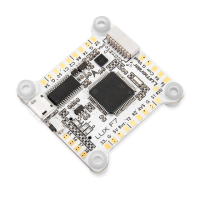
Details the function of the first seven pins for flight controller and camera connections.
Details the function of pins 8 through 14 for GPS, battery, and video transmitter connections.
Configures 5V, 12V, or Raw power output for VTX and Camera by soldering pads.
Enables or disables the 12V regulator by soldering specific pads for power output.
Option to change U3 RX/TX pins to function as U1 RX/TX by soldering pads.
Set UART RX/TX pins connected to DLUX U1 or U3 to MSP at 115200 in CleanFlight.
Activate the Telemetry Output feature within the CleanFlight Configuration tool.
 General
| Brand | Lumenier |
|---|---|
| Model | DLUX OSD |
| Category | Drone & Quadcopter Accessories |
| Language | English |


 To Next Page