Copyright © 2015-19 Clive Dyson Version 4.5 2
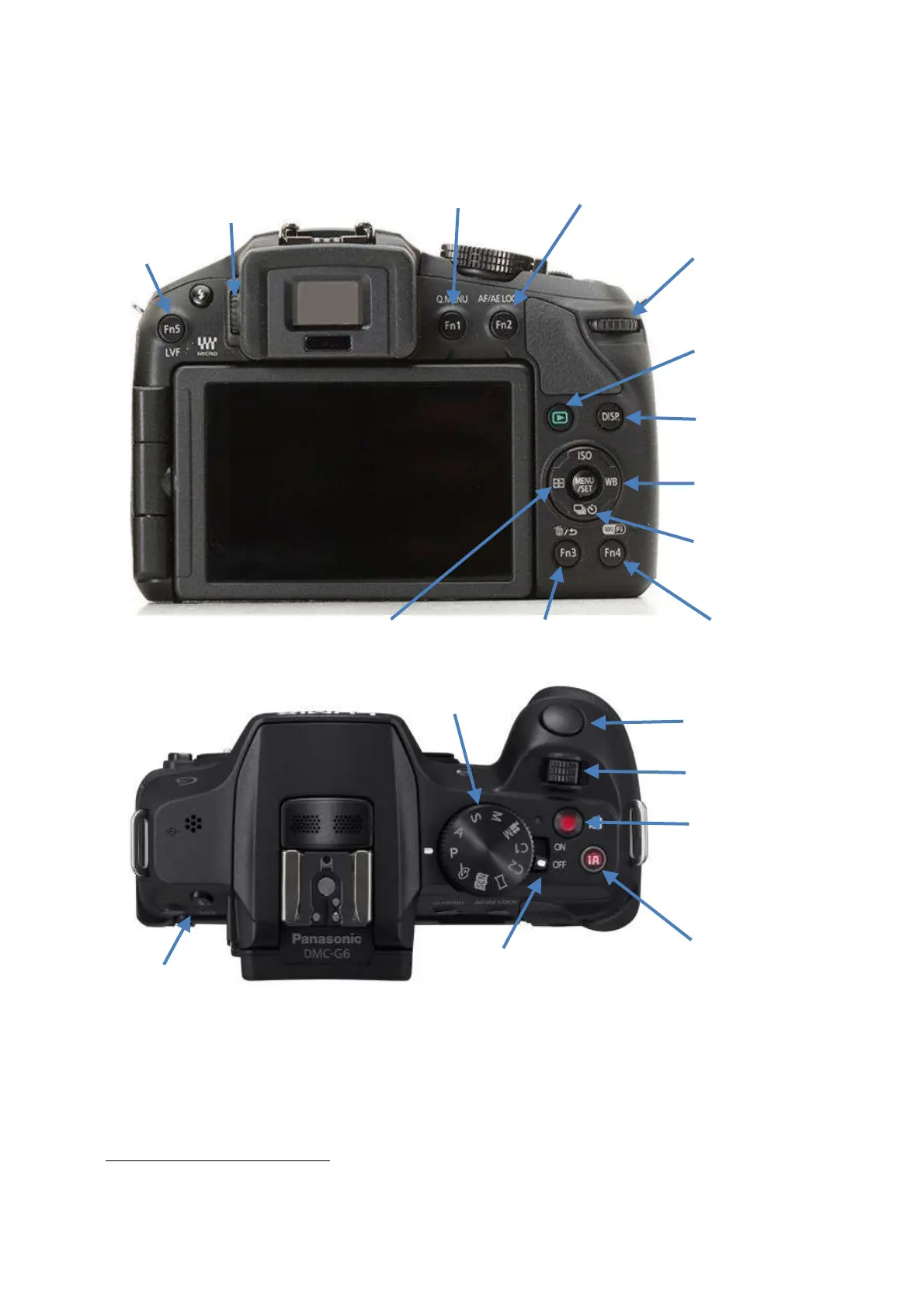
When using the viewfinder, use the buttons and dials to control most functionality, including using the
cursor keys to move the AF area after pressing the FOCUS AREA SET button. When viewing the screen,
you can use either the buttons and dials or the touch screen.
With the LCD screen open, press the LVF button to toggle through the MONITOR SWITCH settings: LVF
on; LCD screen on; and automatic switching between the two
. When you turn the camera on it will use
the setting you were using when you last switched it off.
Press the DISP button to cycle through alternative displays on the screen or viewfinder (whichever is in
use): with info; no info; level and info; level and no info; control screen; and off. The last two only apply
to the screen. The control screen shows a number of function settings and allows you to change them.


 To Next Page