Copyright © 2015-19 Clive Dyson Version 4.5 8
Moving subjects (custom mode C
3
)
A different approach is required to photograph moving subjects. This requires a fast shutter speed to
avoid motion blur (enabled by a wide aperture lens and/or higher ISO) and you (and your camera) need
the ability to track the motion of your subject. The wider aperture implies a shallower depth of field, which
can make focusing harder. You usually don’t have time to manually adjust focus or exposure whilst taking
the shot or burst of shots. You either have to set up focus in advance or rely on automatic focus, both of
which are supported in the following process:
1. Select the C
3
custom mode
This uses:
o Shutter speed exposure mode.
o 1-AREA AF
mode and SPOT metering, taking exposure in the AF frame.
o AF/AE LOCK is set to AF-ON and SHUTTER AF is set to OFF so that AF is only activated
whilst the AF/AE LOCK button is pressed (referred to as ‘back button AF’).
o Image stabilisation is set to OFF, as you usually want to freeze motion with a fast shutter speed
.
o ISO LIMIT is set to OFF to allow faster shutter speeds, at the expense of more image noise.
o ISO is set to AUTO. You may want to set it explicitly for the lighting conditions and subject.
o QUALITY is set to JPEG FINE resolution, to enable longer bursts of images to be captured.
2. Select AFC and BURST mode
Set the AF/MF switch to continuous auto-focus (AFC). If you want to use it, turn the drive mode dial
to BURST mode. Burst rate is set to M, leaving the display active to allow you to track your subject
.
3. Set the shutter speed using the front dial
The rule of thumb, with no image stabilisation, is that your shutter speed should be at least the inverse
of the (35mm sensor equivalent) focal length. For example, for a 300mm lens on a micro four thirds
camera (a 600mm equivalent focal length) you would aim for a shutter speed of 1/600 second or
faster. The camera will set the aperture and, if on AUTO, the ISO for correct exposure.
4. Position the AF frame
You might often leave the AF frame in the centre of the scene. To move it, press FOCUS AREA SET
and use the cursor keys or touch screen. Change its size with the front and rear dials. Half-press the
shutter button or press SET to accept.
5. Take a burst of photos with focus locked or tracking focus
Centre the subject (or something at the distance the subject will be at) in the AF frame and either:
• Lock focus: Press and release the AF-ON (AF/AE LOCK) button to lock the focus. Fully depress
and hold the shutter button to take a burst of photos with the focus locked at the set distance.
You will obtain a higher frame rate, as the camera is not continually checking for focus, and there
is no risk of the focus jumping to another object. Of course, your subject must remain at, or pass
through, the focused distance.
• Track focus: Press and hold the AF-ON (AF/AE LOCK) button to start focus tracking. Fully
depress and hold the shutter button to take a sequence of photos, keeping the subject in the AF
frame. The camera will (attempt to) continually adjust focus on the subject.
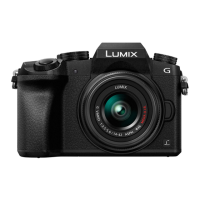
The G7 also has a TRACKING AF mode. I’ve not had a lot of success with it. Do try it!
If you are tracking a fast-moving object, try setting image stabilisation to PANNING and use a somewhat slower
shutter speed. This will blur the background, giving a sense of speed.
You can use higher burst rates, but (the camera says) you lose live view.


 To Next Page
 Loading...