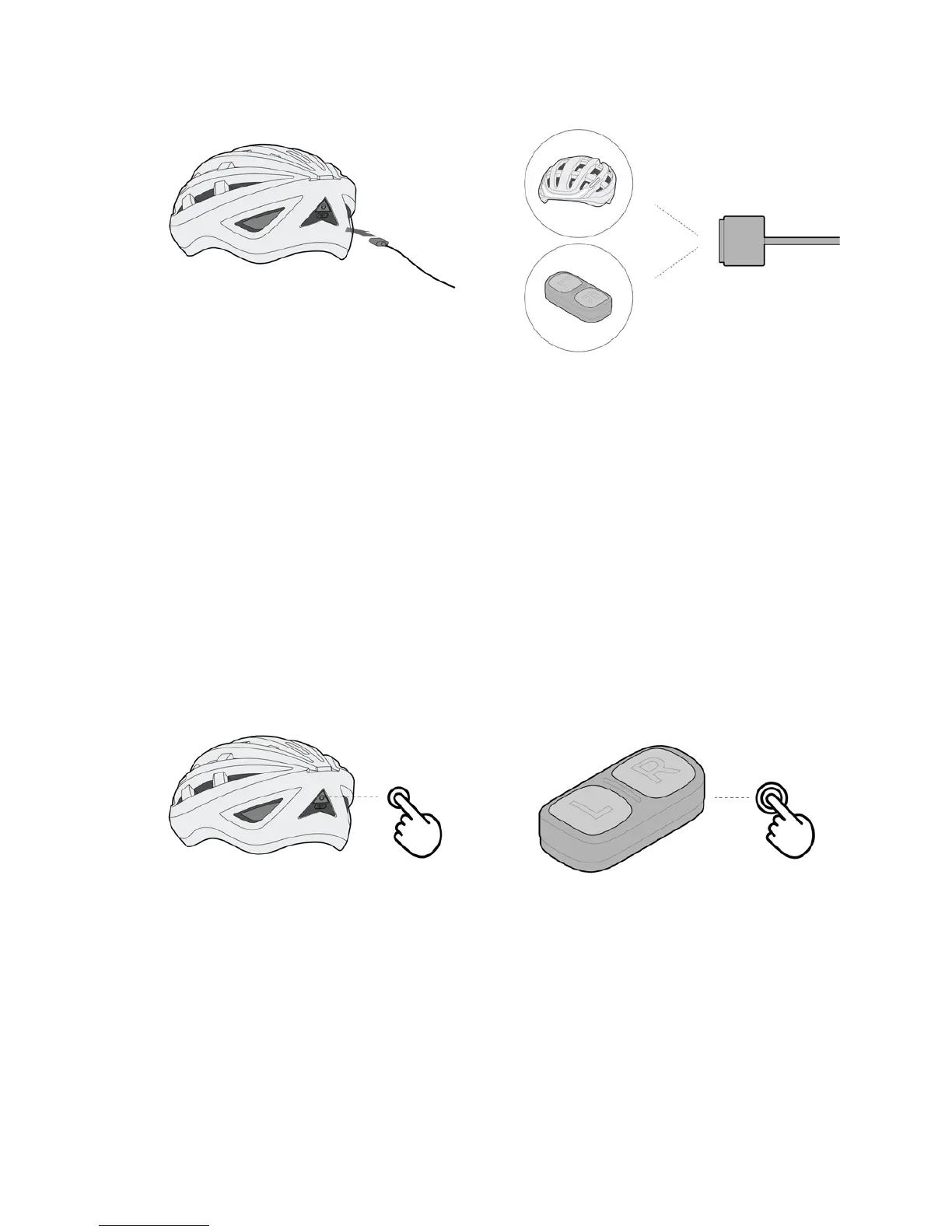
When the battery on the remote is low, both buttons on the remote will ash red.
Please recharge the remote immediately. The remote uses the same charging cable
as the helmet.
PAIRING THE HELMET WITH THE REMOTE
If the helmet is not responding to the remote, either you need to charge the re-
mote, or the remote is not paired with the helmet. To pair the remote to the helmet,
follow these steps:
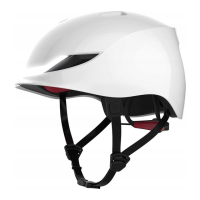
1) Turn your helmet o. Then press and hold the power button till you hear a beep.
2) Press and hold both buttons on the remote till you see both button lights turn on.
3) Press any one button on the remote. Your helmet will respond accordingly, and
will automatically exit pairing mode. Your helmet and remote are now paired.
CONNECTING THE HELMET WITH YOUR PHONE
Connect your Lumos Helmet to your phone via Bluetooth by following these steps:
1) Download the Lumos app (currently only available on iOS)
2) Turn on Bluetooth on your phone and launch the app.
3) Follow the instructions on the app to pair the helmet with your phone.


 To Next Page