USING THE AUTOMATIC WARNING LIGHTS
Using a motion sensor in the remote, Lumos senses when you’re making a sudden
change in motion and turns all the lights at the back of your helmet solid red to
indicate that you are slowing down.
This feature is still being rened, and is currently only available in beta. To activate
and use the automatic warning light feature, follow the instructions in the included
sheet titled “A NOTE ABOUT THE AUTOMATIC WARNING LIGHT FEATURE.”
Note: Activating the automatic warning light feature will also decrease the battery
life of your remote signicantly.
In its normal mode your remote would last for approximately 1 month on a single
charge. With the automatic warning light feature battery life will depend on fre-
quency of use, but can drop to less than a week on a single charge.
RESETTING YOUR HELMET
In rare situations you might nd your helmet gets “stuck” (eg. helmet cannot be
turned o or is non-responsive to button presses.
In this situation your helmet might need to be reset. To reset, simply connect your
helmet to the charger, and it will automatically reset itself.
If you still encounter problems, email us at support@lumoshelmet.co and we will be
happy to assist you!
FITTING INSTRUCTIONS
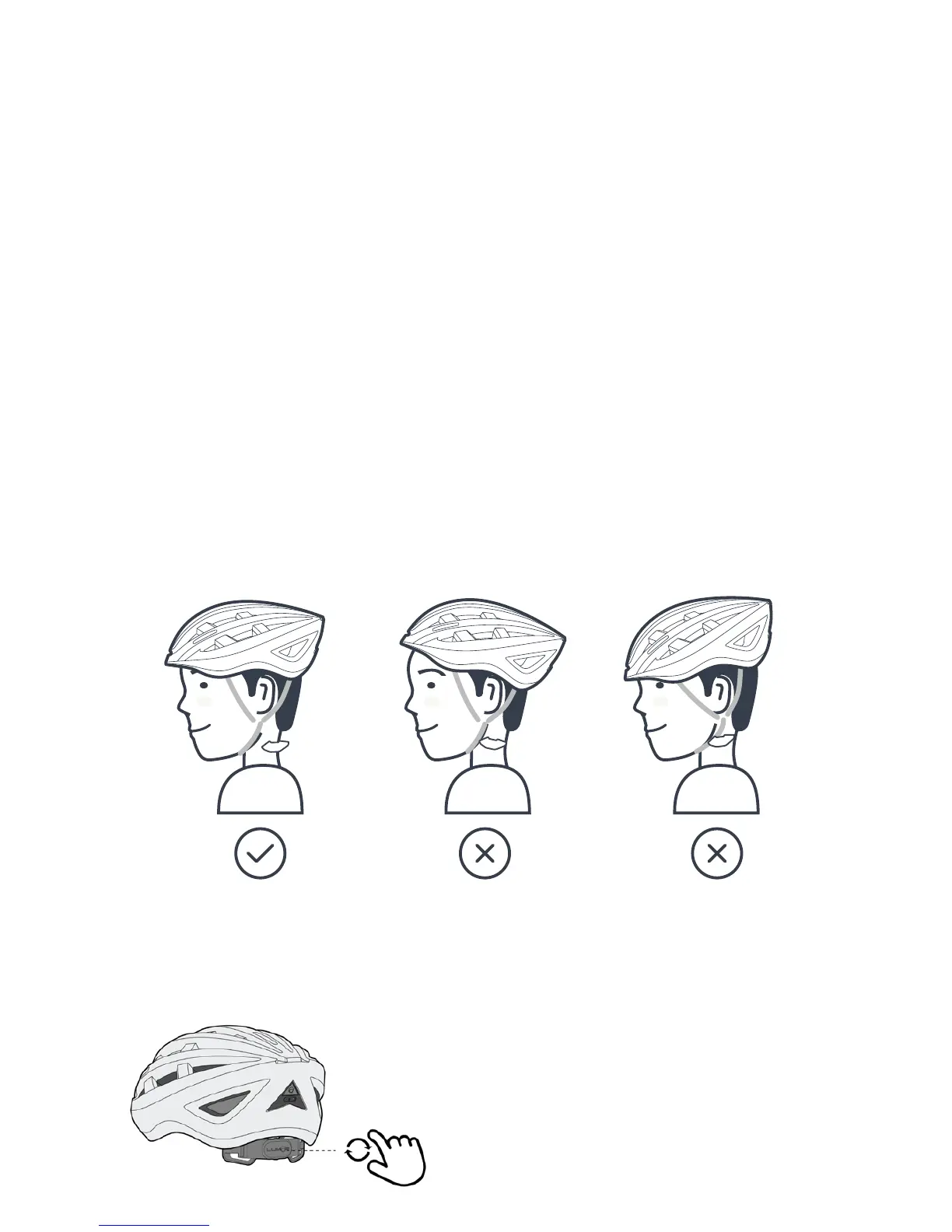
1) The helmet must t properly to be eective. With a proper t, the helmet will not
move back and forth or side to side while fastened. The helmet can only protect if
it ts well. The buyer should try dierent
sizes and choose the size which feels
secure and comfortable on the head.
2) Tighten or loosen the rear adjustment
dial to t the circumference of your head
as required.


 To Next Page