IV. UNDERSTANDING THE CONTROL FEATURES
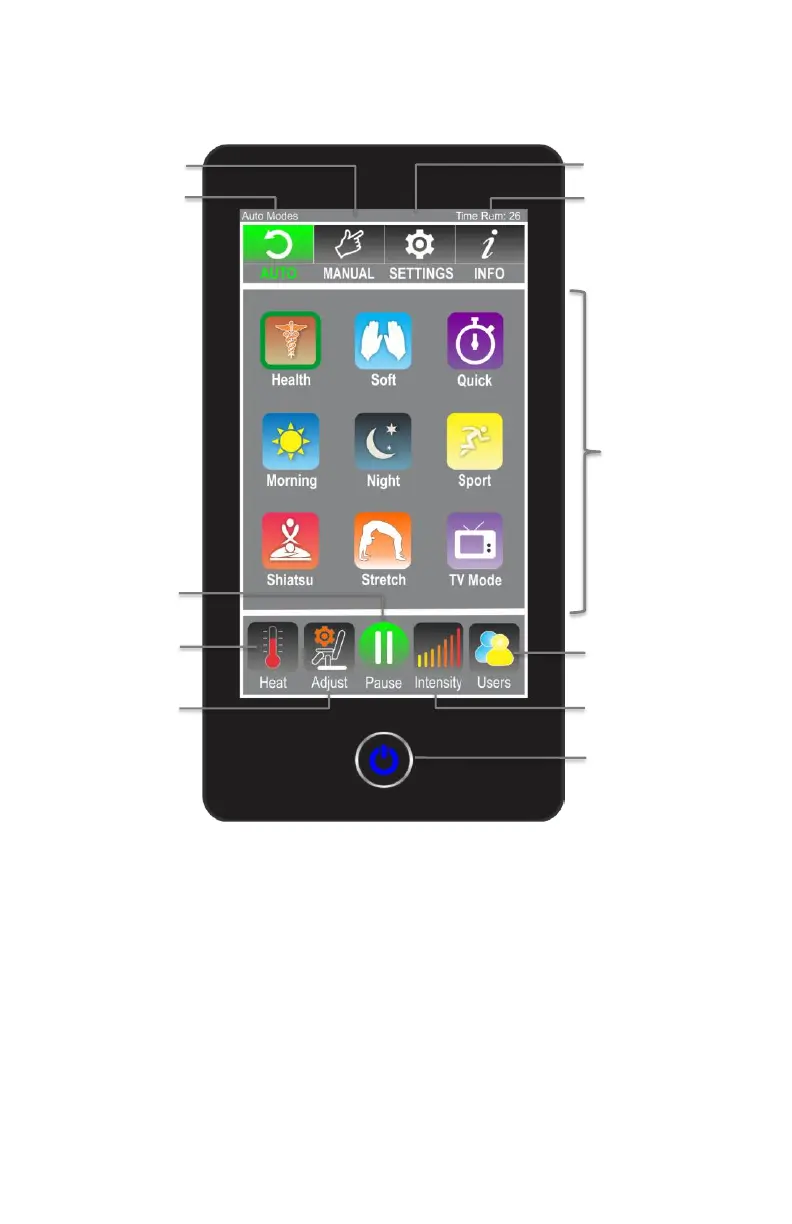
Fig.9: Control Instructions and Button Description
1. Quick Instructions for Control Main Screen
• Auto:
Allows user to select one of the 9 automatic massage programs.
• Manual:
Allows user to customize a massage profile that best fits the
body needs for optimal results. After an optimized profile is
created, user can save it under “Users Profile”. User can then
recall the saved profile next time chair is used.



 To Next Page