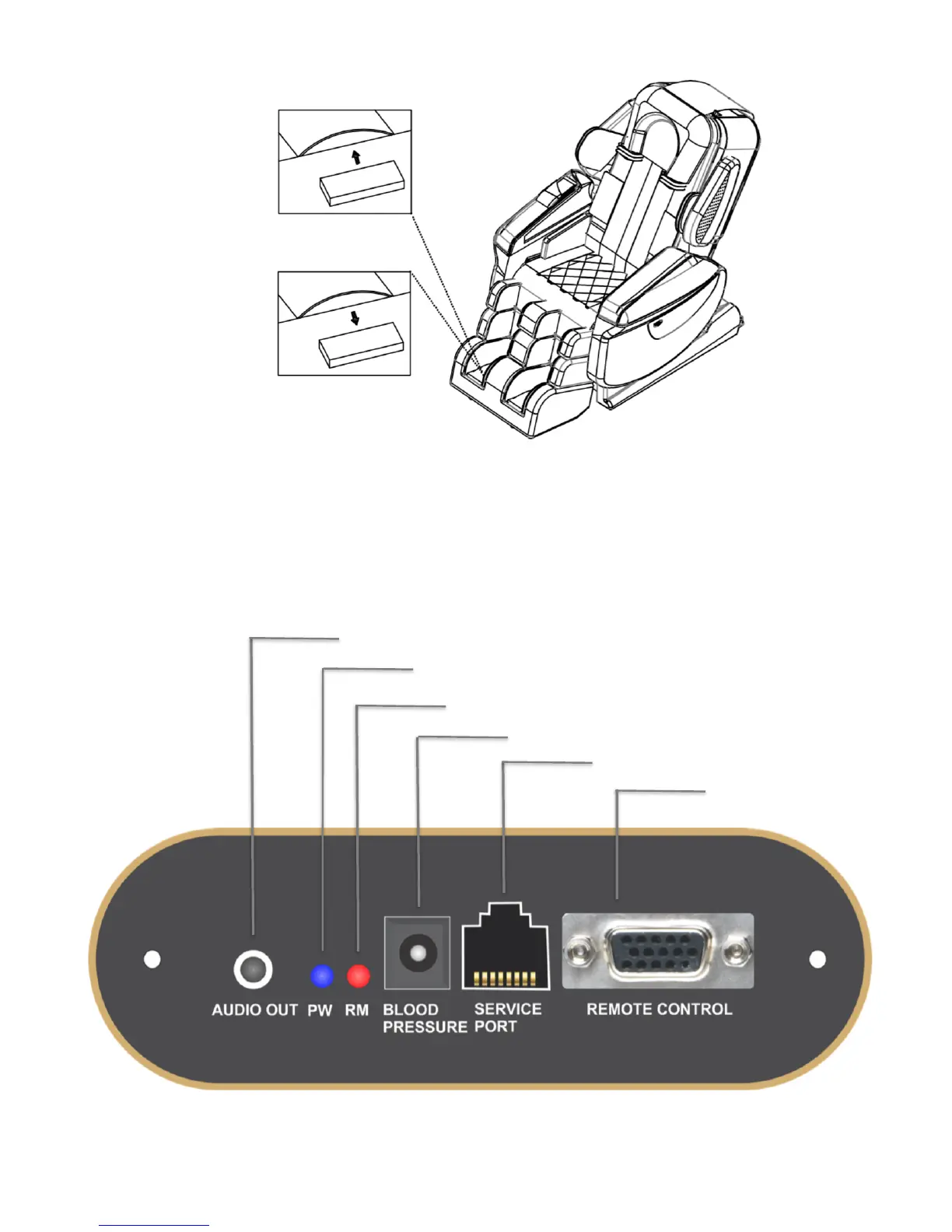
If you wish to have a stronger foot massage, simply remove the gentle pads on top of the rollers as shown in Fig.7
below. Note: The gentle pads are already installed on the chair.
Adding&&
Gentle&Pad&
Removing&&
Gentle&Pad&
Fig.7: Adding/Removing Foot Roller Gentle Pads
Step 5: Install Remote Control and other Electrical Accessory Devices
a. Please refer to Fig.8 below for remote control, and other accessory devices connection.
Note: This panel is located on the right side of the chair slightly below the armrest
!
Remote!Control!
Port!
Reserved!For!Service!Tech!
Blood!Pressure!Monitor!Port!
Remote!Control!Error!Indicator!
Power!Indicator!
Audio!Out:!Connect!Headphone!To!Listen!Music!


 To Next Page