b. Plug the power cord to the back of the chair.
c. Power is turned on/off by a switch on the back (Switch to position I to turn on and position 0 to turn off).
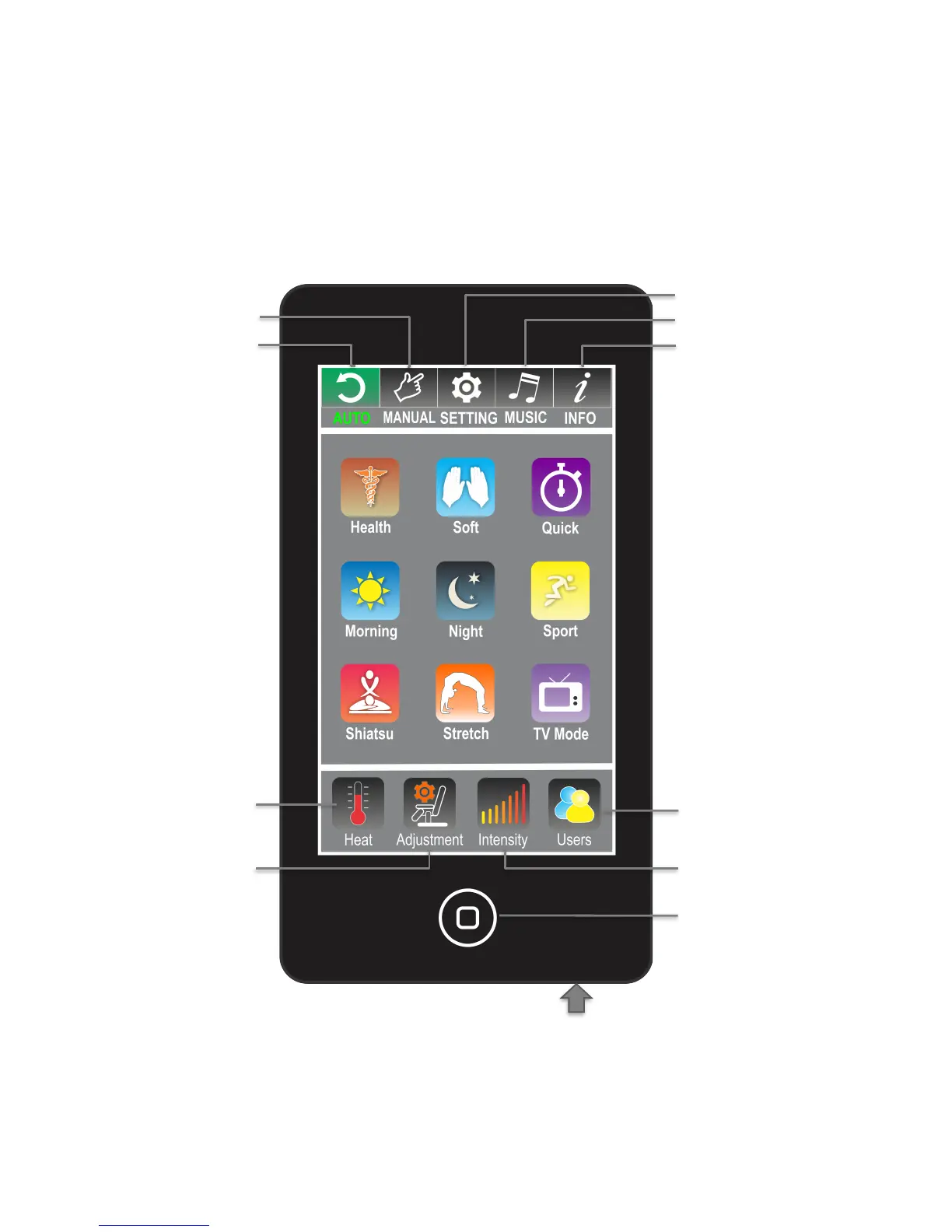
d. Use the remote to choose the massage functions.
e. For MP3 music player, please insert an SD card with MP3 music files to the bottom of the remote (Fig.9).
A sample SD card is included.
f. If you use earplugs, please insert the earplugs to the audio out port as indicated on the side panel of chair
(Fig.8).
IV. UNDERSTANDING REMOTE CONTROL FEATURES


 To Next Page