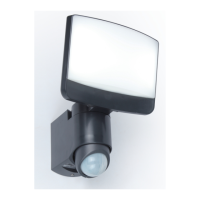
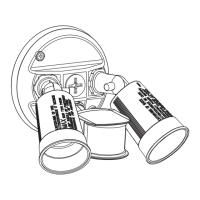
The device described in this manual is the ESA 6255-CAM from the SECURY'LIGHT connected camera concept by LUTEC. It is a connected camera light designed to provide both illumination and security features, integrating lighting with a camera for enhanced home monitoring.
Function Description:
The ESA 6255-CAM is a smart outdoor lighting fixture that incorporates a camera, microphone, loudspeaker, and motion sensor, functioning as a comprehensive security solution. It is designed to be connected via Wi-Fi, allowing users to monitor their premises remotely through a dedicated mobile application. The device's primary functions include providing illumination, detecting motion, recording video, and enabling two-way audio communication. The integrated camera allows for live viewing and playback of recorded footage, while the microphone and loudspeaker facilitate communication with visitors or deterring intruders. The motion sensor triggers the camera and potentially the light, enhancing security by alerting users to activity. The indicator light provides visual feedback on the device's status.
Important Technical Specifications:
- Model: ESA 6255-CAM
- Power: 25W
- Frequency: 50/60Hz
- Voltage: 220-240V
- Light Source: Integrated LED
- Ingress Protection (IP) Rating: IP54 (Dust protected and splash-proof from any direction)
- Connectivity: Wi-Fi enabled
- Camera: Integrated
- Audio: Integrated Microphone and Loudspeaker
- Sensor: Motion Sensor (Capteur / Bewegungsmelder)
- Storage: Supports SD card for local storage (SD slot indicated)
- Adjustability:
- Horizontal rotation: 170°
- Vertical tilt: 40°
- Sensor/camera rotation: 180°
- Sensor/camera tilt: 25°
Usage Features:
The ESA 6255-CAM is designed for user-friendly operation through a mobile application, available on both the App Store and Google Play.
- Pre-installation: Before physical installation, users are instructed to download the "SECURY'LIGHT" app. Crucially, ensuring good Wi-Fi reception at the device's intended location is emphasized for optimal performance.
- Installation: The installation process involves several steps:
- Power Off: Turn off the main power supply before starting the installation.
- Mounting Base Removal: Detach the mounting base from the main unit.
- Wiring: Connect the live (L) and neutral (N) wires to the terminal block in the mounting base. The manual specifies stripping 8mm of insulation from the wires.
- Mounting: Secure the mounting base to the wall using the provided screws and wall plugs. The base should be oriented correctly, indicated by an "UP" arrow.
- Reassembly: Attach the main unit back onto the mounting base.
- Power On: Restore power to the device.
- Setup (App-based):
- Add Device: Open the app and tap "Add camera" or the "+" icon.
- Rapid Configuration: The app will guide the user through the rapid configuration process.
- Wi-Fi Connection: Enter the Wi-Fi network name and password in the app.
- Live View: Once connected, users can access a live view from the camera.
- Password Protection: The app prompts users to set a password for the device, ensuring security.
- Functionality: The app provides controls for:
- Live viewing
- Playback of recorded footage
- Screenshots
- Two-way talk (Hold to Talk)
- Recording
- Sound control
- Alerts
- Mode selection
- Adjustment: The camera and sensor can be adjusted post-installation to optimize coverage:
- The entire light fixture can be rotated horizontally by 170°.
- The main body of the light can be tilted vertically by 40°.
- The integrated sensor/camera module can be rotated by 180°.
- The integrated sensor/camera module can be tilted by 25°.
Maintenance Features:
- Regular Cleaning: Users are advised to wipe the camera regularly to ensure clear image quality and proper functioning. This is a general maintenance task to prevent dust and dirt buildup.
- App Support: The mobile application includes a "Support" button, which provides access to further questions, troubleshooting guides, and additional information. This serves as a primary resource for users encountering issues or seeking more details about the device's operation.
The ESA 6255-CAM is positioned as a "connected camera concept," highlighting its integration into a smart home ecosystem where lighting and security are combined for convenience and peace of mind. The product is supported by LUTEC, a company with a global presence, offering service in various countries.

 Need help?
 General

 To Next Page