EasyManua.ls Logo

Lutron Electronics Caseta Wireless - User Manual

Lutron Electronics Caseta Wireless
12 pages
Print Icon
To Next Page IconTo Next Page
Loading...
OFF
ON
x3
x2
Hold for 6 seconds
until LEDs start
blinking
quick-start guide
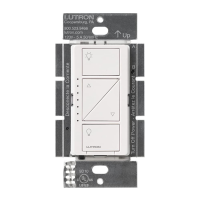
In-wall dimmer
Welcome—and thank you for purchasing a Caséta
Wireless in-wall dimmer. In order to control your lights
remotely, you’ll need to replace an existing switch with
a Caséta Wireless in-wall dimmer.
Before you install the dimmer, please watch the
installation video at www.casetawireless.com.
We hope you enjoy the convenience of Caséta Wireless!
NOTE: You can mix and match dimmable LED and
CFLs, as well as halogen and incandescent light
bulbs, with Caséta Wireless dimmers.
Dimmable LED and CFL light bulbs vary in their
dimming performance. If you’re using these
bulbs and they flicker or turn off, please visit
www.casetawireless.com for information on
adjusting the dimmer for best bulb performance.
For a complete list of approved dimmable LEDs
and CFLs, please visit www.casetawireless.com.
Approved light bulbs include:
Cree
BA19-08027OMF-12DE26-1U100
CR6
Ecosmart
ECS 30 WW FL 75WE 120
ECS 38 WW FL 90WE 120
Feit
A19/DM/LED
PAR38/LEDG5
Philips
9290002295
Sylvania
LED12A19/DIM/O/827
LED21PAR38/DIM/P/930/FL30
LED—up to 150 W
CFL—up to 150 W
Halogen—up to 600 W
Incandescent—up to 600 W
Contents supplied
Double your warranty
In-wall dimmer
(PD-6WCL-WH)
Tools you’ll need
Works with energy efficient
dimmable light bulbs:
Flat-head screwdriver
Wire connectors (3)
Phillips-head screwdriver
Pliers
Screws (2)
Installation for lights with one wall switch (single pole)
Installing your dimmer
Using your dimmer with a remote control
(sold separately)
Some lights have one wall switch, while others
have two or more wall switches (such as stair lights,
which have a switch at both the top and bottom of
the stairs). We’ve included instructions for lights with
one wall switch (called a single pole). If your light
has more than one switch (called a 3-way), please
visit www.casetawireless.com for complete
installation instructions and how-to videos.
WARNING: SHOCK HAZARD
May result in serious injury or death. Turn off
power at circuit breaker or fuse before installing.
1
Turn power off at circuit breaker!
1
Press and hold “off” button on dimmer
2
Press and hold “off” button on remote
4
Connect the dimmer
5
Mount the dimmer
6
Attach the wallplate
7
Turn power on at circuit breaker
2
Remove existing switch from wall
Remove the wallplate from switch.
3
Remove side sections (if necessary)
Remove the switch and pull it away from the wall.
* If your switch has more than 3 wires attached, see
“Installing Caséta Wireless in a 3-way switch application”
video on www.casetawireless.com/support.
Bend back
and forth.
3
5
1
2
3
1
4
6
Ground
Ground
Ground
7
2
Disconnect all three wires* from the switch.
1 Connect the bare copper (or green) “ground” wire
from the wallbox to the green wire on the dimmer
using a wire connector.
2 Connect either of the remaining wires from the
wallbox to either of the remaining wires on the
dimmer using a second wire connector.
3 Connect the remaining wire from the wall to
the remaining wire on the dimmer using a third
wire connector.
Do not remove outside side sections
on dimmers at the end of gang.
Each dimmer
has inside side
sections removed.
Dimmer at middle has all
side sections removed.
Attach the wallplate to the dimmer using the
screws provided.
‘snap’
(If you installed the dimmer next to other dimmers
or switches, you’ll need to install a wallplate with the
correct size/number of openings to accommodate all
the devices.)
Use the screws provided.
Pairing the dimmer and
Pico remote control
Go to www.casetawirless.com/support for
additional troubleshooting suggestions.
Symptoms Probable cause and action
Light does
not turn on or
in-wall dimmer
LEDs do not
light up.
Light bulb(s) burned out.
Breaker is OFF or tripped.
Light not properly installed.
Wiring error.
FASS switch on the dimmer
is in the Off position.
Light does
not respond
to Pico remote
control.
The dimmer failed to pair
with Pico remote control;
see Pairing the dimmer and
Pico remote control.
The dimmer is already at the
light level the Pico remote
control is sending.
The Pico remote control
is outside the 30 ft (9 m)
operating range.
The Pico remote control
batteries are low.
The Pico remote control
batteries are installed
incorrectly.
Bulbs turn off
while being
dimmed.
Bulbs turn on at
high light level
but do not turn
on at a low
light level.
Bulbs icker
or flash when
dimmed to a low
light level.
Verify bulbs are marked
dimmable and visit
www.casetawireless.com/
support
for information on adjusting
the dimmer for best
bulb performance.
Love Caséta Wireless dimmers? Have ideas
for making them better? Tell us what you think
and we’ll extend your warranty by 1 year.
www.casetawireless.com/register.
For advanced features, tips for using Caséta Wireless
dimmers with CFLs and LEDs, the complete Caséta
Wireless product line, and more, please visit
www.casetawireless.com.
Changing the favorite light
level on the Pico remote
control (sold separately)
You can use the round “favorite”
button on the Pico remote control
to recall a favorite light level.
We’ve set it to 50%, but you can
change it to any level you like.
Favorite
Replacing light bulbs using FASS
Pull the FASS switch out on the in-wall dimmer to
remove power at the light socket.
CAUTION
Use only with permanently installed fixtures with
dimmable LED, dimmable CFL, halogen, or
incandescent lamps. To avoid overheating and
possible damage to other equipment, do not use
to control receptacles, motor-driven appliances,
or transformer-supplied appliances.
Codes
Install in accordance with all national and local
electrical codes.
Grounding
When no “grounding means” exist in wallbox, the
2011 National Electrical Code (NEC®) allows a control
to be installed as a replacement if 1) a nonmetallic,
noncombustible faceplate is used with nonmetallic
attachment screws or 2) the circuit is protected by a
ground fault circuit interrupter (GFCI). When installing
a control according to these methods, cap or remove
green wire before screwing control into wallbox.
FCC/IC Information
This device complies with part 15 of the FCC Rules and Industry Canada
license-exempt RSS standard(s). Operation is subject to the following two
conditions: (1) This device may not cause interference, and (2) this device
must accept any interference, including interference that may cause undesired
operation. Modifications not expressly approved by Lutron Electronics Co.,
Inc. could void the user’s authority to operate this equipment.
Note: This equipment has been tested and found to comply with the limits for
a Class B digital device, pursuant to part 15 of the FCC Rules. These limits
are designed to provide reasonable protection against harmful interference
in a residential installation. This equipment generates, uses and can radiate
radio frequency energy and, if not installed and used in accordance with
the instructions, may cause harmful interference to radio communications.
However, there is no guarantee that interference will not occur in a particular
installation. If this equipment does cause harmful interference to radio or
television reception, which can be determined by turning the equipment off
and on, the user is encouraged to try to correct the interference by one or
more of the following measures:
—Reorient or relocate the receiving antenna.
—Increase the separation between the equipment and receiver.
Connect the equipment into an outlet on a circuit different from that to which
the receiver is connected.
—Consult the dealer or an experienced radio/TV technician for help.
Warranty
For warranty information, please visit
www.casetawireless.com/warranty.
Lutron, , and Pico are registered trademarks and FASS and
Caséta are trademarks of Lutron Electronics Co., Inc. NEC is a
registered trademark of the National Fire Protection Association,
Quincy, Massachusetts
© 2013 Lutron Electronics Co., Inc
P/N 030-1696 REV A
Lutron Electronics Co., Inc.
7200 Suter Road
Coopersburg, PA 18036-1299, U.S.A.
1
2
1
2
Hold for 6 seconds until LEDs
blink twice. New favorite
level is now saved.
3
Set desired light level on dimmer
4
Press and holdfavorite button on remote
Important note:
Troubleshooting
Hold for 6 seconds
until lights flash 3 times.
Device Ratings
In-wall dimmer
PD-6WCL-WH
120 V~ 50/60 Hz
Important notes:
1. For indoor use only.
2. Operate between 32 ˚F (0 ˚C) and 104 ˚F (40 ˚C).
Repeat steps to pair other
Pico remote controls.
P/N 030-1696 REV A
Wi reless
Pico® remote control (sold separately)
On
Off
Darker
Brighter (with raised icon)
FASS
Front Accessible
Service Switch
In-wall dimmer
On
Off
Darker
Favorite
“Brighter”
button with
raised icon
is easy to
find in
the dark
Important note:
Removing side sections reduces the dimmer’s
maximum wattage rating. See the chart below
for maximum wattage information.
* For maximum wattage information when
mixing light bulb types see
www.casetawireless.com/support.
Maximum* wattage derating chart
(120 V~ 50/60 Hz)
Side sections
removed
None 1 side 2 sides
LED &
CFL
150 W 150 W 150 W
or
*
Incandescent &
Halogen
600 W 500 W 400 W

Question and Answer IconNeed help?

Do you have a question about the Lutron Electronics Caseta Wireless and is the answer not in the manual?

Summary

Getting Started with Caséta Wireless Dimmer

Contents Supplied

Lists the components included in the Caséta Wireless in-wall dimmer package.

Tools Required for Installation

Outlines the necessary tools for installing the in-wall dimmer.

Installing the In-Wall Dimmer

Turn Power Off at Circuit Breaker

Crucial safety step to disconnect power before installation to prevent shock.

Remove Existing Wall Switch

Step-by-step instructions for safely removing the old wall switch.

Prepare Dimmer for Installation

Guidance on removing side sections of the dimmer for specific installations.

Connect the Dimmer Wiring

Detailed steps for wiring the new dimmer to the electrical system.

Mount and Attach Wallplate

Instructions for physically mounting the dimmer and securing the wallplate.

Restore Power at Circuit Breaker

Final step to turn power back on after installation is complete.

Using Your Dimmer and Remote Control

Light Bulb Compatibility

Information on compatible dimmable LED, CFL, halogen, and incandescent bulbs.

Dimmer and FASS Operation

Overview of dimmer controls and the Front Accessible Service Switch (FASS).

Pairing Dimmer with Pico Remote

Step-by-step guide to wirelessly connect a Pico remote control to the dimmer.

Setting Favorite Light Level

Instructions on how to customize and save a preferred light level.

Troubleshooting and Compliance Information

Troubleshooting Common Issues

Solutions for problems like lights not responding or dimming issues.

Safety Cautions and Codes

Important warnings, usage restrictions, and adherence to electrical codes.

FCC;IC and Warranty Details

Regulatory compliance statements and information on product warranty.

Summary

Getting Started with Caséta Wireless Dimmer

Contents Supplied

Lists the components included in the Caséta Wireless in-wall dimmer package.

Tools Required for Installation

Outlines the necessary tools for installing the in-wall dimmer.

Installing the In-Wall Dimmer

Turn Power Off at Circuit Breaker

Crucial safety step to disconnect power before installation to prevent shock.

Remove Existing Wall Switch

Step-by-step instructions for safely removing the old wall switch.

Prepare Dimmer for Installation

Guidance on removing side sections of the dimmer for specific installations.

Connect the Dimmer Wiring

Detailed steps for wiring the new dimmer to the electrical system.

Mount and Attach Wallplate

Instructions for physically mounting the dimmer and securing the wallplate.

Restore Power at Circuit Breaker

Final step to turn power back on after installation is complete.

Using Your Dimmer and Remote Control

Light Bulb Compatibility

Information on compatible dimmable LED, CFL, halogen, and incandescent bulbs.

Dimmer and FASS Operation

Overview of dimmer controls and the Front Accessible Service Switch (FASS).

Pairing Dimmer with Pico Remote

Step-by-step guide to wirelessly connect a Pico remote control to the dimmer.

Setting Favorite Light Level

Instructions on how to customize and save a preferred light level.

Troubleshooting and Compliance Information

Troubleshooting Common Issues

Solutions for problems like lights not responding or dimming issues.

Safety Cautions and Codes

Important warnings, usage restrictions, and adherence to electrical codes.

FCC;IC and Warranty Details

Regulatory compliance statements and information on product warranty.

Overview

This document describes the Caséta Wireless in-wall dimmer, a device designed to replace existing light switches to enable remote control of your lighting. It's part of the Caséta Wireless system, offering convenience and enhanced control over your home's illumination.

Function Description

The Caséta Wireless in-wall dimmer allows you to remotely control your lights. By replacing a standard wall switch with this dimmer, you gain the ability to adjust light levels from a distance, either through a paired Pico remote control (sold separately) or potentially through other Caséta Wireless system components. The dimmer is designed to work with various energy-efficient dimmable light bulbs, including LEDs, CFLs, halogens, and incandescents. It provides a range of dimming capabilities, allowing you to set the ambiance in any room.

Usage Features

  • Remote Control Capability: The primary feature is the ability to control your lights remotely. Once installed and paired with a Pico remote control, you can turn lights on/off, brighten/darken them, and recall a favorite light level without needing to physically interact with the wall-mounted dimmer.
  • Easy Installation: The manual provides clear, step-by-step instructions for installing the dimmer in a single-pole (one wall switch) setup. It emphasizes the importance of turning off power at the circuit breaker before installation and recommends watching an installation video for guidance.
  • Compatibility with Various Bulb Types: The dimmer is compatible with a wide range of dimmable light bulbs, including LED (up to 150 W), CFL (up to 150 W), Halogen (up to 600 W), and Incandescent (up to 600 W). This versatility allows users to integrate the dimmer with their preferred lighting solutions. The manual also notes that you can mix and match different bulb types.
  • Wattage Derating for Multi-Gang Installations: When installing multiple dimmers side-by-side in a multi-gang wallbox, side sections of the dimmer can be removed to fit. However, removing these sections reduces the dimmer's maximum wattage rating. The manual provides a derating chart to help users understand the adjusted wattage limits for different configurations (no sides removed, one side removed, or two sides removed). This feature ensures safe operation when multiple dimmers are installed closely together.
  • Front Accessible Service Switch (FASS): The in-wall dimmer includes a FASS, which is a pull-out switch that removes power at the light socket. This is a crucial safety feature, particularly useful when replacing light bulbs, as it allows you to cut power to the fixture directly from the dimmer without needing to go to the circuit breaker.
  • Pico Remote Control Integration: The dimmer is designed to be paired with a Pico remote control (sold separately). The remote offers intuitive control with dedicated buttons for On, Brighter (with a raised icon for easy tactile identification in the dark), Darker, Off, and a Favorite button.
  • Favorite Light Level Setting: Users can set and recall a "favorite" light level using the Pico remote control. The default favorite level is 50%, but it can be customized to any desired light level. This allows for quick access to a preferred lighting ambiance.
  • Pairing Process: The manual outlines a simple pairing process for connecting the dimmer with a Pico remote control. This involves pressing and holding the "off" button on both the dimmer and the remote for a few seconds until LEDs blink or lights flash, confirming successful pairing. Multiple Pico remotes can be paired with a single dimmer.
  • Troubleshooting Guide: A comprehensive troubleshooting section is included to help users diagnose and resolve common issues, such as lights not turning on, LEDs not lighting up, the dimmer not responding to the Pico remote, or bulbs flickering/turning off while being dimmed. This guide offers probable causes and actions, directing users to check bulb compatibility, wiring, FASS switch position, pairing status, remote control range, and battery levels.
  • Online Support: For advanced features, tips for using the dimmer with CFLs and LEDs, a complete product line overview, and additional troubleshooting suggestions, users are directed to the Caséta Wireless website. This ensures ongoing support and access to more detailed information.
  • Warranty Extension: Users have the opportunity to double their product warranty by registering their dimmer online and providing feedback. This incentivizes engagement and offers extended peace of mind.

Maintenance Features

  • Light Bulb Replacement Safety: The FASS feature simplifies light bulb replacement by allowing users to safely remove power to the light socket directly from the dimmer, eliminating the need to access the main circuit breaker for this task.
  • Bulb Compatibility Guidance: The manual provides a list of approved dimmable LED and CFL light bulbs, and advises users to visit the website for the most up-to-date list and information on adjusting the dimmer for optimal bulb performance, especially if flickering or turning off occurs. This helps users maintain optimal lighting performance and avoid issues related to incompatible bulbs.
  • Indoor Use and Temperature Range: The device is specified for indoor use only and designed to operate within a temperature range of 32 °F (0 °C) and 104 °F (40 °C), ensuring proper functioning and longevity under typical indoor conditions.
  • Compliance with Codes and Regulations: The manual emphasizes the importance of installing the dimmer in accordance with all national and local electrical codes. It also provides information regarding FCC/IC compliance, ensuring that the device meets regulatory standards and operates without causing harmful interference.
  • Grounding Guidelines: Specific instructions are provided for grounding, particularly when a "grounding means" does not exist in the wallbox, detailing methods to ensure safe installation in various electrical setups.

Lutron Electronics Caseta Wireless Specifications

General IconGeneral
BrandLutron Electronics
ModelCaseta Wireless
TypeDimmer
Connectivity TechnologyWireless
Voltage120V
Frequency60Hz
Wireless ProtocolLutron Clear Connect
Wireless RangeUp to 30 feet
Operating Temperature32°F to 104°F (0°C to 40°C)
CompatibilityApple HomeKit, Google Assistant
Load TypeIncandescent, Halogen, LED
Max Load600W Incandescent/Halogen, 150W LED/CFL
InstallationIn-wall
Control MethodApp, Voice, Remote
Warranty1 year limited warranty

Related product manuals