Operating Instruction
Q5.25.45
TLT Page
13 / 18
Draft created/changed: 31.01.03/TT Document created/changed: 03.08.2012 / Rea
Revision: - Revision: -
Draft released: 18.02.03/DEL Document released: 03.08.2012 / Rea
Jede unerlaubte Verwendung ist strafbar / Any unpermitted use is subject to prosecution.
7
7
C
C
O
O
N
N
F
F
I
I
G
G
U
U
R
R
A
A
T
T
I
I
O
O
N
N
7
7
.
.
1
1
W
W
o
o
r
r
k
k
i
i
n
n
g
g
p
p
r
r
i
i
n
n
c
c
i
i
p
p
l
l
e
e
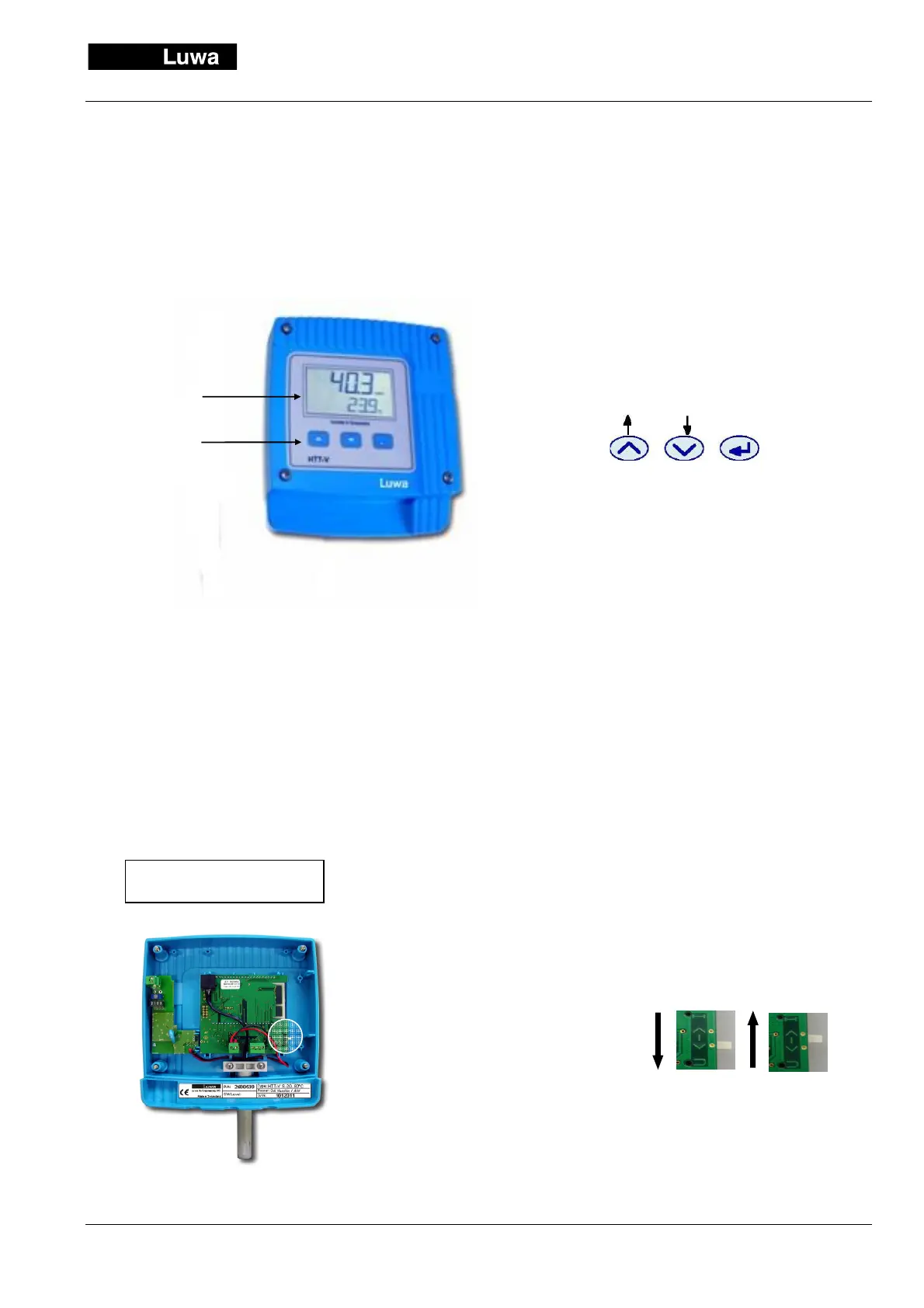
The configuration of the transmitter is done via the keypad which is front mounted under the display.
7
7
.
.
2
2
O
O
u
u
t
t
p
p
u
u
t
t
s
s
i
i
g
g
n
n
a
a
l
l
s
s
e
e
l
l
e
e
c
c
t
t
i
i
o
o
n
n
The HTT-V is delivered ready for operation. At the
most the analogue outputs and the display options
for the application have to be configured. For this,
the instrument has an intuitive menu guidance,
started by the key „Enter“.
Menu keys:
Operation
:
"ENTER"
ENTER : -> Menu and submenus
Press 2 seconds for the change [ ↑ ]* : -> Men
upwards increases the flashing digit [ ↓ ]* : -> Men
downwards reduces the flashing digit
* Average function in the measuring mode
Following menu items can be used:
• Measuring mode (Standard & average
value display)
• Calibration (adjustment) of rel. humidity
• Calibration (adjustment) of temperature
• Adjustment of the analogue outputs
(U: 0,2...10V -I: 0,4...20 mA) and free scaling of the
ranges
• Switchover unit °C or °F
• Key lock-code (Password protection)
•
Each menu item can be selected by [ ↑ ], [ ↓ ]
Voltage or current?
The selection of the analogue
output is made on the on-off
slide switch on the board of
the transmitter.
0-10 V
4-20 mA
display
panel


 To Next Page