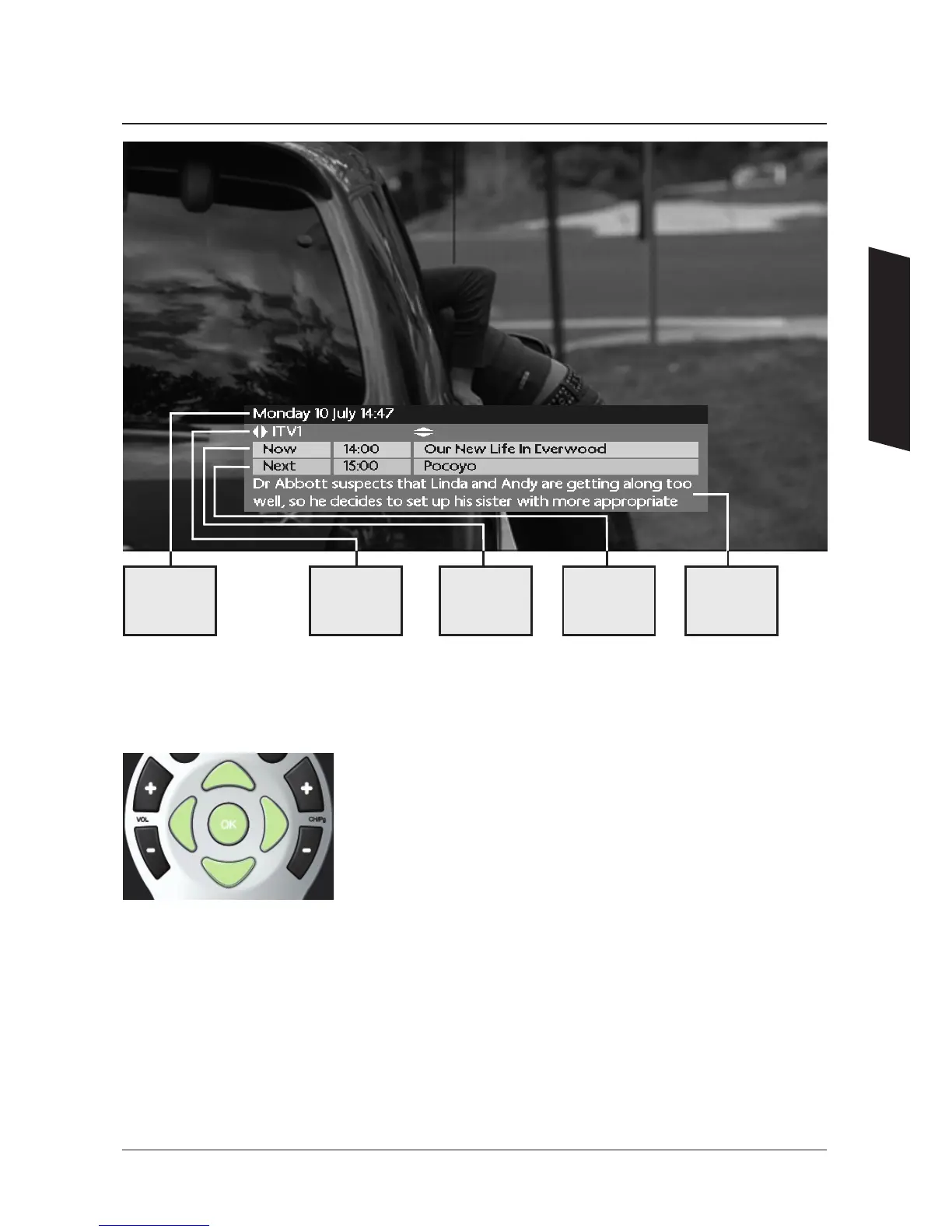
To change the view to show what’s on NOW or NEXT, use the
UP / DOWN arrows.
To see what’s on another channel use the LEFT or RIGHT arrows.
When you see a programme you want to watch, press OK.
Using the Quick TV Guide
When you are watching TV you can nd out what’s on other channels without interrupting
your viewing using the Quick TV Guide. This is the small banner that appears at the bottom
of the screen during channel changes or when you press an arrow button.
13
Shows the
current date
and time
Next Shows
the programme
name and
start time
Shows short
details of the
programme
(synopsis)
Now Shows
the programme
name and
start time
Shows the
channel name
Using Your DTR


 To Next Page