EasyManua.ls Logo

Luxor TUTV2500 - Remote Control View

Luxor TUTV2500
48 pages
Print Icon
To Next Page IconTo Next Page
To Previous Page IconTo Previous Page
Loading...
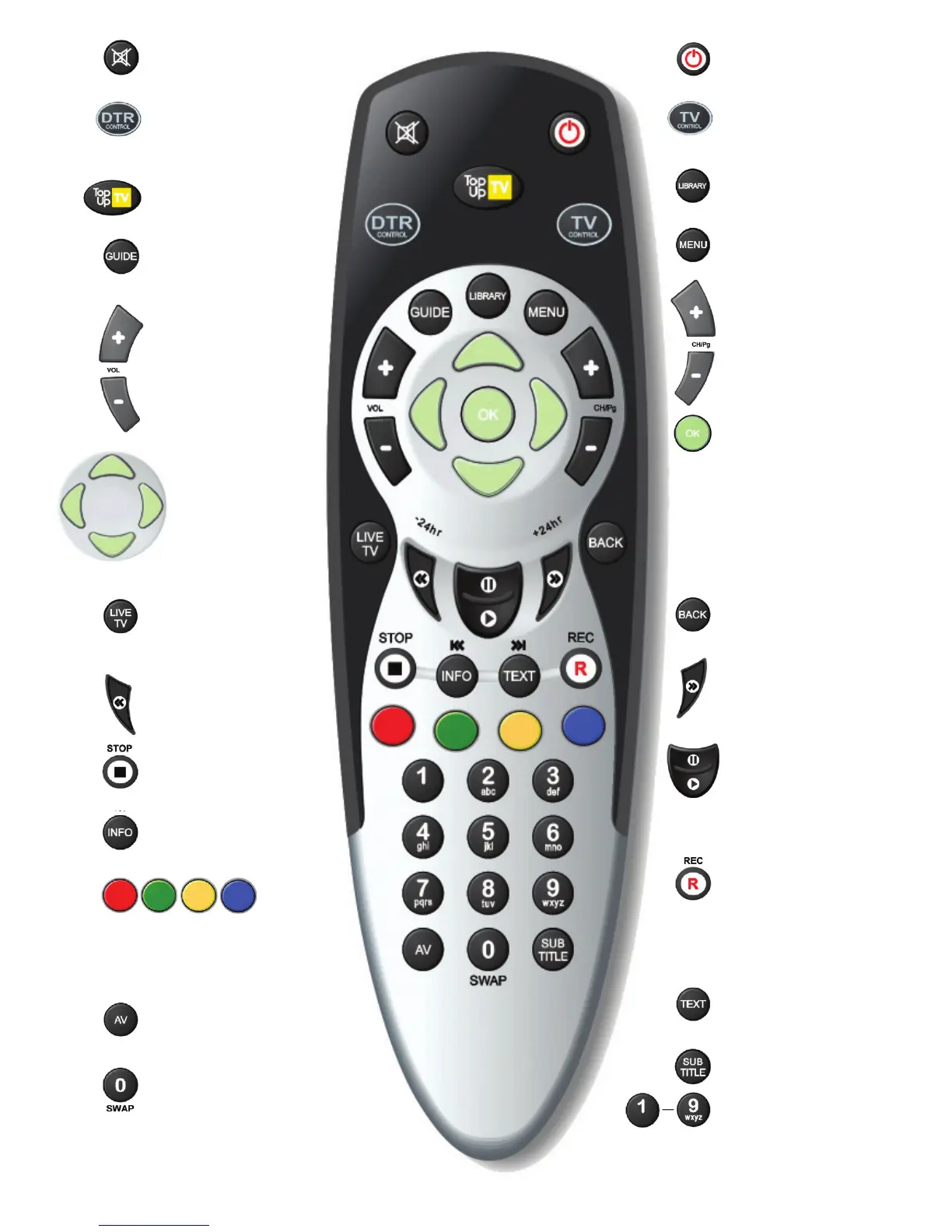
Turn on/o sound
(on the TV).
Displays the TV
listings screen.
Navigation in menus
and programmes
(UP/DOWN for
channels, LEFT/RIGHT
for time).
Takes you from
delayed TV in memory
to live TV.
Rewind and -24Hr in
the TV listings.
Stop recording or
playback.
Current programme
information.
Controls the Audio & Video
signals sent to the TV.
Used to select the
corresponding colour
option shown on the screen.
Turns the DTR (or TV)
on or o.
Sets the remote
control to TV mode.
Displays the recorded
programmes screen.
Displays the
DTR main menu.
UP / DOWN channel
or page (in menus).
Chooses the
highlighted option
or conrms your
selection. Also
activates Quicknd
(fast channel
selection).
Navigates back up
from menus.
Fast forward and
+24Hr in the TV
listings.
Pause / Play a
recording or pause
live TV.
Top half is Pause
Bottom half is Play
Make an instant
recording of a current
programme by pressing
and holding for 3
seconds.
Access digital
text services.
Subtitles on or o.
Enter channel
numbers or
information
into menus.
Enter channel numbers or
information into menus and
“swap” between tuners and
hard disk drive.
Controls the
TV sound level.
Sets the remote control
to DTR mode.
“Quick” key to the
Top Up TV services.