6
6 quick and easy steps to get you up and running
Step 1 – Unpack your DTR
Unpack your DTR and check you have all the following accessories:
• Remotecontrol
• Mainslead
• RemotecontrolTVset-upcodes(loosesheet)
• 2 x AA batteries to place in your remote control (refer to page 37)
Please record the CAN number from the label on your DTR below
Please write your viewing card number below
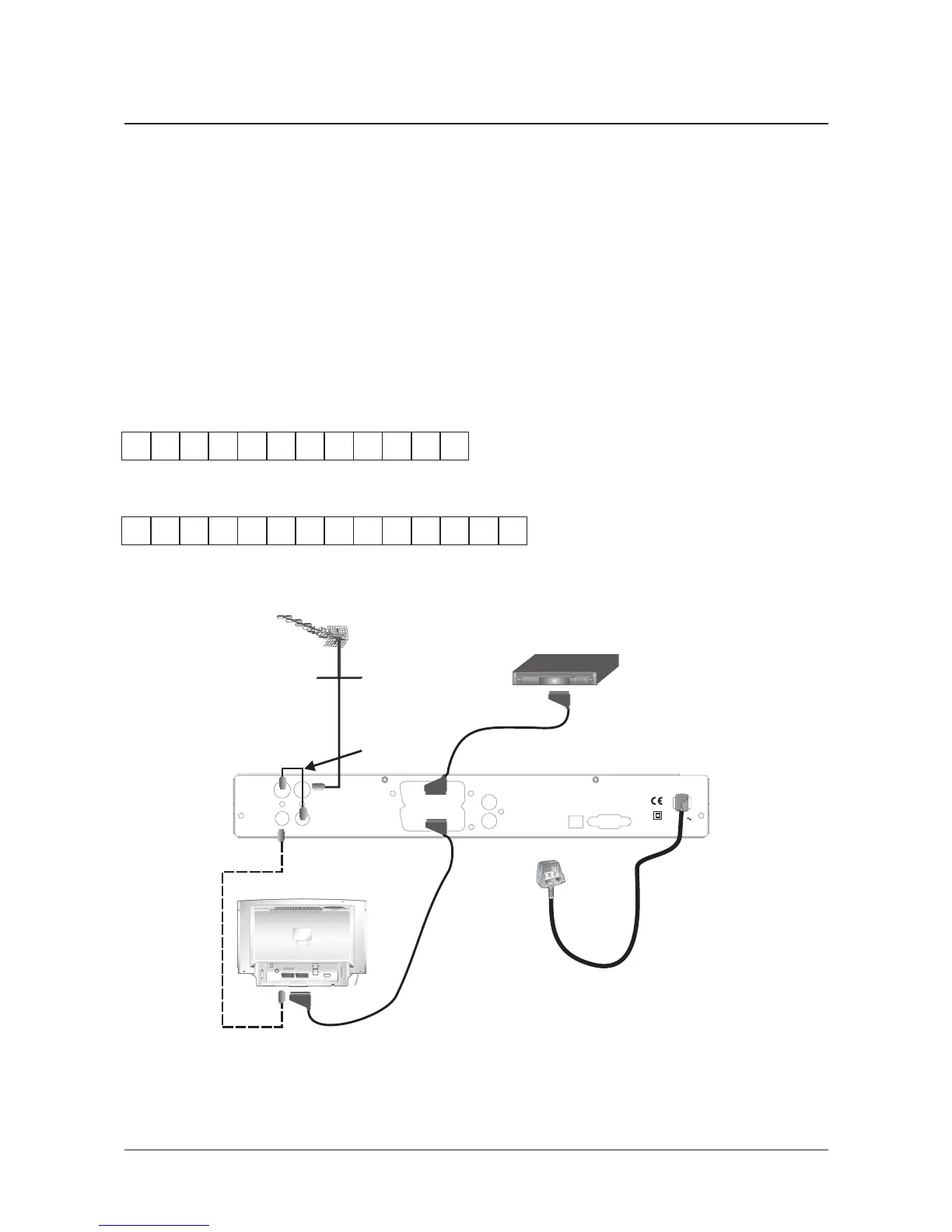
IMPORTANT: Disconnect the power to all your existing equipment.
Now place your DTR where you want to keep it and connect it to your TV as
shown in the diagram, by following these simple instructions:
Step 2 – A typical installation


 To Next Page