10
Getting Started
Power Supply and Charging
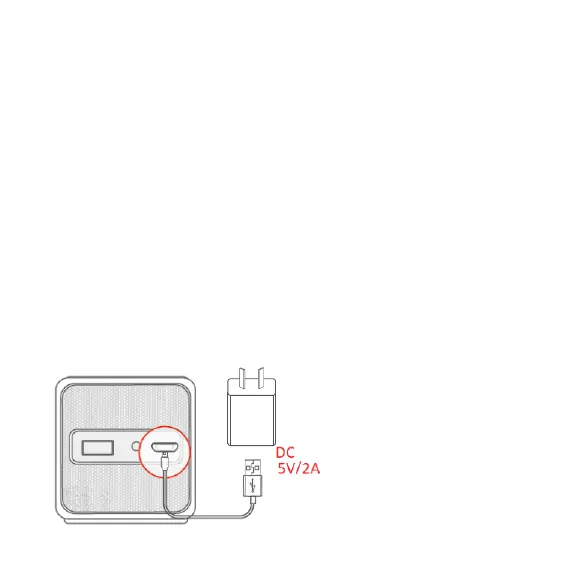
• The projector uses an AC adapter with 5V 2A output. Use the
included USB power adapter to ensure proper charging. The
projector may not work properly if you use adapters with output
dierent to 5V 2A.
• You can use a 5V portable power bank as a power supply, but
make sure it supports 5V 2A (or more than 2A) output.
Connect the USB cable to the adapter and the DC5V port of the
projector; the projector will show its battery level. For first time use,
charge the projector for 3 hours before turning it on.
Note: To improve battery
life, set to Normal mode in
projector settings, rather
than bright mode:
(Projector settings > LED
brightness > Standard Mode
> Brightest Mode.


 To Next Page