20
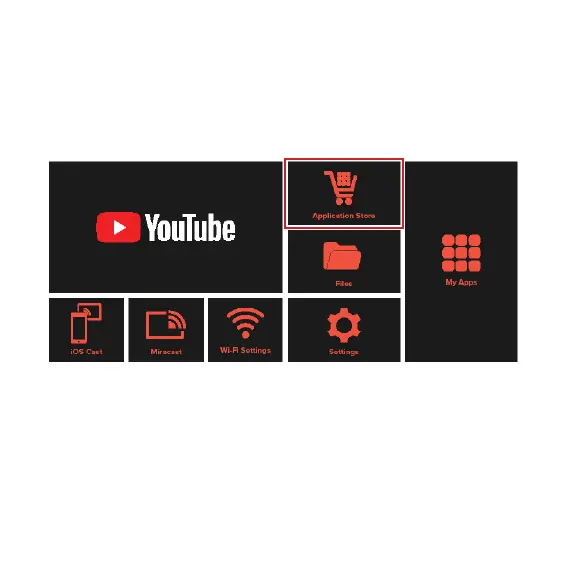
Using the Application Store
• Select and enter the Application Store from the home screen.
Note: Some apps downloaded from the application store or other
sources might not be compatible with this projector.
• Search for and select the Apps you to wish to install.
• You must connect to the Internet before you can access apps. For
instructions, see “Network and Internet”.
• To uninstall apps, enter the Settings --> General --> Application
Management menu. Use the Air Mouse remote to point at the app
you want to remove. Press and hold the Air Mouse button until a
pop-up menu appears, then select Uninstall.
Apps (Cont.)


 To Next Page