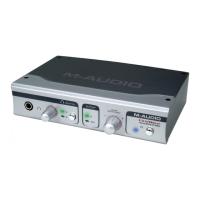
4 The installer will prompt you to enable DVD/CD performance enhancement
settings. In most cases you should leave these in their default (selected) settings.
While Windows is most likely already configured in this way, these settings will
ensure that you will be able to hear your DVD/CD player through the FireWire
Audiophile once the installation is complete. Click “Next.”
5 Once the installer has finished copying the files, you will see the Setup Complete
screen. Click “Next” to complete installation wizard.


 To Next Page