Windows 98 SE
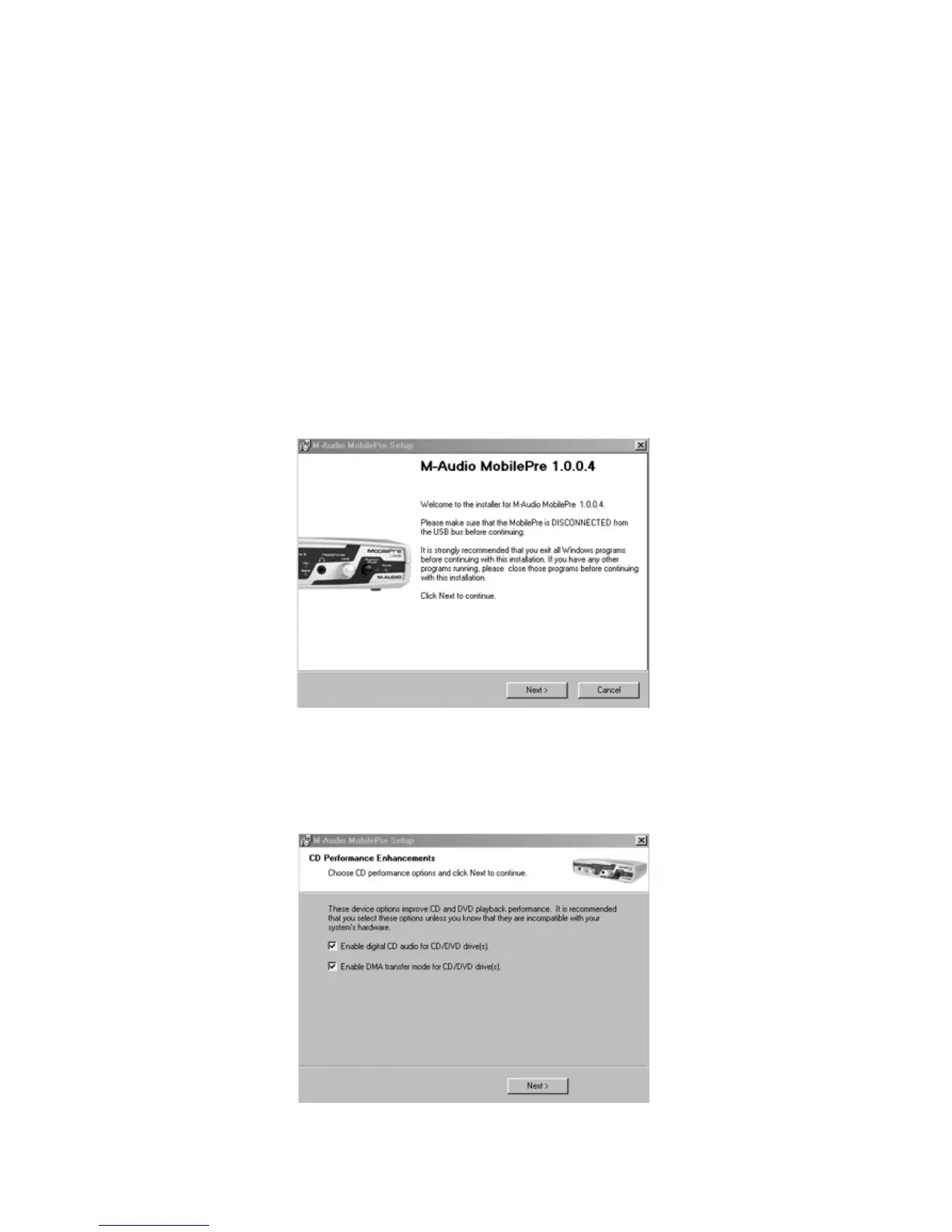
1. Place the M-Audio Drivers Software CD in your CD-ROM Drive and
double-click on the file named “MobilePre USB Installer.exe”.
2. Close all other running applications, as directed by the first screen
that appears.
3. Direct X 8.1 or greater must be installed on your computer. If this
software has not been previously installed, the installer program will do
this for you. If you have been prompted with this request, click “Next”
to install or upgrade Direct X now.
4. Your MobilePre USB must be disconnected from your computer’s USB
bus, before continuing (if you just finished installing Direct X, your
computer will have restarted, and a reminder to disconnect the
MobilePre USB will follow).If it is currently connected,disconnect it now.
5. The next screen will notify you that the necessary parameters for
Digital Audio CD and DVD playback need to be set in your operating
system. Leave these boxes checked and click,“Next.”
12









 To Next Page