7www.m-locks.com
E-Pass
V01 EN
9
9
9
9
9
9
• Enter the new User Code again
If an incorrect code is entered on the second occasion a long signal sounds and the old code remains
valid.
If the new code matches at least 5 digits with an already existing code the new code is not accepted.
Another user code must be selected and the entire process repeated.
7 DELETING CODES / USERS
3
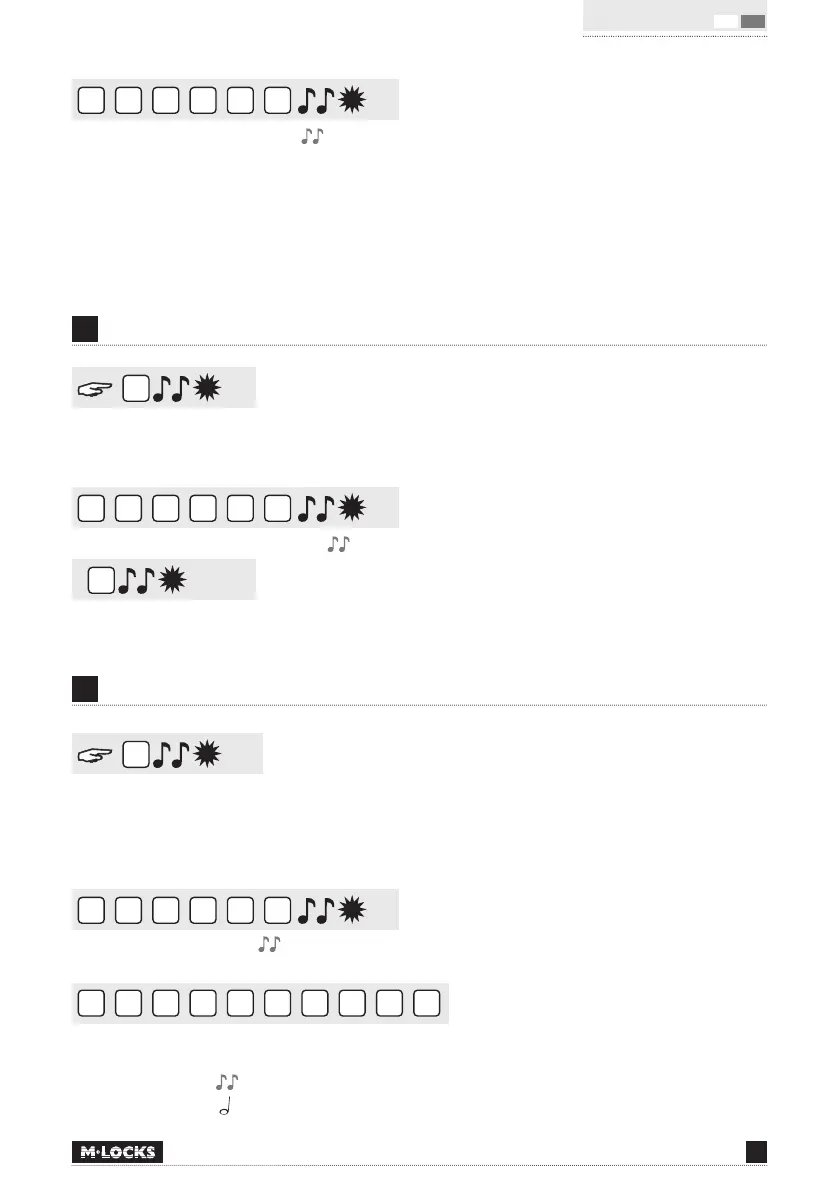
Press and hold ‘3’ until a double signal sounds. The LED will illuminate when performing the following
actions:
9
8
7
6
5
4
• Enter your personal Manager Code
1
• Enter User ID (1-9).
The user has been deleted.
8 USER CONFIGURATION
7
Press and hold ‘7’ until a double signal sounds. The LED will illuminate when performing the following
actions. Listen to tone signals!
For example:
9
8
7
6
5
4
• Enter the Manager Code
1
2
3
4
5
6
7
8
9
0
• Enter 1, 2, 3, 4, 5, 6, 7, 8, 9, 0 to stop
Double signal = User active
Single signal = User not active


 To Next Page