US20 Series
User Manual
37
Connecting to a Bluetooth Device with the NFC Feature
1. Do not cover the antenna area of a speaker with your hands.
2. Place M3 US20 near the device. The device displays that connection is successfully performed.
4 Advanced Use
4.1 OS Update
The M3 Mobile distributes new OS to improve the quality and performance of a product.
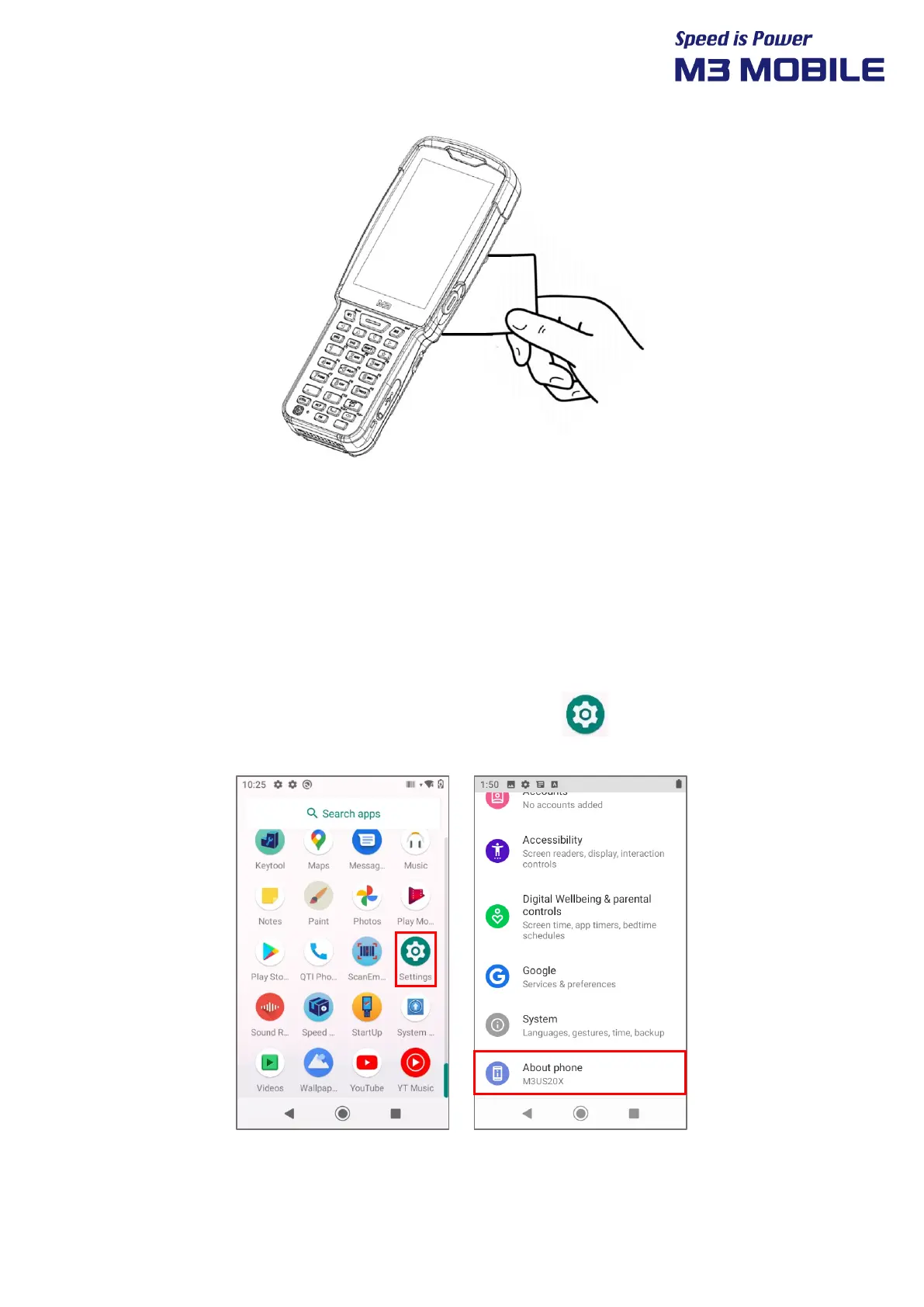
To check OS version of the device, Swipe the bottom Click Settings About Phone
Android version



 To Next Page