06
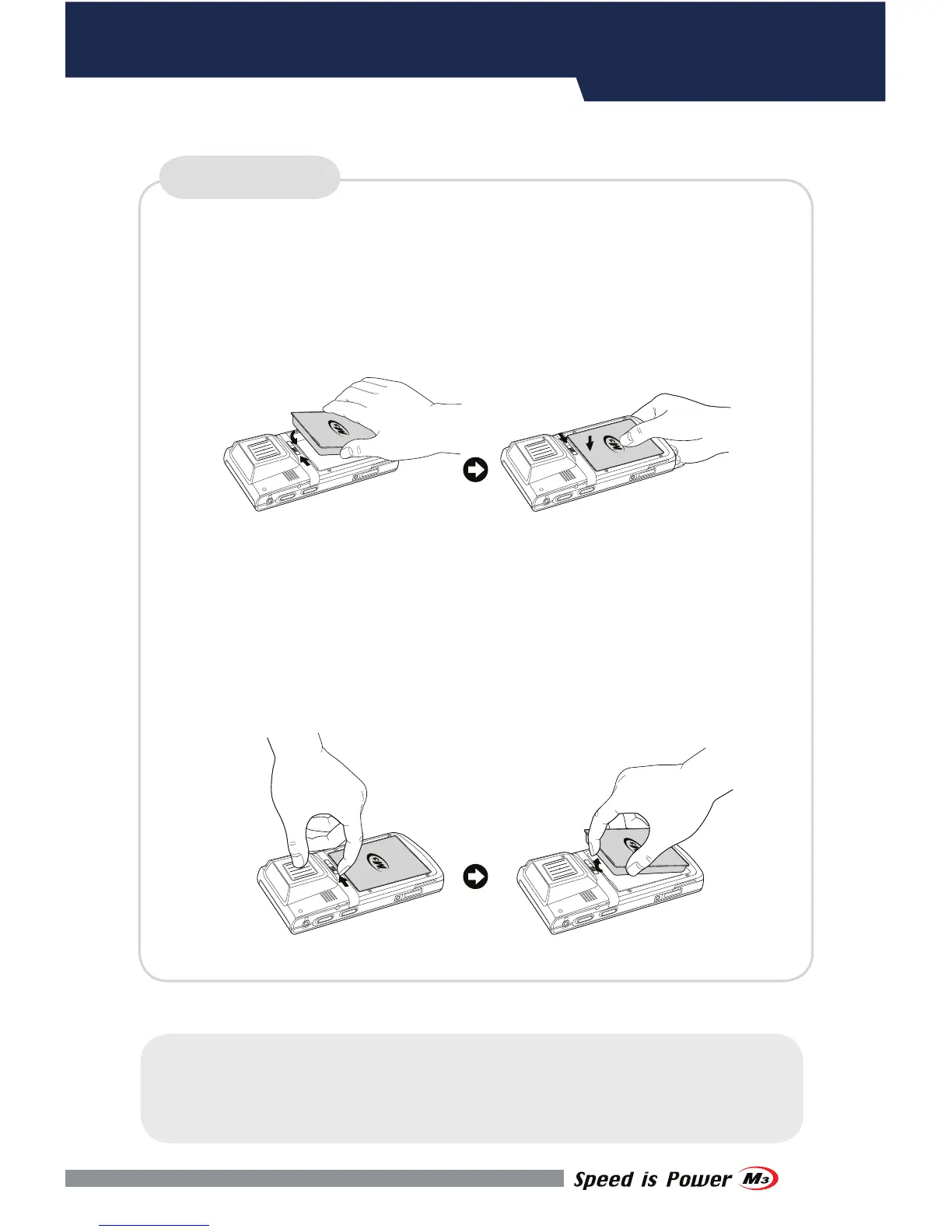
Inserting Battery
▪ Insert the battery to the battery pack position.
▪ Slide the battery lock to the left to lock the battery pack.
Removing Battery
▪ Slide the battery lock to the right to unlock the battery pack.
▪ Then remove the battery from the battery position.
BATTERY
DEVICE SETUP
※Warning
Risk of Explosion if Battery is replaced by an Incorrect Type. Dispose of
Used Batteries According to the Instructions.


 To Next Page