EasyManua.ls Logo

m3d Micro+ - Unboxing and Initial Setup; Unpacking and Accessories; Gantry Clips and Safety

Default Icon
10 pages
Print Icon
To Next Page IconTo Next Page
To Previous Page IconTo Previous Page
Loading...
1.0 Unboxing The Micro+
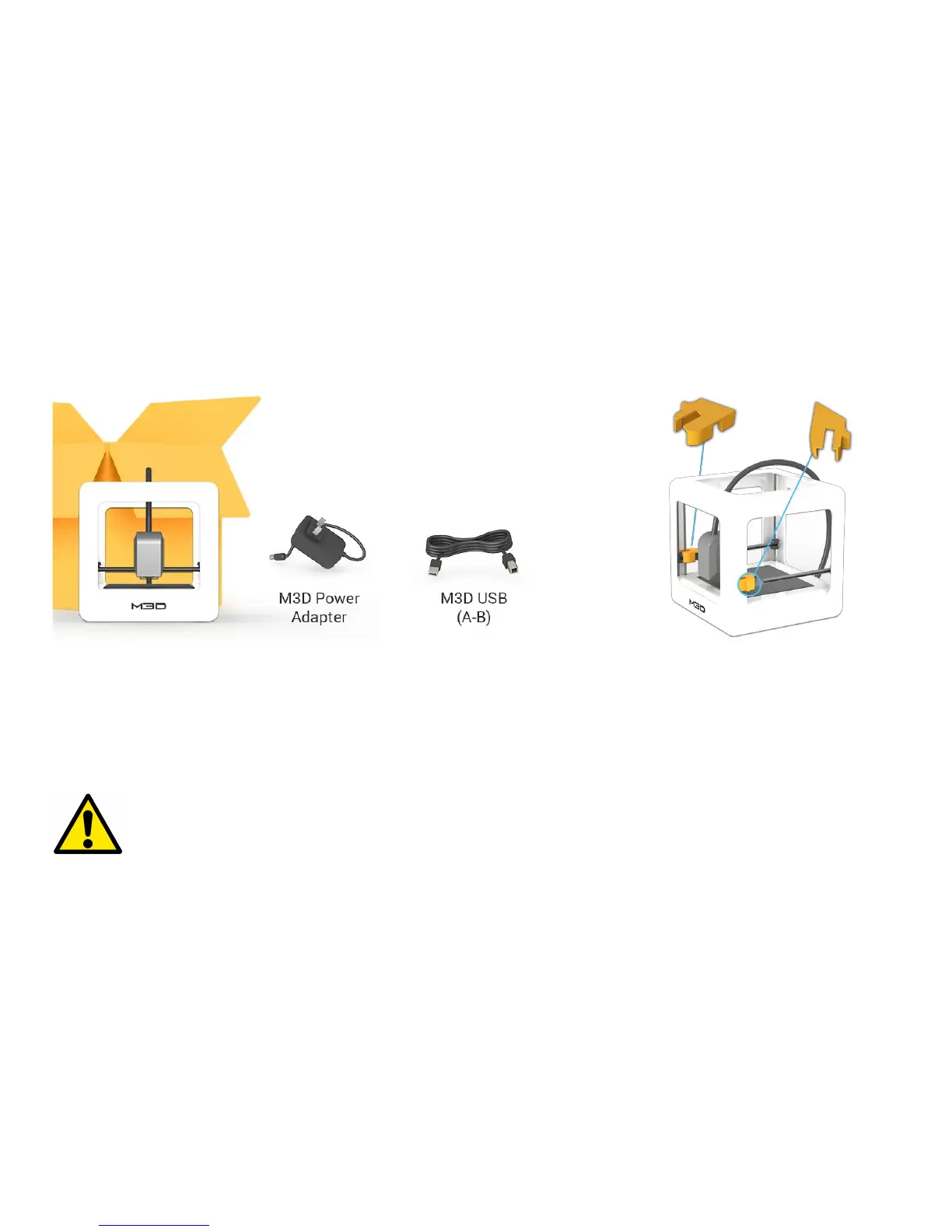
1. Lift The Micro+ from its packaging box. Remove all bubble wrap, foam, and tape (may
require scissors).
2. Inside The Micro+ is an accessories box with a USB A-B cable and your country
specific power supply.
Be sure to remove the “Gantry Clips” located
on the front left and front right corners of the
printer.
Safety Considerations
Caution: Hot! Keep your fingers away from the Nozzle Tip and Black Insulator when the printer is on as these areas reach
temperatures over 200 degrees Celsius. Always be sure to keep your hands away from moving parts when The Micro+ is in operation.

Related product manuals