63
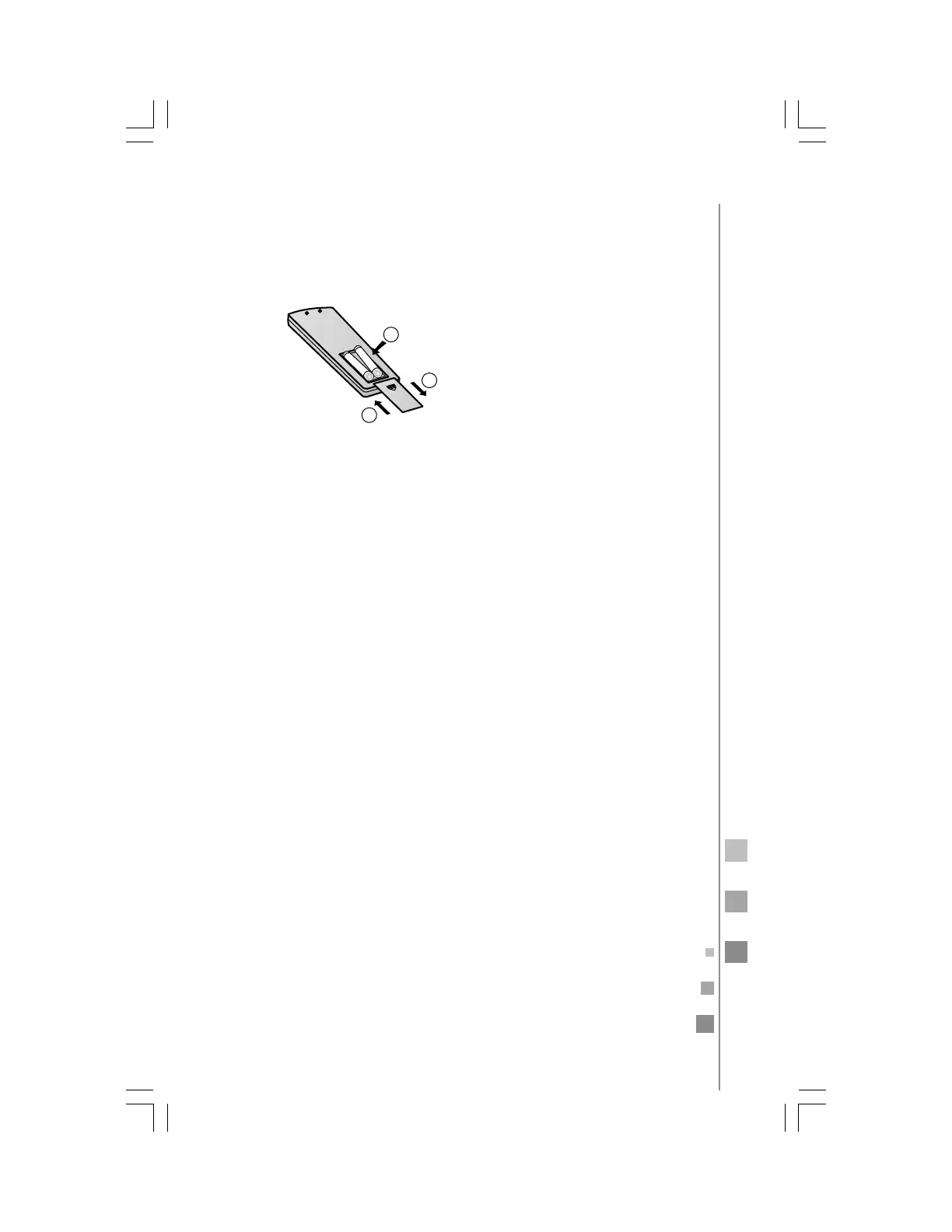
1. Remove the battery cover.
2. Insert 2 "AAA" batteries as illustrated noting battery polarity.
3. Reinstall the battery cover.
installing the batteries
Notes:
• The distance from the remote control to the receiver should be
less than 7 meters with no obstructions.
• If the remote control display is weak or the operating distance has
diminished, the batteries may need to be
replaced.
• Remote control malfunctions can sometimes be corrected by re-
moving the batteries from the remote for a few minutes and then
reinstalling them.
• Remove the batteries from the remote control if the unit will not
be in use for an extended period of time.
• If any segments of the display remain active after battery removal,
press the reset button.
3
1
2
IMPORTANT:
• Do not mix new batteries with used ones.
• Remove batteries from remote control when not using it for a
long period of time.
• The remote control should be placed at a minimum distance of
one meter from TV sets or music equipment.



 To Next Page