12
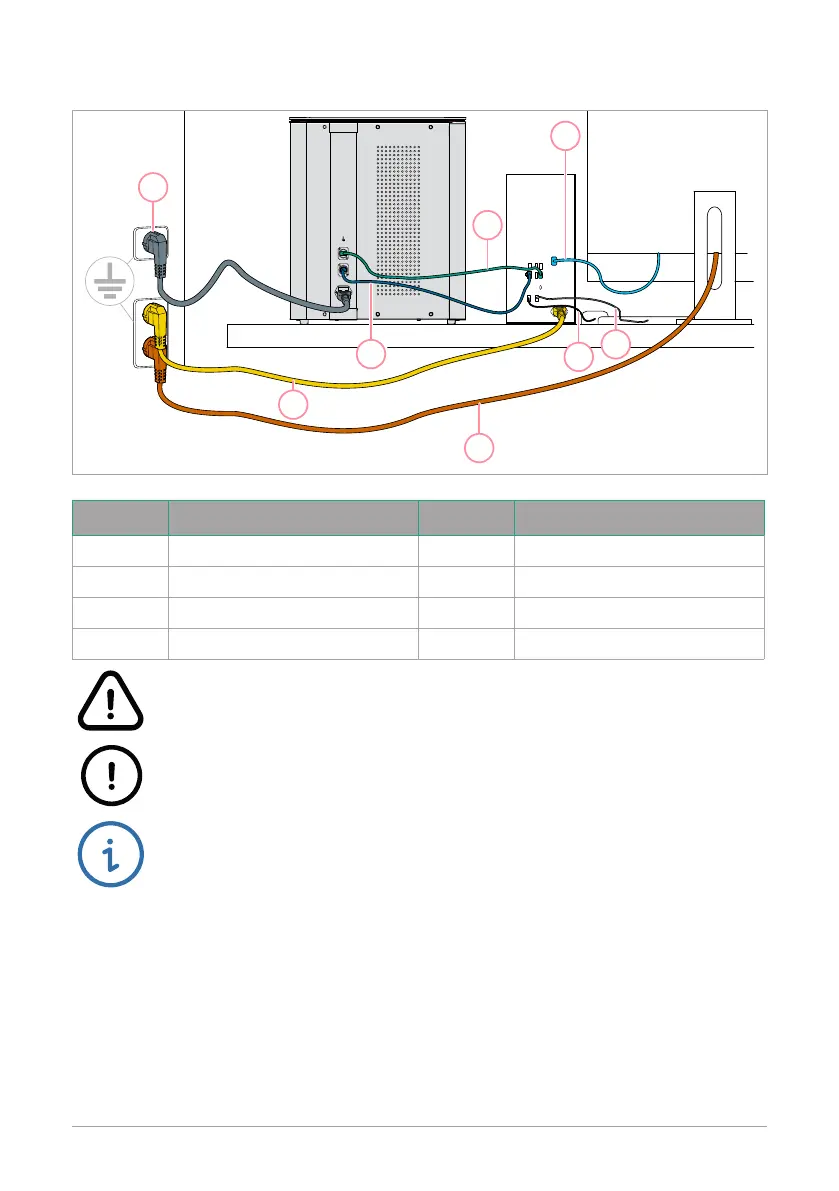
3. Connect the USB, Ethernet, and power cables
Number Description Number Description
1 Power cord IRIS 5 Mouse cord
2 USB cord 6 Power cord monitor
3 Display port cable (marked D) 7 Power cord computer
4 Keyboard cord 8 Ethernet cable
Warning! Do not connect faulty equipment to the system� Risk of electrical
shock and damage to the system�
Caution! Connect the Mabtech IRIS
TM
FluoroSpot/ELISpot reader to a
grounded outlet� The input voltage must be between 100-240 VAC, 50-60 Hz�
Note: In the event of power failure, the reader might have to be re-started�
1
2
6
7
8
5
4
3


 To Next Page