16
MCS2400 by MacAllister
In more detail...
GB
IE
Product functions
WARNING! If the saw chain and motor fail to stop when
the chain brake is engaged, take the product to the
nearest authorised dealer or service centre! Do not use
the product if the chain brake is not working properly!
The chain brake should not be used for starting and
stopping the product during normal operation!
On/off switch
Make sure the safety chain brake (2) is disengaged >
(see above Fig. 13).
Grip the product with both >
hands, your left hand holding
the front handle (1) (do not
hold the chain brake) and
your right hand holding the
rear handle (12).
Press the lock-off button (16) >
and hold it in position.
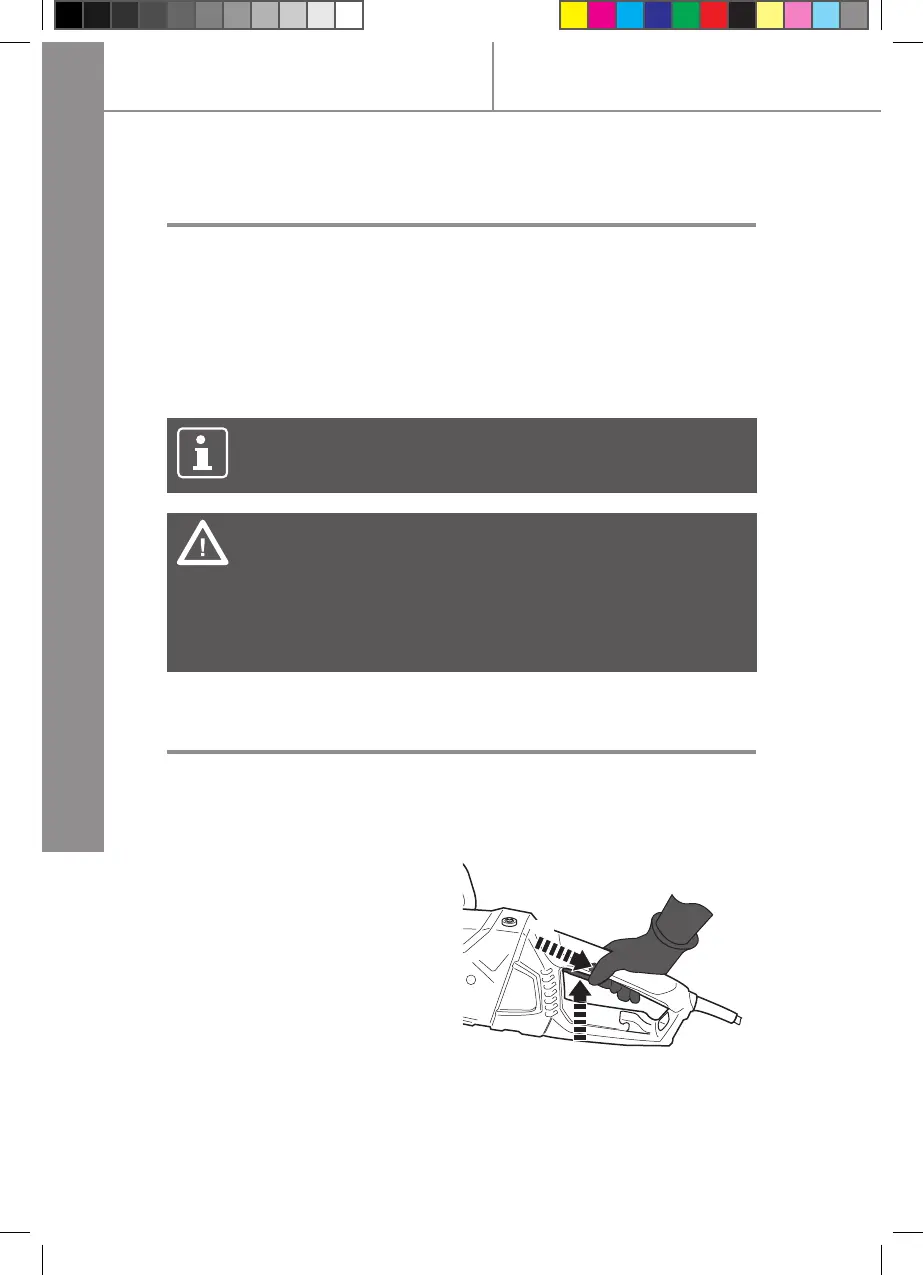
Squeeze in the on/off switch >
(17) to switch the product on
(Fig. 18).
1.
2.
Fig. 18
Release the on/off switch (17) to switch the product off. >
NOTE: The motor will not start if the chain brake is in the
engaged position.
Press the lock-off button (16) with your right thumb, then fully >
squeeze in the on/off switch (17) with your index nger and hold
it in position.
While the motor is running, activate the chain brake (2) by >
moving your left hand forward against the chain brake (2). The
saw chain (3) and motor should stop immediately.
Chain brake



 To Next Page