08
MCS2400 by MacAllister
Before you start
Getting started...
GB
IE
Assembly
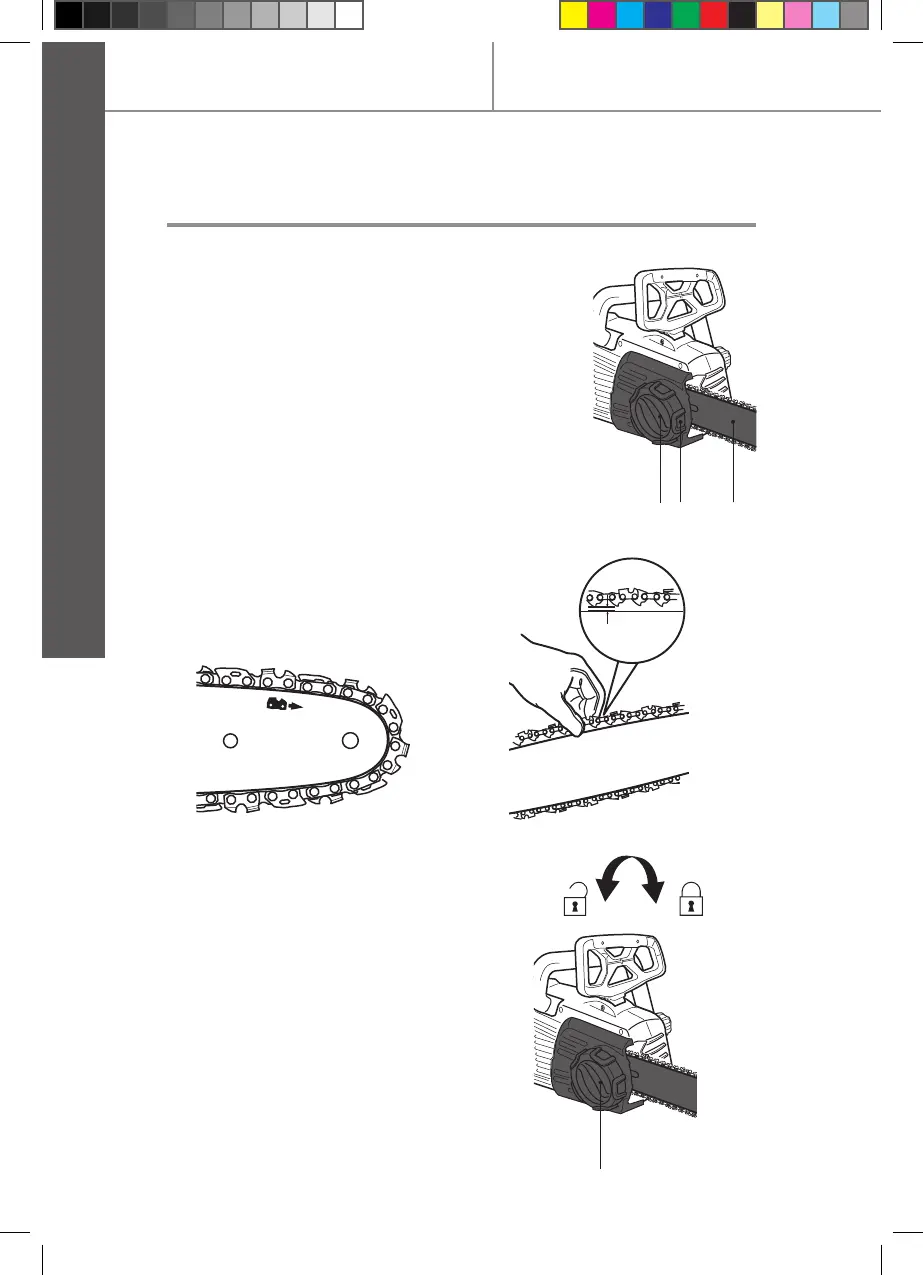
Set the product on a suitable at surface. >
Turn the tension wheel (8) until the chain >
“tie straps” are just touching the bottom
edge of the guide bar (4) (Fig. 6).
Check the chain tension using one hand >
to lift the saw chain (3) against the weight
of the product. The correct chain tension is
achieved when the saw chain can be lifted
by approximately 2 - 4 mm from the guide
bar (4) in the centre (Figs. 7, 8).
8 47
Fig. 6


 To Next Page