110 P0010/082016/Rev.0.0
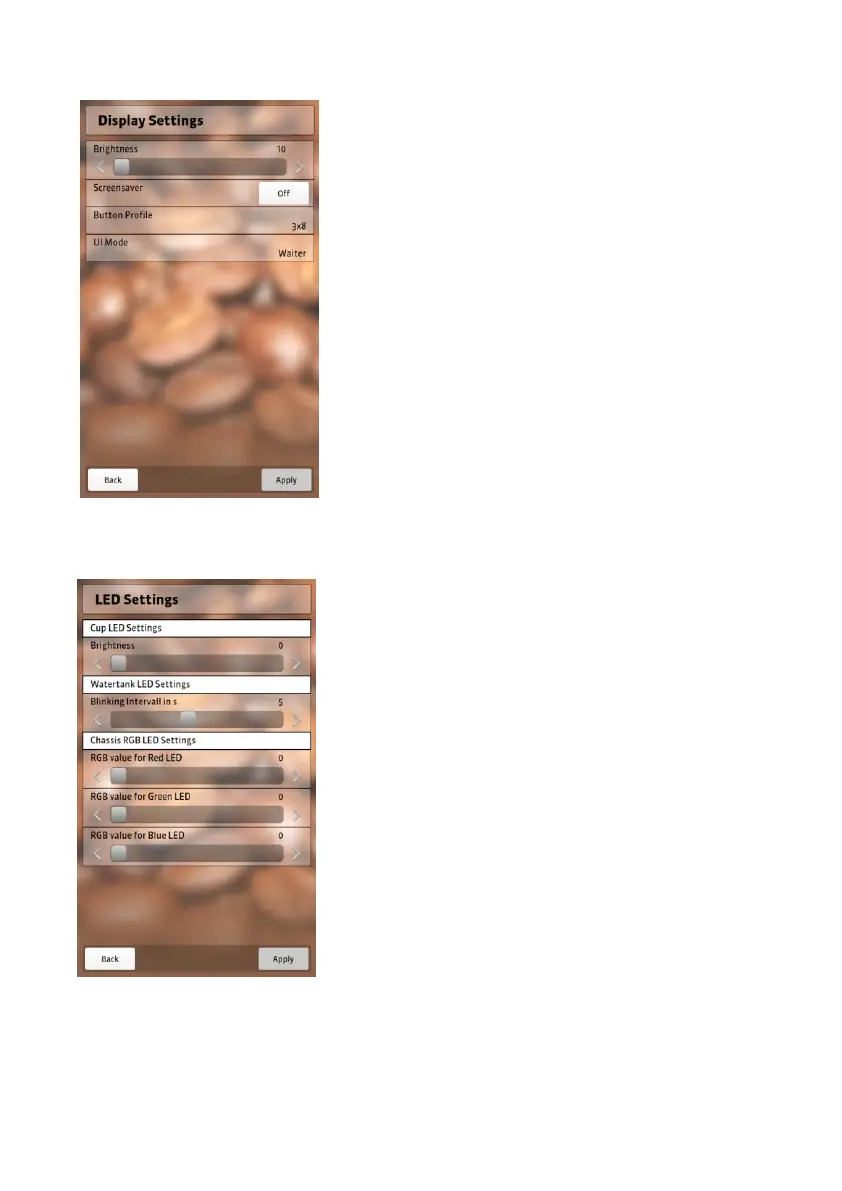
Display settings
Determine the brightness of your
screen and choose a screensaver.
Determine the brightness by moving
the sliding bar.
Activate/deactivate the screensaver by
switching it on/off.
Select “Apply” to save changes.
Select “Back” to exit the settings.
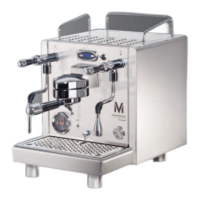
LED settings
You can activate the lighting of the
appliance here.
You can determine the brightness of
cup illumination and the signal interval
of the water tank lighting by moving
the sliding bar.
Use the other three sliding bars to adjust the
lighting intensity.
Select “Apply” to save changes.
Select “Back” to exit LED settings.


 To Next Page