P0010/082016/Rev.0.0 111
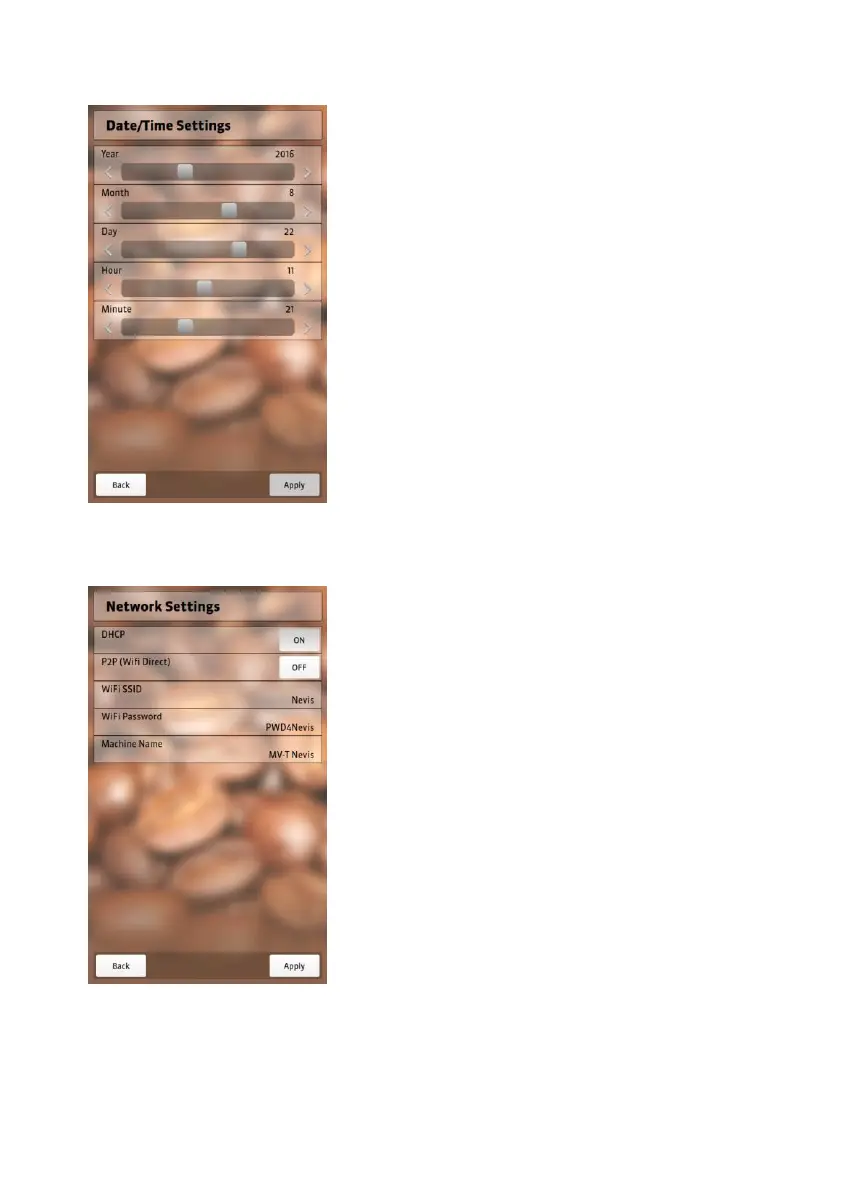
Date/Time settings
Setting options to change time and
date.
Move the sliding bar to the right/left to
set the time and date.
Select “Apply” to save changes.
Select “Back” to exit time and date
settings.
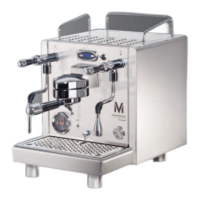
Network settings
To connect NEVIS to your network you
must enter the necessary data to
enable NEVIS to communicate within
your network.
DHCP Connecting to your
network (switch
on/off)
P2P Switching the WiFi
signal off/on
WiFi SSID WiFi address
WiFi password access code to your
network
Device name username that allows
NEVIS to connect to
your network


 To Next Page