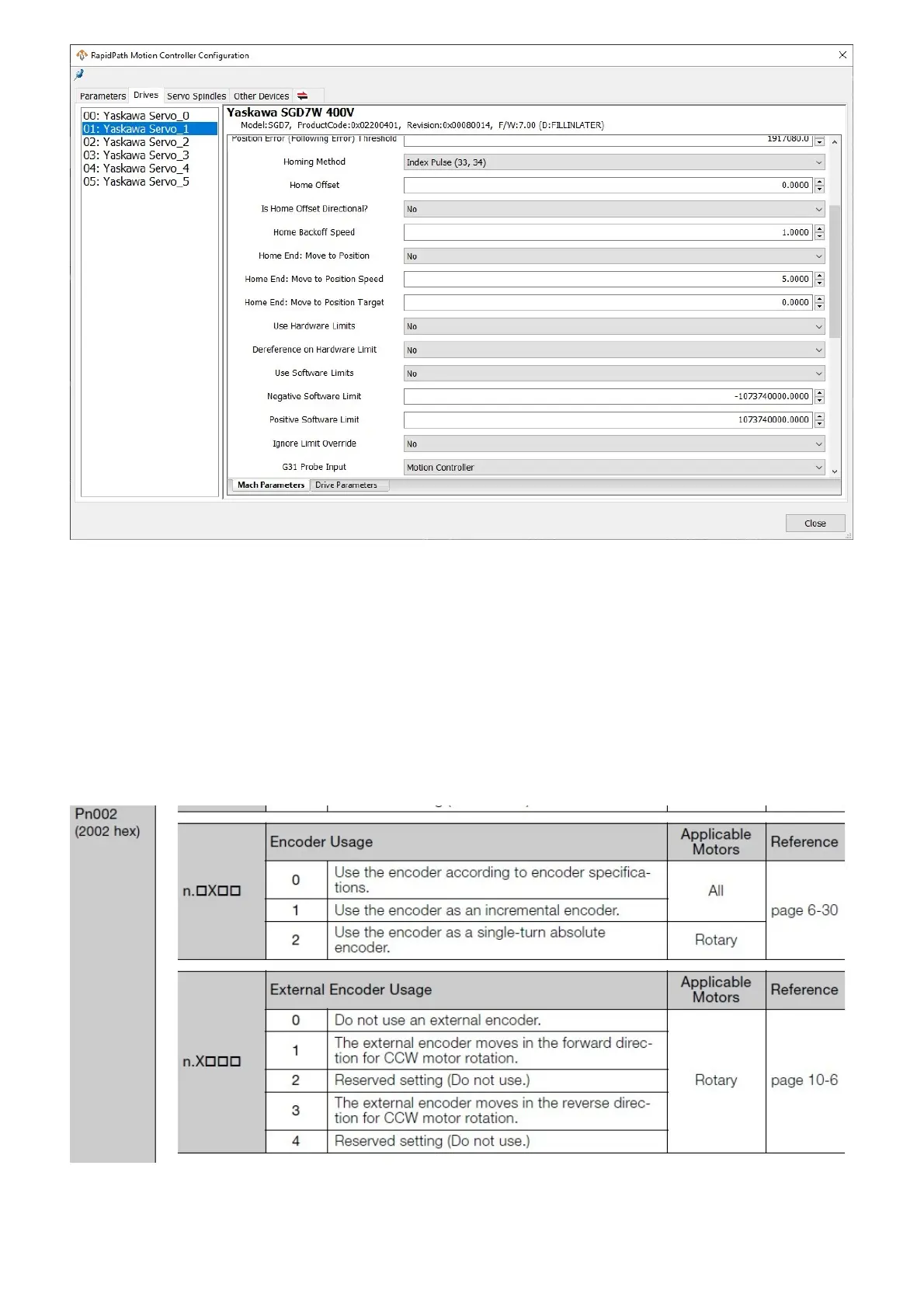
1. On the menu bar, click Configure -> Plugins -> RapidPath, then select the Drives tab.
2. Select the motor that you need to change by selecting it from the list on the left side.
3. Set the Encoder Type parameter appropriately.
4. Select the Drive Parameters tab and wait for the current parameters to be read from the drive.
5. Set the drive parameter appropriately for the encoder type.
6. Click Write Changes to send the parameters to the drive.
The documentation for the Yaskawa EtherCAT Sigma7 drives state the following about setting the encoder type in the
drive parameters:
If the motors are already homed and need to be homed again, resetting the absolute encoders will allow you to home
again. See Resetting Absolute Encoders.
Absolute Encoders


 To Next Page