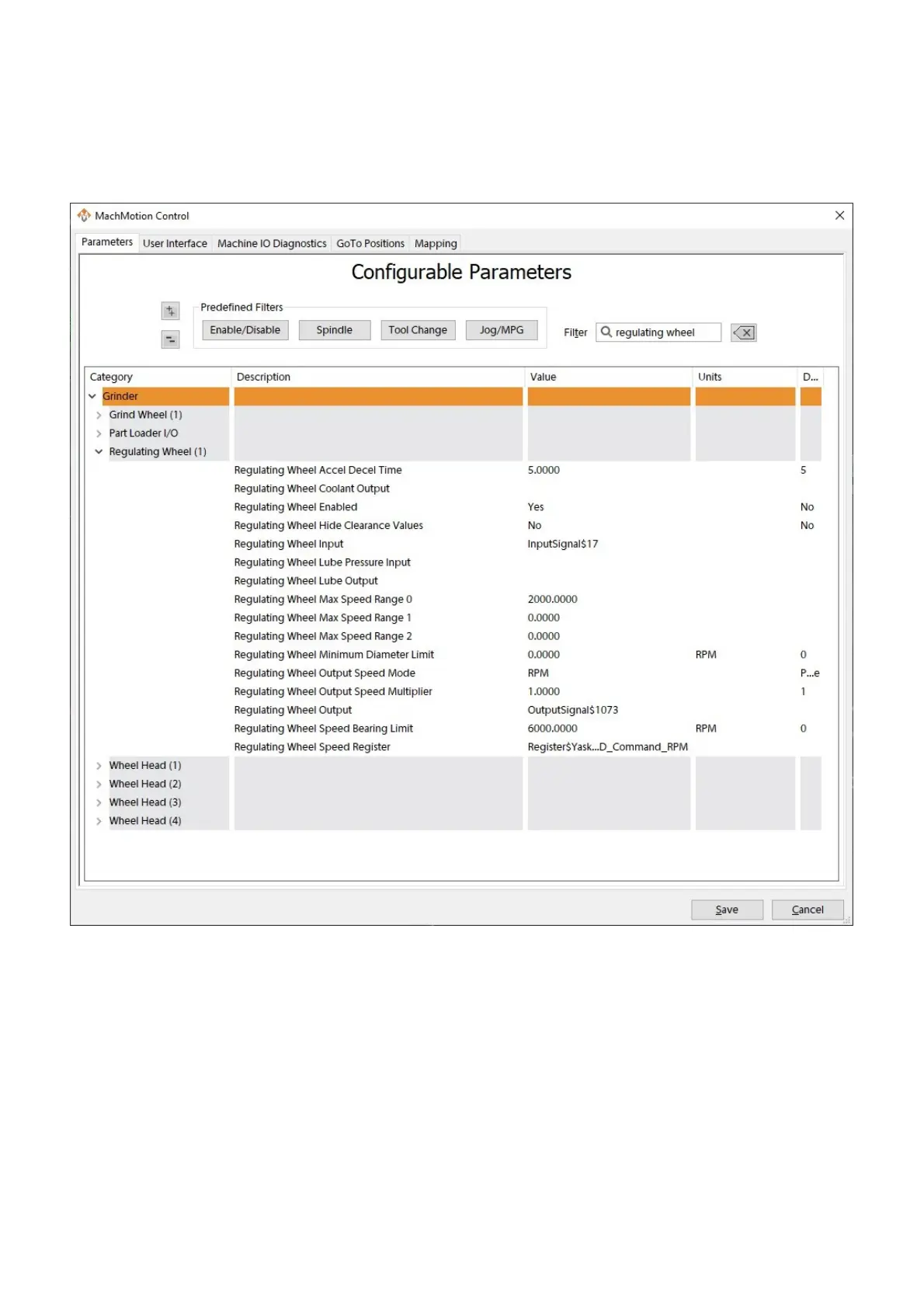
14. Set the Regulating Wheel Bearing Limit parameter appropriately for the machine mechanics.
15. Set the Regulating Wheel Speed Register parameter.
1. Double-click the value field to open a selector window.
2. Select Register for the type field.
3. Select the name of your device for the second field.
4. Select relevant commanded speed option for the third field.
5. Click OK to save your setting.
16. Click Save to save your settings and close the window.
There are many custom configurations available for all machine types. Some more common options are covered below.
Full documentation for setting up a lube system is located here.
Full documentation for setting up a dual table is located here.
The Global Monitoring System allows the user to set up monitors on the machine. A monitor watches a set of conditions
and when all conditions are true, will take a predefined action. Full documentation is located here.
Additional Configuration
Lube System
Dual Table Routers
Global Monitoring System


 To Next Page