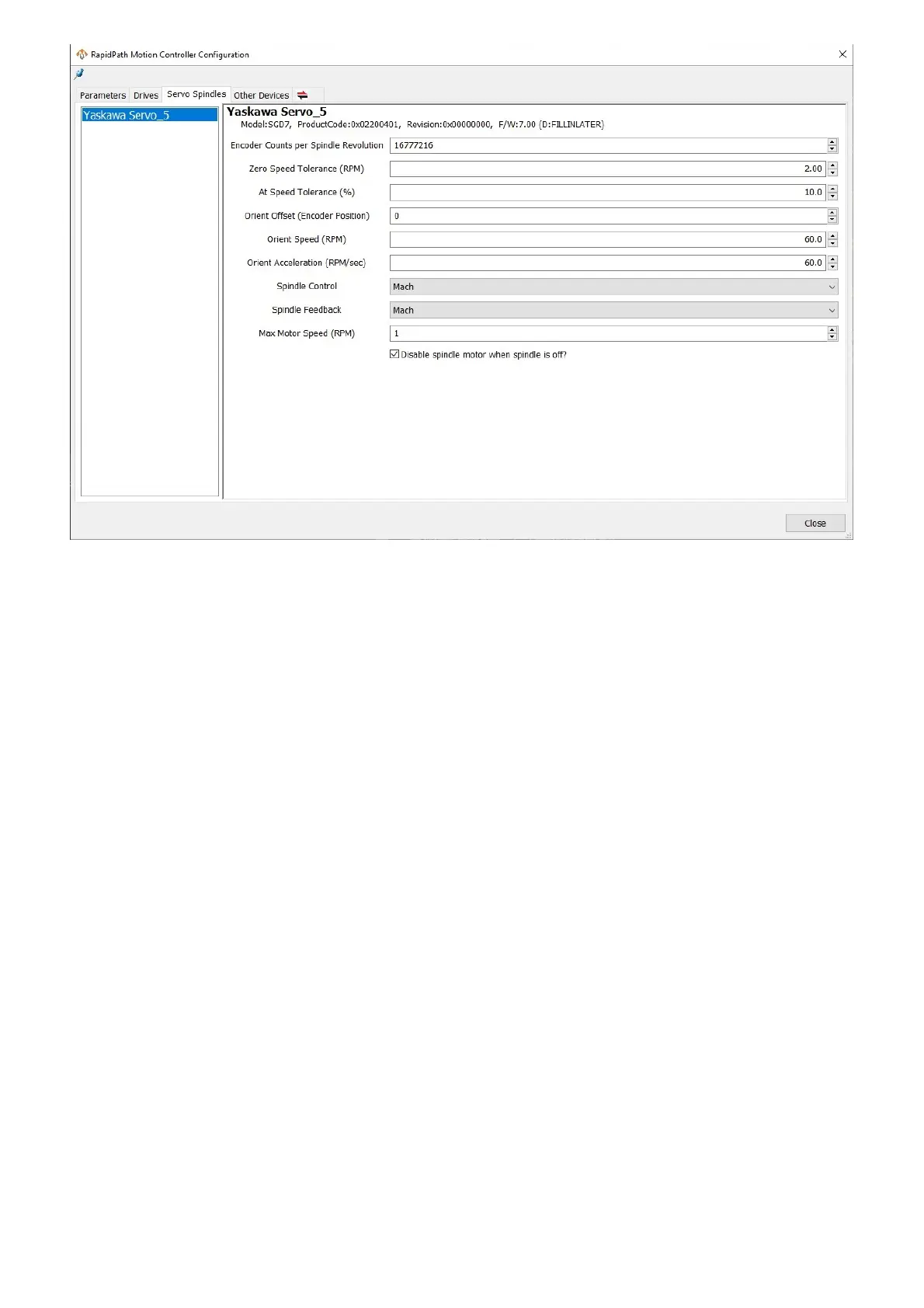
1. On the menu bar, click Configure -> Plugins -> RapidPath, then select the Drives tab.
2. Select the motor that will be the servo spindle by selecting it from the list on the left side.
3. Set the Motor Class to be Servo Spindle.
4. Click Close.
5. Restart the control software.
6. On the menu bar, click Configure -> Plugins -> RapidPath, then select the Servo Spindles tab.
7. Select the servo spindle device from the list on the left.
8. Set the Spindle Control parameter to Mach.
9. Set the Spindle Feedback parameter to Mach.
10. Click Close.
11. On the menu bar, click Configure -> Control, then select the Input Signals tab.
12. Enable the Spindle At Speed and the Spindle At Zero signals.
13. The device name for both signals will be the same name that was in the RapidPath spindles device list.
14. Map SpindleAtSpeed to the Spindle At Speed signal.
15. Map SpindleZeroSpeed to the Spindle At Zero signal.
16. Select the Output Signals tab.
17. Enable the Spindle Fwd and the Spindle Rev signals.
18. The device name for both signals will be the same name that was in the RapidPath spindles device list.
19. Map SpindleFwd to the Spindle Fwd signal.
20. Map SpindleRev to the Spindle Rev signal.
21. Select the Spindle tab.
22. Set the Max Spindle Motor RPM parameter appropriately.
23. Press Apply to save any changes and OK to close the configuration window.


 To Next Page