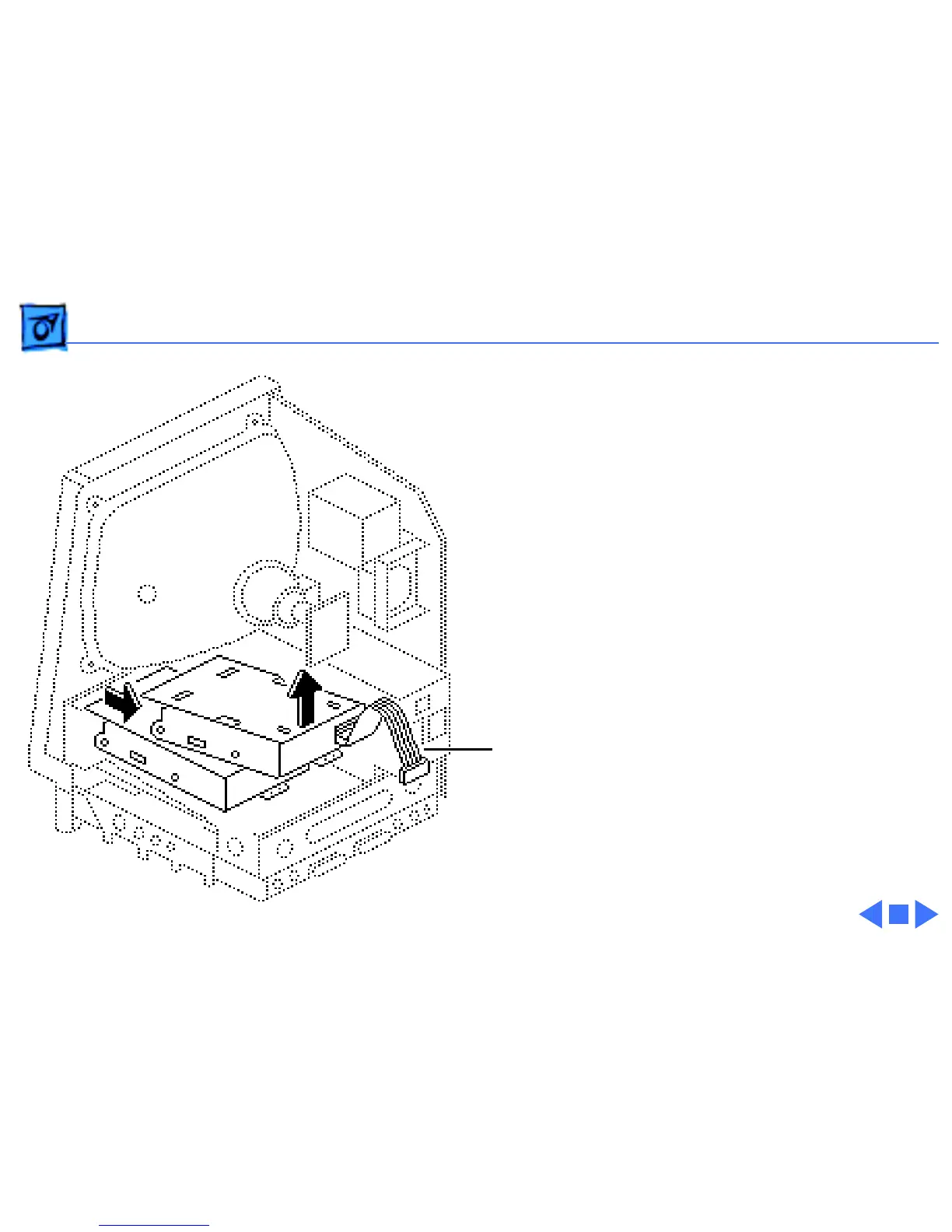
Take Apart Upper Floppy Drive - 29
3 Lift and slide out the
upper floppy drive.
Disconnect and keep the
floppy drive cable.
Replacement Note:
Apple
recommends using dust
shields on all 1.4 MB floppy
drives. All 1.4 MB
replacement drives ship
with the dust shield
installed. If you plan to
install a dust shield on an
existing 1.4 MB drive, you
must first clean the drive
(see the Hard Drives
manual).
Floppy Drive
Cable



 To Next Page