Owner’s Manual
3
Owner’s Manual
Contents Features
Part No. SW1153 Rev. B 06/16
©2016 LOUD Technologies Inc. All Rights Reserved.
Simple and Intuitive
•
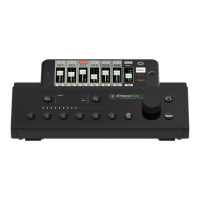
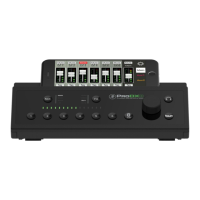
Control every level from the single knob front
panel interface
•
Clean and professional design looks great
anywhere
•
Ultra-compact for effortless transport
and a perfect fi t in tight spaces
•
Integrated control bridge holds your phone
for a quick view of your mix
Wireless Streaming and Control via the
MixerConnect
™
app on iOS and Android
™
•
Stream music or backing tracks via Bluetooth
®
•
Control levels, EQ, effects and more from
anywhere
•
Recallable mix presets for quick setup
•
Place the mixer out of sight without losing
any control
Sound Your Best with Powerful Built-in Processing
•
Dial in your sound with musical 3-band EQ
with low-cut per channel
•
No-hassle channel compression adds punch
to any vocal or instrument
•
Sweeten your mix with 16 great-sounding
ReadyFX
™
reverbs, delays and choruses
•
Outputs feature a fl exible graphic EQ for fi ne
tuning your mix
All the Right I/O
•
Wide-Z
™
inputs for simple connection of mics,
guitars, keyboards and more with no gain
adjustments needed
•
Connect your media player via the stereo 1/8"
input or stream wirelessly via Bluetooth
®
•
L/R main outs to connect to your PA speakers,
power amps or studio monitors
•
Aux send(s) allow you to create personal /
multiple monitor or separate zone mix(es)
•
Headphone output for critical listening
or silent practice
Like us
Follow us
Watch our dang videos
Android is a trademark of Google Inc.
Important Safety Instructions .................................. 2
Contents ................................................................. 3
Features ................................................................. 3
Introduction ............................................................ 4
How To Use This Manual ......................................... 4
Things To Remember ................................................ 4
Getting Started ....................................................... 4
Hookup Diagrams .................................................... 5
MixerConnect App ................................................... 8
ProDX: Rear Panel Features ..................................... 8
1. Power Connector .......................................... 8
2. Power Switch ............................................... 8
3. XLR and 1/4” Combo Inputs ......................... 8
4. Bluetooth / Line In ........................................ 9
5. Main Out L/R ............................................... 9
6. Aux Out ....................................................... 9
7. Phones ......................................................... 9
8. Update ......................................................... 9
ProDX: Front Panel Features .................................. 10
9. Control Bridge ............................................. 10
10. Meters ..................................................... 10
11. Channel Buttons ........................................ 10
12. Bluetooth / Line In Button ......................... 10
13. Level ........................................................ 10
14. MAIN Button ............................................ 11
15. MIX Button .............................................. 11
16. FX Button ................................................. 11
17. Phones Button .......................................... 11
Factory Reset [aka Vulcan Mind Meld] ................... 11
Wrap-Up .............................................................. 11
Appendix A: Service Information ............................ 12
Appendix B: Technical Information .......................... 13
ProDX Dimensions .......................................... 14
ProDX Block Diagram ...................................... 16
Appendix C: Table of Effects Presets ....................... 17
Limited Warranty .................................................. 18


 To Next Page