SRM150: SMALL CLUB SETUP WITH SRM450
HOOKUP DIAGRAMS
1
23
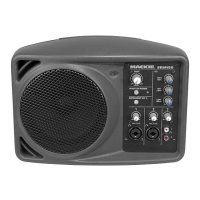
SRM150
Boom Extender
(Included)
Mic Stand
Adapter
(Included)
Electric Guitar
Vocal Mic
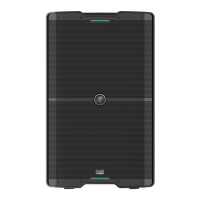
SRM450
P o wer
Cord
THRU Out
To Input
P o we
Here the SRM150 is used
as a personal monitor and
the SRM450 is the main PA
speaker.
EQ
MIC/LI NE
MIC/LI NE
1
23
PHANTO M POW ER
INSTRU MENT (CH 1 )
SRM150
MAIN
COMPACT ACTI VE P A SYST EM
P o wer
Cord
Boom Extender
(Included)
Mic Stand
Adapter
(Included)
Electric Guitar
Vocal Mic
MP3 Player
This illustrates how to use the SRM150 as a per-
sonal monitor. Mount the SRM150 on a microphone
stand using the Mic Stand Mounting Bracket in-
cluded with the SRM150. Attach the Boom Extender
(also included) to the top of the SRM150 and use a
microphone boom to hold your microphone.
Connect the microphone and an instrument to the
SRM150 (Channels 1 and 2), and a playback device
like an MP3 player to Channel 3.
SRM150: PRACTICE SETUP USING MIC STAND AND BOOM








 To Next Page

