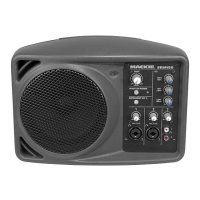
SRM550 • SRM650 • SRM750 Powered Loudspeakers
8
SRM550 • SRM650 • SRM750 Powered Loudspeakers
Daisy-Chaining Multiple SRM Loudspeakers
SIG/OLSIG/OLSIG/OLSIG/OLSIG/OLSIG/OLSIG/OLSIG/OL
DL806 Mixer
To next SRM
loudspeaker
input
To next SRM
loudspeaker
input
Main
Outs
Hookup Diagrams continued...
SRM loudspeakers may be daisy-chained via the male XLR connector labeled “THRU”. Simply plug the
signal source (i.e., mixer output) into the input jack(s), and patch that loudspeaker’s THRU jack to the
next loudspeaker’s input jack, and so on, daisy-chaining multiple SRM loudspeakers. Make sure that
the Ch 1 / Mix button is OUT [Ch 1]. See above for a visual representation of daisy-chaining.



 To Next Page