EasyManua.ls Logo

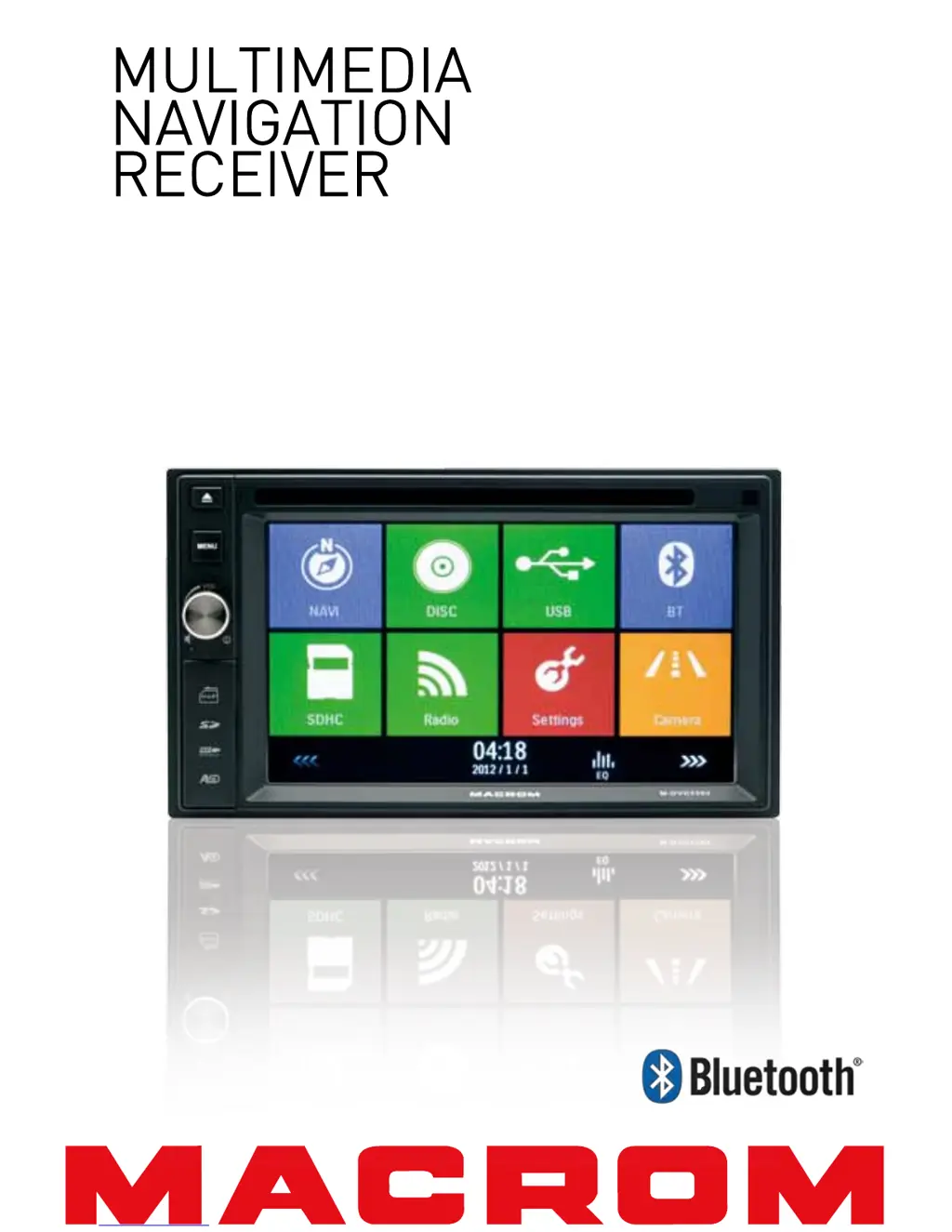
Macrom M-DVD5560 - User Manual

Macrom M-DVD5560
26 pages
Print Icon
To Next Page IconTo Next Page
Loading...
USER MANUAL
M-DVD5560

Questions and Answers

  • C
    Christopher CruzAug 16, 2025
    What to do if Macrom Car Navigation system has no or low audio output?
    • S
      Sheila WelchAug 16, 2025
      If your Macrom Car Navigation system isn't producing any or has low audio output, there are several potential reasons. First, verify that the audio output connections are correctly wired. It might also be that the volume is set too low, so try increasing it. Damaged speakers could also be the culprit, requiring replacement. An imbalanced volume setting can cause this, so adjust the channel balance to the center. Finally, ensure that the speaker wiring isn't touching any metal parts in the car; if it is, insulate the connections.
  • K
    Kenneth JimenezAug 19, 2025
    How to fix Macrom Car Navigation system that can not power on?
    • S
      Sonia AustinAug 19, 2025
      If the Macrom Car Navigation system unit is not powering on, the unit fuse may have blown. In this case, install a new fuse with the correct rating. Alternatively, the car battery fuse may have blown, requiring a new fuse with the correct rating as well. If neither of these are the case, the unit may have experienced an illegal operation, and you should try resetting it.
  • R
    rbergAug 22, 2025
    Why Macrom Car Navigation system has poor sound quality?
    • J
      Jesse JacksonAug 22, 2025
      Poor sound quality or distortion in your Macrom Car Navigation system can stem from several causes. Using a pirated disc can lead to this issue, so try using an original disc. It's also possible that the speaker power rating doesn't match the unit, in which case you should replace the speakers. Incorrect or shorted wiring can also cause this, so check the wiring and correct it as necessary.
  • M
    Matthew RobinsonAug 25, 2025
    What to do if Macrom Car Navigation system has flashing image on screen?
    • G
      Gina FowlerAug 26, 2025
      If you're seeing a flashing image or interference on the screen of your Macrom Car Navigation system, it could be due to several reasons. The color system of the DVD disc might not match the monitor, so adjust the color system of the DVD disc or the monitor. Using a pirated disc can also cause this, so try using an original disc. A damaged video cable or improper video signal connections could also be the cause, so replace the cables or check the wiring and correct it.
  • R
    Rebecca HowardAug 27, 2025
    Why Macrom Car Navigation system resets itself when engine is off?
    • L
      Linda ChambersAug 27, 2025
      If your Macrom Car Navigation system resets itself when the engine is off, it's likely due to an incorrect connection between ACC and BATT. Check the wiring and correct it to resolve this issue.
  • J
    Joseph ThompsonAug 31, 2025
    How to turn off constant warning information on Macrom Car Navigation system?
    • S
      stephanie40Aug 31, 2025
      If the Macrom Car Navigation system is constantly displaying warning information, it's likely that the parking brake wiring is not correct. To resolve this, check the wiring and ensure it is properly connected.
  • N
    Nathan RodriguezSep 2, 2025
    What to do if Macrom Car Navigation system cannot insert disc?
    • H
      hbowmanSep 3, 2025
      If you cannot insert a disc into your Macrom Car Navigation system, it is possible that a disc is already inside the unit. Eject the current disc before attempting to insert a new one.
  • J
    Jose LeeSep 6, 2025
    Why Macrom Car Navigation system disc does not play back?
    • L
      leslierobinsonSep 6, 2025
      If a disc does not play back in your Macrom Car Navigation system, several factors could be at play. The disc might be warped or scratched, so use a disc in good condition. It could also be dirty or wet, so clean it with a soft cloth. An incompatible disc could be the issue, so use a compatible disc. Ensure the disc is inserted with the label side up. Finally, the disc region code might not be compatible with the unit, so use a disc with the proper region code.
  • P
    Patrick SheltonSep 8, 2025
    Why PBC cannot be used during VCD playback on Macrom Car Navigation system?
    • J
      Joshua KnightSep 9, 2025
      PBC cannot be used during VCD playback on Macrom Car Navigation system because PBC is not available on the disc. Use a disc with PBC available.
  • P
    Patricia AlvarezSep 12, 2025
    Why repeat or search function is invalid during VCD playback on Macrom Car Navigation system?
    • L
      leonjosephSep 12, 2025
      The repeat or search function is invalid during VCD playback on Macrom Car Navigation system because PBC is turned on. Turn PBC off to enable these functions.

Summary

Safety Precautions

Product Overview

Front Panel Components and Controls

Identifies and describes the physical buttons, ports, and indicators on the front panel.

Basic Operations

Power, Mute, and Parking Brake Functions

Details how to turn the unit on/off, mute audio, and manage parking brake video display.

Source Selection and Audio Adjustment

Instructions for changing playback sources and accessing EQ settings.

Equalizer (EQ) and Fader;Balance Settings

Guides on selecting preset EQs and adjusting speaker balance and subwoofer volume.

Date and Time Settings

Setting the System Date

Step-by-step guide to configure the current date on the receiver.

Clock Mode and Time Configuration

How to set the clock format (12/24-hour) and enter the current time.

Radio Mode Operations

Tuner Display, Band Selection, and Tuning

Explains the radio display, how to change bands, and methods for tuning stations.

Preset Station Management

Covers searching, storing, and recalling preset radio stations for quick access.

Radio Features: Local Seek, EQ, and RDS

Details on Local Seeking, EQ selection, and various RDS features like AF, EON, TA, CT, PTY.

Playback Modes and Controls

Disc Loading and Media Device Handling

Procedures for inserting/ejecting discs and connecting/removing USB and SD/MMC cards.

Core Playback Controls

Instructions for using touch screen controls, playback functions, and navigation.

File Browsing and Repeat Playback

How to navigate folders and use repeat modes (single, all, A-B) for media playback.

Advanced Playback Features

Information on shuffle play, audio modes, subtitle selection, and playback details.

Bluetooth Connectivity

Device Pairing, Disconnection, and Call Handling

Steps for pairing, disconnecting Bluetooth devices, and managing phone calls.

Bluetooth Settings and Music Streaming

Guides on configuring Bluetooth options and streaming audio via A2DP/AVRCP.

System Settings and Configuration

General, Calibration, and Video Setup

Covers general settings, touch screen calibration, and parking brake video detection configuration.

Sound, Time, Language, and Bluetooth Settings

Adjusting audio, time, display language, and Bluetooth connection preferences.

DVD Playback and Volume Settings

Configuring DVD region codes, parental controls, DRC, and source-specific volumes.

Other Modes and Features

External Device Connection and System Reset

Instructions for connecting external AV inputs and resetting the unit to default settings.

Fuse Replacement and GPS Navigation

Guidance on replacing the unit's fuse and utilizing the GPS navigation system.

Steering Wheel Control Programming

Procedure for customizing steering wheel controls to operate unit functions.

Technical Specifications

Unit Components and Performance Data

Detailed technical specifications for FM/AM, LCD, DVD, AUX, Audio, Video, and environmental factors.

Media Compatibility and Disc Handling

Information on supported file formats, DVD region codes, and precautions for disc usage.

Troubleshooting Common Issues

Power, Audio, and Unit Stability Problems

Solutions for unit not powering on, audio issues, and unexpected resets.

Display and Disc Playback Errors

Addresses screen interference, warning messages, and problems with disc insertion or playback.

Wire Connections Diagram

Macrom M-DVD5560 Specifications

General IconGeneral
NavigationYes
DVD PlayerYes
BluetoothYes
USBYes
SD Card SlotYes
Resolution800 x 480 pixels
GPS NavigationYes
Backup Camera InputYes
RadioYes