GB-24
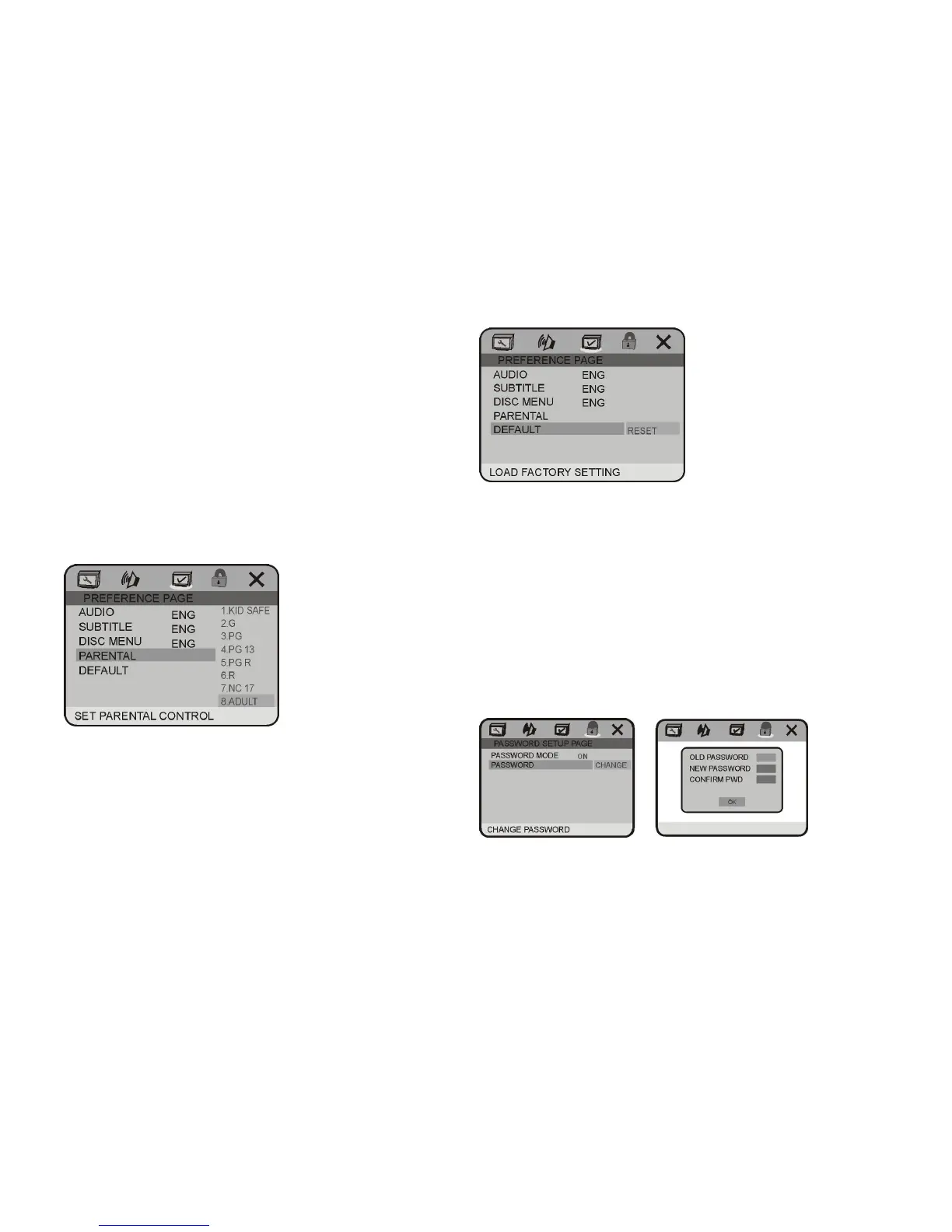
3.4 PARENTAL
PARENTAL: The parental control function works in
conjunction with the different censorship classes
assigned to DVDs. These classes help to control the
types of DVDs that the family watches, There are up to
8 censorship classes for DVDs.
SYSTEM SETUP
Note:
The PARENTAL is changeable when4.1 PASSWORD
MODE set to OFF.
After setting the level of parental control, please set the
password as ON to perform the lock of changing.
3.5 DEFAULT
DEFAULT: Resets to all the manufacturer's original
settings for this DVD player Press ENTER to perform
the reset.
4. PASSWORD SETUP PAGE
4.1 PASSWORD MODE
PASSWORD MODE: Sets the function operation to be
ON for locking the parental function, and OFF for
changing the parental level. There will be old password
confirmation when ON/OFF interchange. The initial
password is 136900
4.2 PASSWORD CHANGE
PASSWORD CHANGE: you can change the password,
please type 6 numerals as new password.



 To Next Page