GU_NADIR_V_3_20_EN 7 / 20
4 NADIR TRANSMITTER
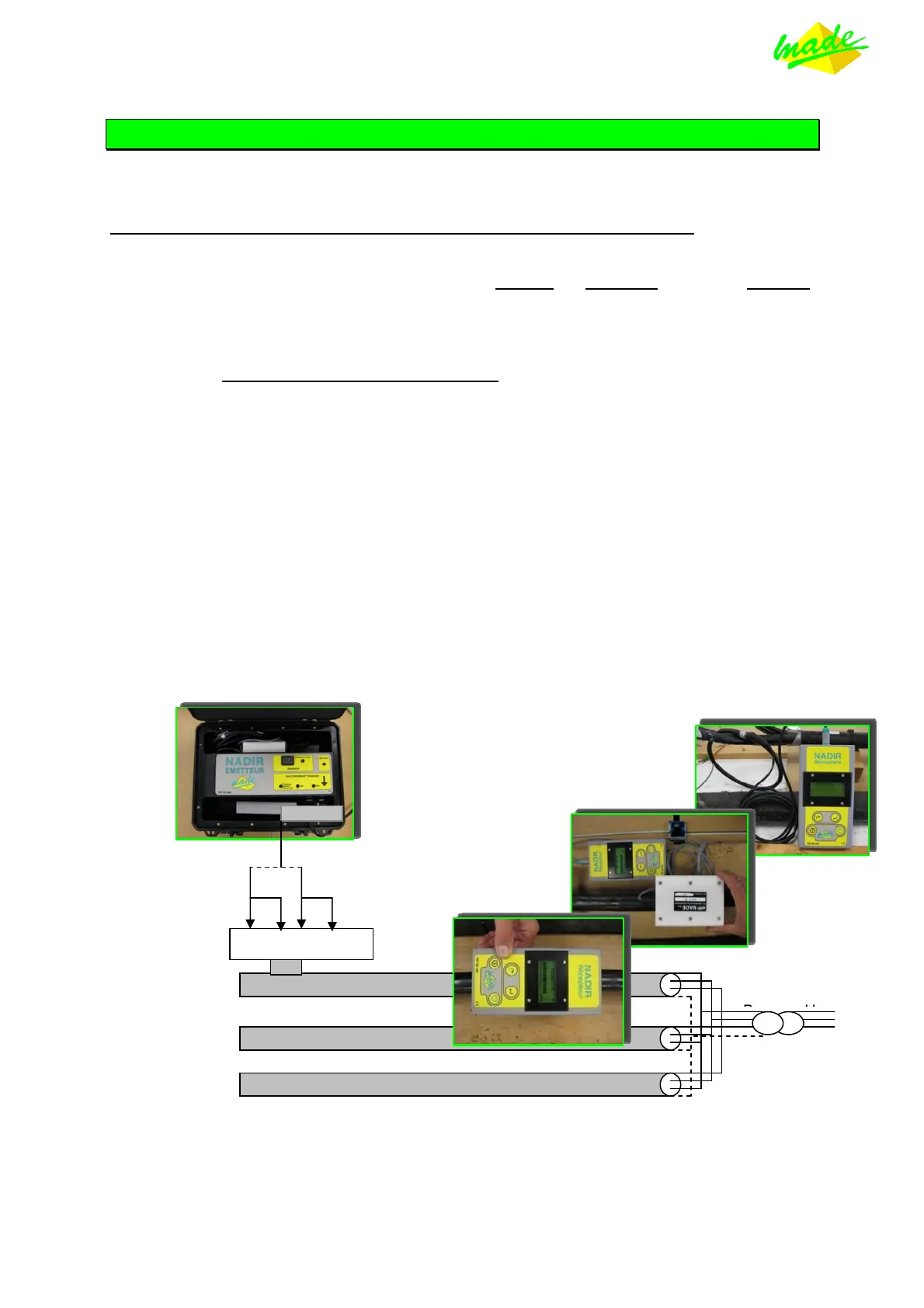
The Transmitter is connected, using the crocodile clips provided, either between any two phases, or
between any phase and neutral on the feeder, downstream of the point of interest.
THE TRANSMITTER AUTOMATICALLY ADJUSTS TO THE VOLTAGE SUPPLIED.
Turning ON the TRANSMITTER :
• Connect the 2 crocodile clips between PHASE and NEUTRAL or between PHASES,
depending on the kind of network (The fan starts)
• Pressing the push button once, located in the "TRANSMITTING" area, starts the
emission
• The yellow LED flashes showing the going-on emission
•
Turn down the cover, do not try to lock it
• Start measuring with the RECEIVER.
A LED indicates the presence of the supply (230 V or 400 V).
The Transmitter is started by switching it ON, and a flashing green LED indicates correct operation.
In the presence of an internal fault, the red FAULT lamp will light. Should this occur, turn OFF, check
the connections and re-start. If the fault persists, contact : NIS, A. T. M. S. or the manufacturer.
The NADIR Transmitter monitors its internal voltages, the cooling fan and the overall operation.
So as to improve reception, try to connect the Transmitter as close as possible downstream of the
point of interest.
Stopping the TRANSMITTER :
• Press the push button, used to turn ON the Transmitter.
• The yellow LED stops flashing, the fan is still in operation
• Disconnect the crocodile clips from the network, the fan stops.
BT HTA
Phase-Neutral
or
Phase-Phase
N Ph Ph
Transmitter
Receiver using
internal sensor
Receiver using
external sensor
Receiver using
Rogowski coil


 To Next Page