©Copyright LOTRONIC 2019 MAD-CD10 4
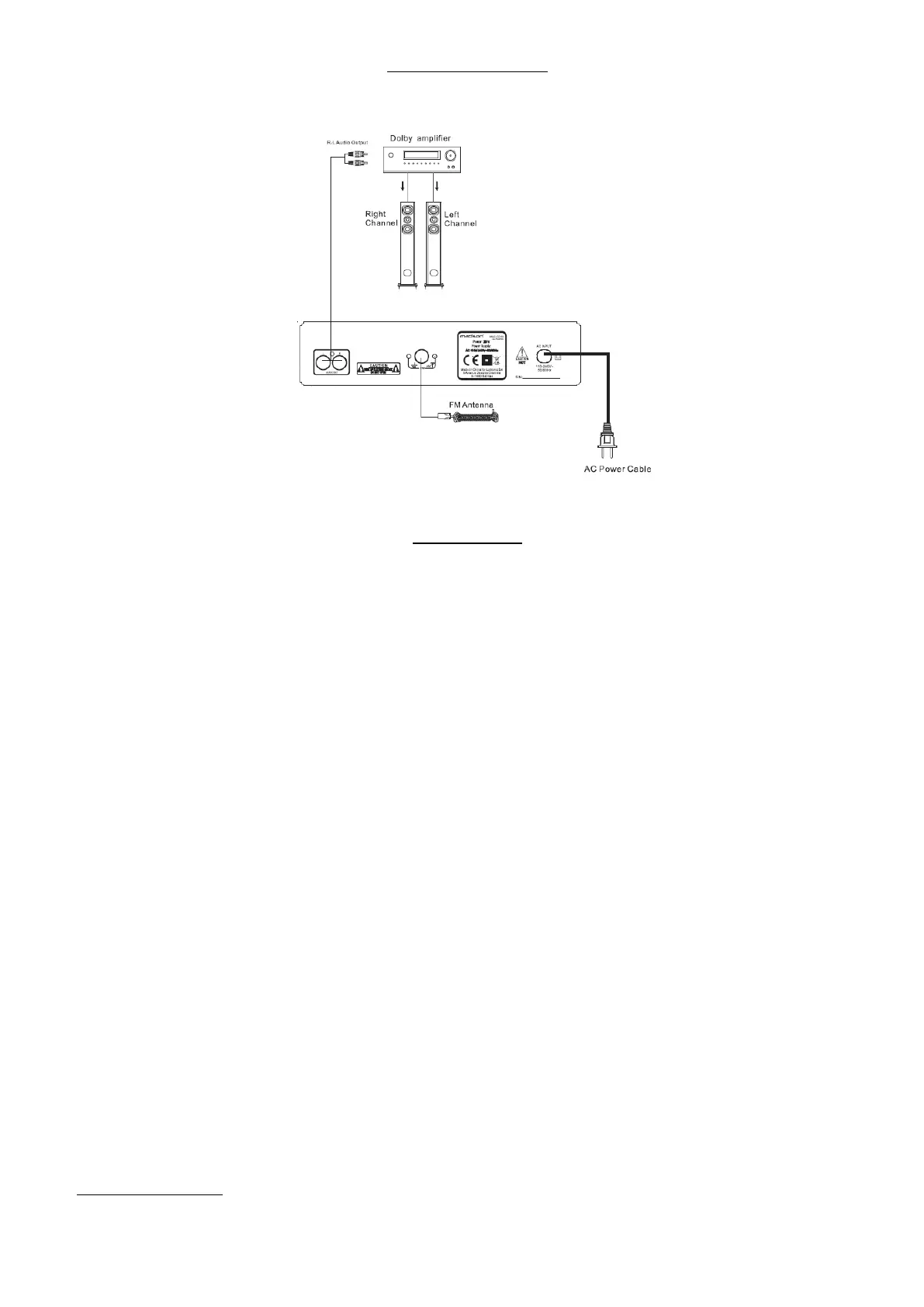
Rear Panel Connections :
Basic Operation :
Remote Control :
• Ensure you have correctly installed AA batteries into your remote control.
• For the remote to be fully functional it must be pointed directly at the micro system and we within a range of 7
meters.
• In some instances the remotes function may be affected by other electronics high frequency or signal interference.
• If the remote control is not going to be used for long periods of time, remove the batteries to avoid battery
leakage and subsequent damage your remote control.
• The remote control should not be stored in dusty, humid or moist conditions, in direct sunlight or other extreme
environments.
Playing a CD:
The CD play in this system is capable of playing 12cm and 8cm Compact Discs. This CD player is not compatible with
DVD/DVD-R/DVD-RW/DVD Audio/DVD Rom or SACD.
The playable audio file types are:
• CD Audio
• MP3 Audio :
o MPEG 1 & 2, audio layer 3 file
o File extension : MP3
o Transfer Bit Rate : 8kbps ~ 320 kbps
• WMA Audio :
o Windows media File
o File extension : WMA
o Transfer Bit Rate : 8kbps ~ 320 kbps
o Incompatible file types created in Windows Media Player 9 or later or not compatible :
WMA Professional
WMA Lossless
WMA Voice
Basic operation steps :
• Press ON on the remote control to turn the system on.


 To Next Page