©Copyright LOTRONIC 2019 MAD-CD10 7
Troubleshooting Guide :
working
• Batteries are exhausted
• The remote control is too far
away from the main system,
controlling angle is too large, or
there is an obstacle in between.
• Replace with new batteries
• Operate the remote within the
recommended operative range.
• The disc is not loaded with the
printed side up.
• It is in pause mode.
• The disc is dirty or scratched.
• Load it with the printed side up.
• Cancel the pause mode.
• Clean it or load another disc.
• The disc is dirty or scratched.
Clean it or load another disc.
• The antenna is disconnected.
• The broadcast frequency is not
set properly
• Set the broadcast frequency
properly
station
• An incorrect station frequency
has been memorized.
• The preset memory was cleared
because the AC input cord has
been disconnected for more
than a few days.
• Memorize the correct station
frequency.
• Memorize the station again.
• Noise related to the influence of
an electric appliance.
• Noise related to a nearby TV set.
• Turn off unnecessary nearby
appliances.
• Install the system further away
from the TV set.
No tracks available to play
• No files are on the USB stick.
• The USB stick is not formatted
using FAT32 file system.
• The files on the USB stick are not
MP3 audio format.
• Add files to the USB stick.
• Reformat the USB stick using
FAT32 file system.
• Add MP3 audio files to the USB
stick.
Specifications :
AC 110-240V/ 50/60 HZ 20W
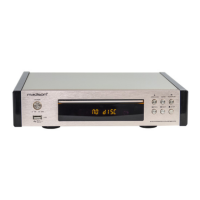
MAIN UNIT : L200 x W295 x H140mm
Electric products must not be put into household waste. Please bring them to a recycling centre. Ask your local
authorities or your dealer about the way to proceed.


 To Next Page