©Copyright LOTRONIC 2019 MAD-CD10 3
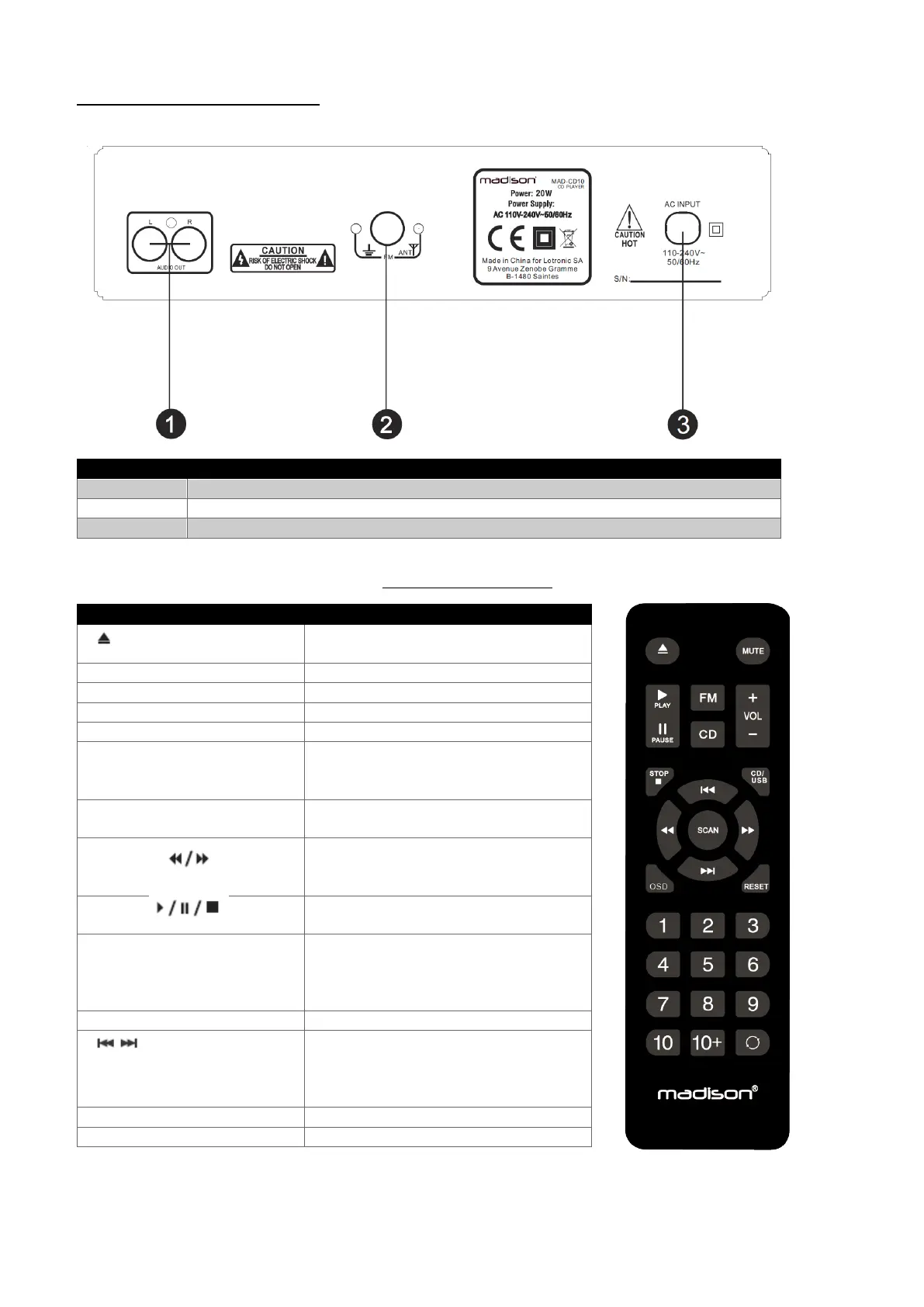
CD Component Rear Panel Overview :
L/R Analogue Audio Output (RCA)
Remote Control Function :
Operates the CD tray to open and close
To scan FM station and automative save
To select CD or USB input
To directly select a song press number
keys 1-9 or to select radio station presets
If a song selection exceeds track 10, you
can select by pressing 10+ key
To fast forward or rewind whilst playing a
track CD mode, or to scan frequencies up
or down whilst in FM mode
To play, pause or stop tracks whilst in CD
mode
The MUTE button will eliminate any
output sound from the system whilst in
any mode.
To cancel, press the button
To adjust the master volume in all modes
CHANNEL or TRACK +/-
To select the next or previous station
preset whilst in FM radio mode, or to
select the next or previous track whilst in


 To Next Page