EasyManua.ls Logo

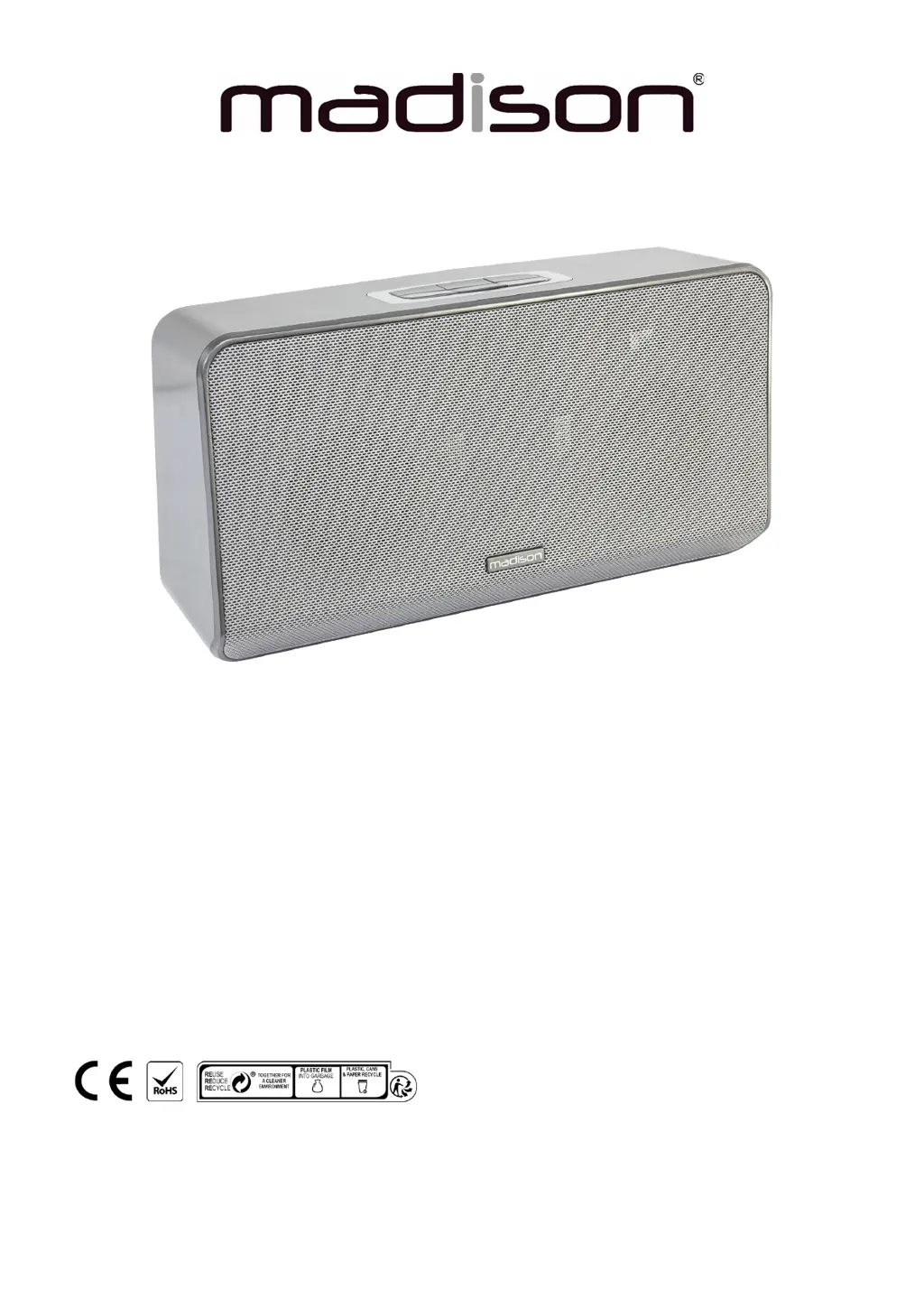
Madison MAD-LINK - User Manual

Madison MAD-LINK
26 pages
Print Icon
To Next Page IconTo Next Page
Loading...
MULTI-ROOM WIFI SPEAKER WITH APP CONTROL
MAD-LINK (10-5755MA)
User Manual
Manuel d’Utilisation
Bedienungsanleitung
Handleiding
Manual de utilizare
Imported from China by LOTRONIC S.A. Av. Z. Gramme 9 – B-1480 Saintes

Questions and Answers

  • H
    Heather SimpsonAug 4, 2025
    Why my Madison Speakers cannot connect to WIFI network?
    • C
      cassandra81Aug 4, 2025
      If your Madison speaker cannot connect to WIFI, it might be due to several reasons. First, if your mobile device is connected to a 5G WIFI router, switch it to a 2.4G WIFI router. Also, if the WIFI router your mobile device is connected to uses enterprise WPA, know that the speaker doesn’t support enterprise WPA, so switch to another WIFI router. Another reason might be that the WIFI router forbids the IGMP function, so you need to enable the IGMP function to add the device. Lastly, if the network environment is poor, try moving the device to a location with a stronger signal.
  • M
    Madeline LiuAug 17, 2025
    What to do if playback is not smooth during WIFI mode on Madison Speakers?
    • A
      Anthony ArnoldAug 17, 2025
      If the playback on your Madison speaker is not smooth during WIFI mode, the issue could stem from a few things. One possibility is that the audio source file is of poor quality, in which case you should try using another audio source. Another cause could be a poor network environment, so try moving the device to a location with a stronger signal. Finally, the network might be going offline, so check your network connection.

Summary

Safety Instructions

Multiroom Setting

Multi mode

Allows linking multiple speakers for synchronized playback or stereo configuration.

Solo mode

Enables individual control and playback of different music on each speaker.

Music Playback

Play music from phone;pad

Stream music from your mobile device via the app to the Wi-Fi speaker.

Play music from internet platforms

Access and play music from online music services through the app.

Play music from USB flash drive

Connect a USB drive to play audio files directly through the speaker.

Play music via LINE-IN

Connect external audio devices using a 3.5mm audio line for playback.

Advanced Music Playback & Connectivity

Playback without internet access

Stream music from your mobile device when the speaker is offline.

Playback via alternative software

Supports DLNA, Airplay, Qplay for playback with other music apps.

Support WIFI hotspot

Enables the speaker to act as a personal Wi-Fi hotspot for internet access.

Multi-mobile control

Control multiple speakers from different mobile devices using the same app.

Quick play setup

Set up and play favorite playlists or radio channels with a single button press.

Troubleshooting

Cannot connect to WIFI network

Solutions for common Wi-Fi connection issues, including router compatibility.

Playback issues during WIFI mode

Addresses problems with audio playback smoothness and network stability.

Device powers off automatically

Provides steps to resolve unexpected power shutdowns of the speaker.

Specifications

Madison MAD-LINK Specifications

General IconGeneral
TypePortable speaker
BluetoothYes
Microphone inputYes
Woofer8-inch
InputsUSB, AUX

Related product manuals