20
Hot Surfaces
Take great care when removing hot food. Use oven
gloves.
Multi-Stage (Sequential) Heating
The Oven can be programmed with up to 3 different
stages to operate in sequence. These can be
MICROWAVE, GRILL, CONVECTION, FAN GRILL,
GRILL CONVECTION or COMBINATION functions.
For 2 stage programming:
Follow steps 1-4 then enter the next heating and press
START Pad.
For 3 stage programming:
Follow 2 stage programming and enter a 3rd heating
programme before pressing START Pad.
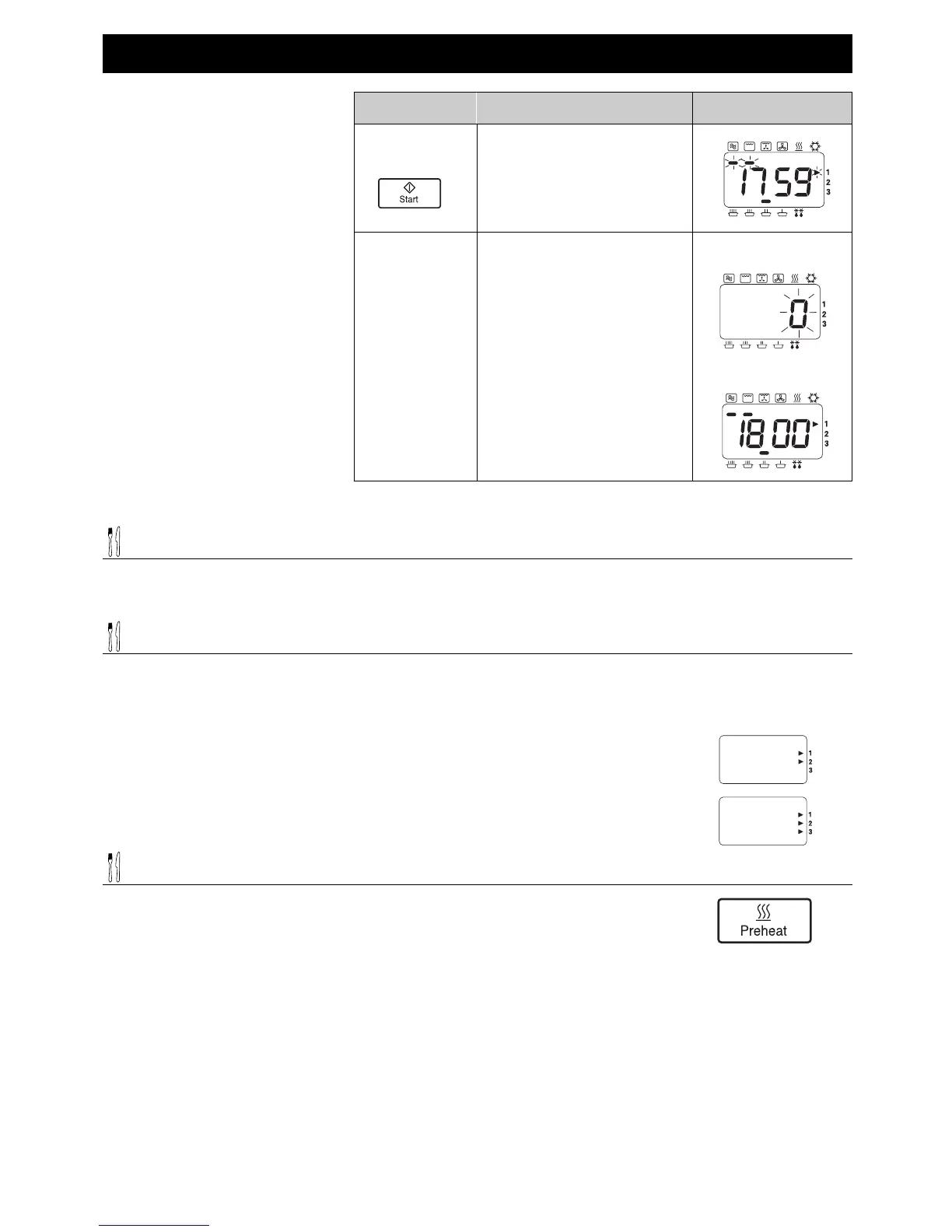
INFORMATION
ACTION
DISPLAY
5 Press
Start Pad.
Display window will count
down time.
At end of heating programme,
oven beeps 3 times, and “0”
flashes in window until door is
opened.
Remove food.
Display window will indicate
the previous programme.
6 Open Door.
End of Programme
Open Door
Operating your Oven on Combination


 To Next Page