How to change the Beep Tone
INFORMATION
ACTION
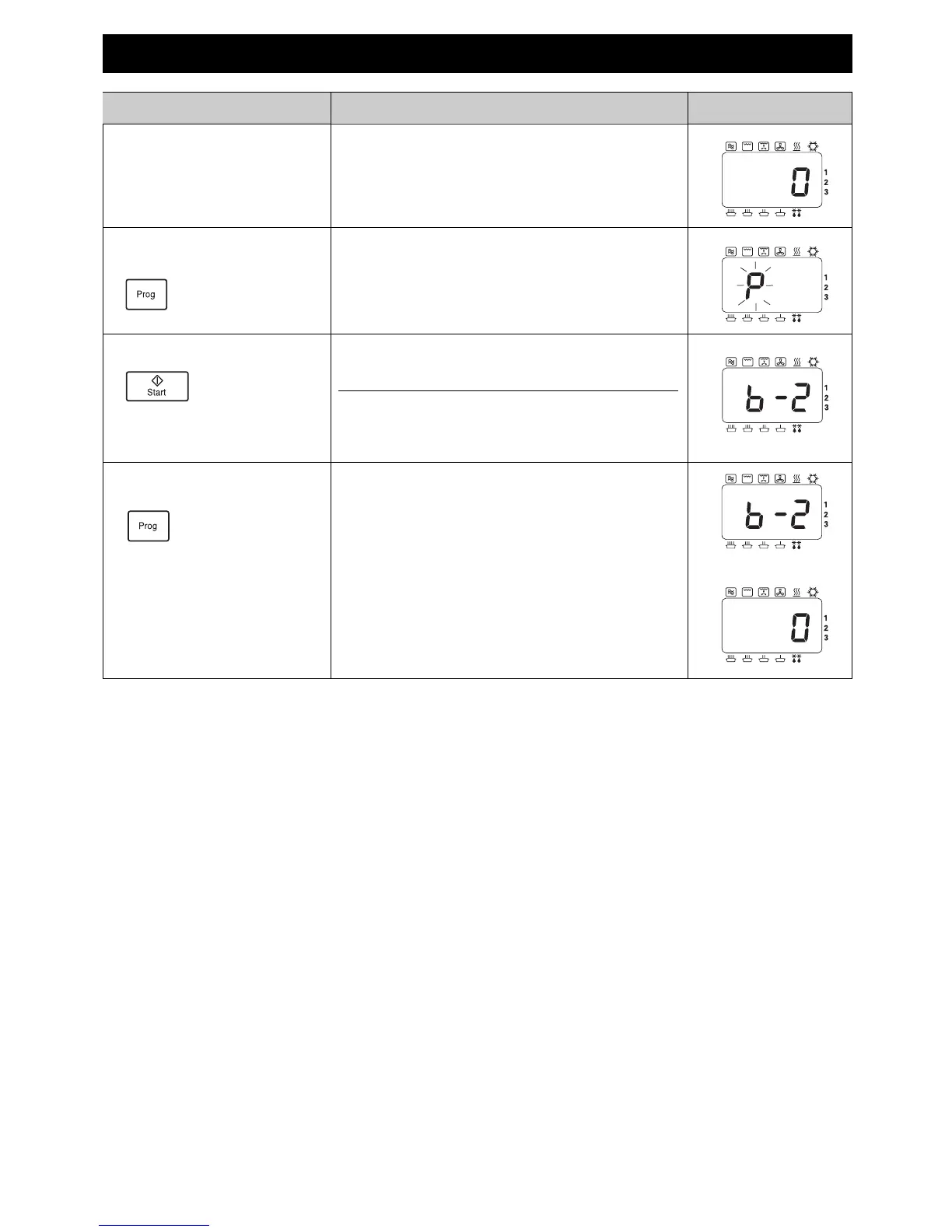
1 Open Door.
Keep Door Open.
The oven lamp will come on.
2 Press
Prog Pad.
Keep pressed Pad for 2 seconds.
DISPLAY
3 Press Start Pad. Press Start Pad to choose sound level required.
(eg. twice for Medium)
No. Presses Display Sound level
1 b-3 Loudest
2 b-2 Medium
3 b-1 Quietest
4 b-0 Silent
After 3 seconds
4 Press
Prog Pad.
After 3 seconds, display returns to “0”.
28


 To Next Page